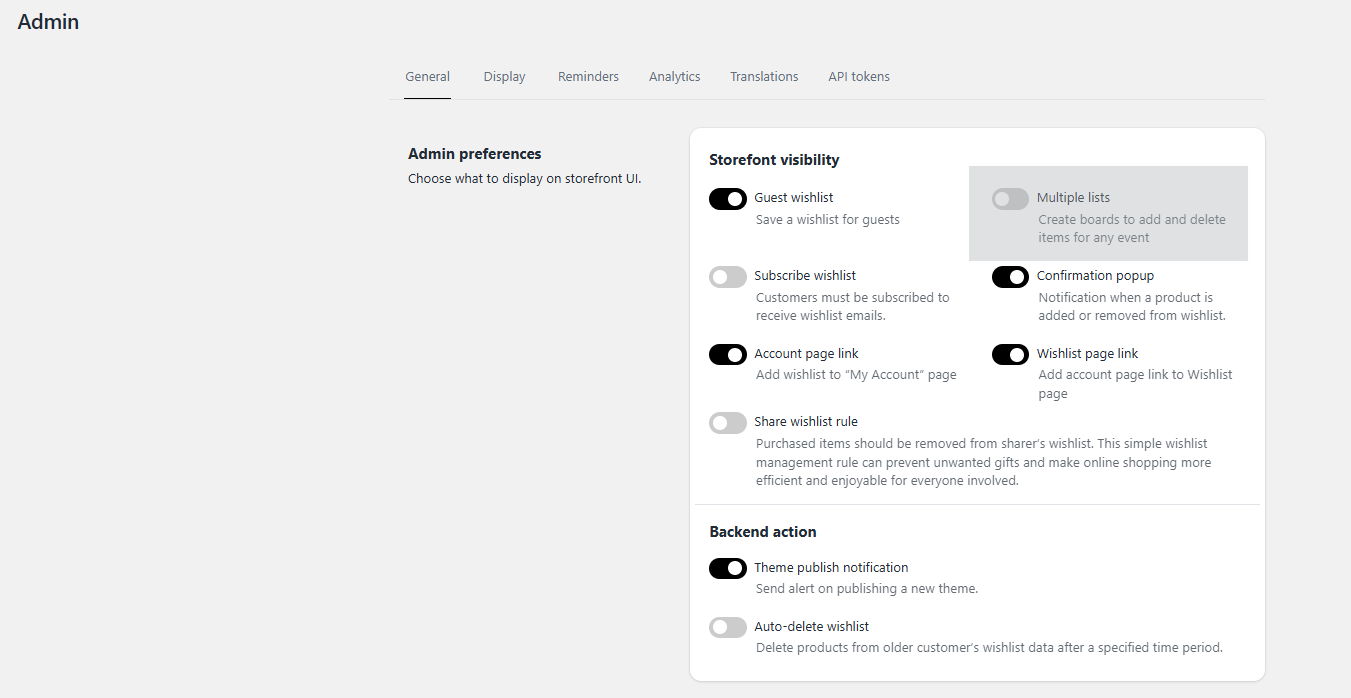
If your customers cannot currently create more than one wishlist, the Multiple Wishlist feature must be enabled in your backend configuration.
Step-by-Step Instructions
Navigate to the application Settings tab.
Click on General settings.
Locate the Multiple Wishlist option and toggle it to Enable.
Was this article helpful?
That’s Great!
Thank you for your feedback
Sorry! We couldn't be helpful
Thank you for your feedback
Feedback sent
We appreciate your effort and will try to fix the article