Making your wishlists shareable is an effective way to attract new visitors, raise brand awareness, and promote your products.
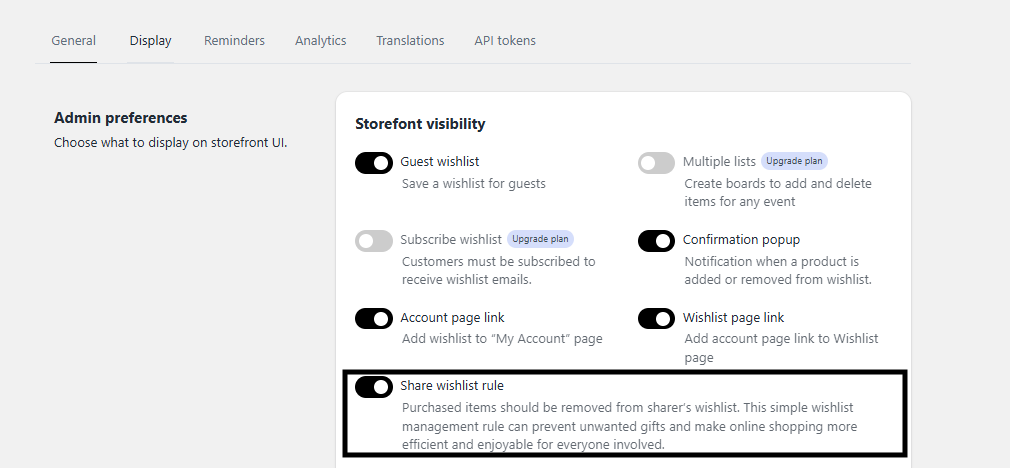
By enabling the Share Wishlist option from Settings -> General -> Admin preferences, the store admin can allow shoppers to share their favorite items via email, social media, or a unique public link.
Let's see how it looks: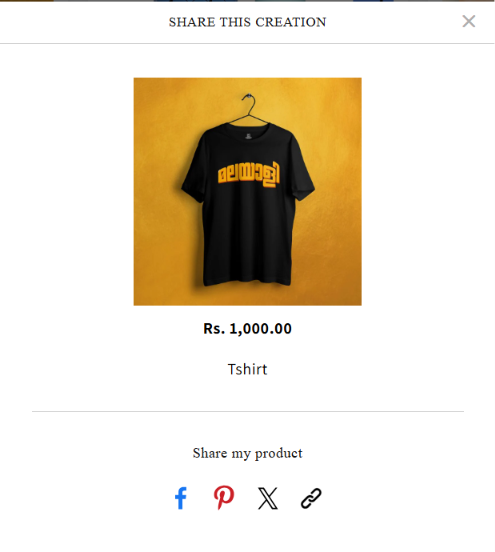
Available Sharing Features
Shoppers can share their wishlists through the following channels:
Share via Facebook: Clicking the Facebook button directs shoppers to their Facebook feed, where they can add a custom message before posting their wishlist.
Share via Twitter
Share via Pinterest
Share via Email
Share via Public Link
How it Works for the Admin
App Configuration: The store admin must allow the share to Wishlist option within the app backend settings to make these sharing choices visible to shoppers on the website.
Was this article helpful?
That’s Great!
Thank you for your feedback
Sorry! We couldn't be helpful
Thank you for your feedback
Feedback sent
We appreciate your effort and will try to fix the article