price drop email You can automatically reach out to shoppers who have wishlisted items when those products drop in price or come back into stock.
Step-by-Step Instructions
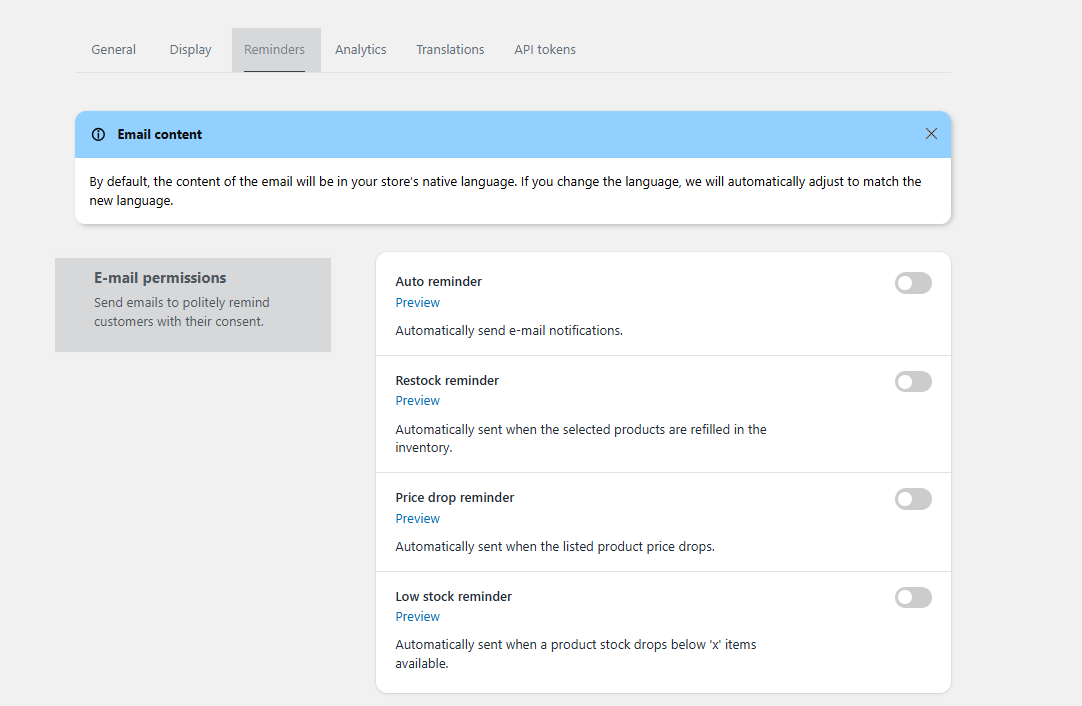
Go to the application Settings tab.
Click on Reminders.
Toggle on the respective email features you wish to use (Price Drop / Back in Stock).
How to Edit Email Templates
Within the email settings, click on the preview of the template you want to modify.
Inside the preview screen, click Edit your email to customize the content.
Was this article helpful?
That’s Great!
Thank you for your feedback
Sorry! We couldn't be helpful
Thank you for your feedback
Feedback sent
We appreciate your effort and will try to fix the article