You can allow your shoppers to share their favorite items with friends and family by turning on the sharing visibility controls.
Step-by-Step Instructions
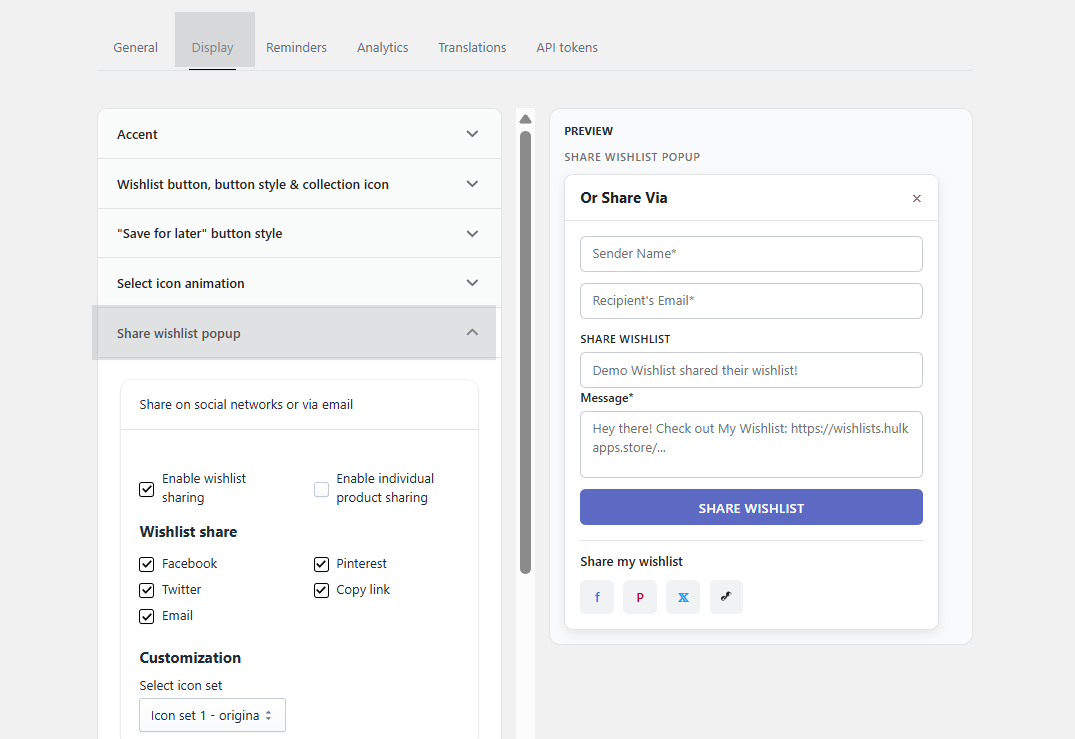
Navigate to the application Settings tab.
Click on Display.
Scroll down to the Share Wishlist popup
Click the Show/hide button to make it visible.
Was this article helpful?
That’s Great!
Thank you for your feedback
Sorry! We couldn't be helpful
Thank you for your feedback
Feedback sent
We appreciate your effort and will try to fix the article