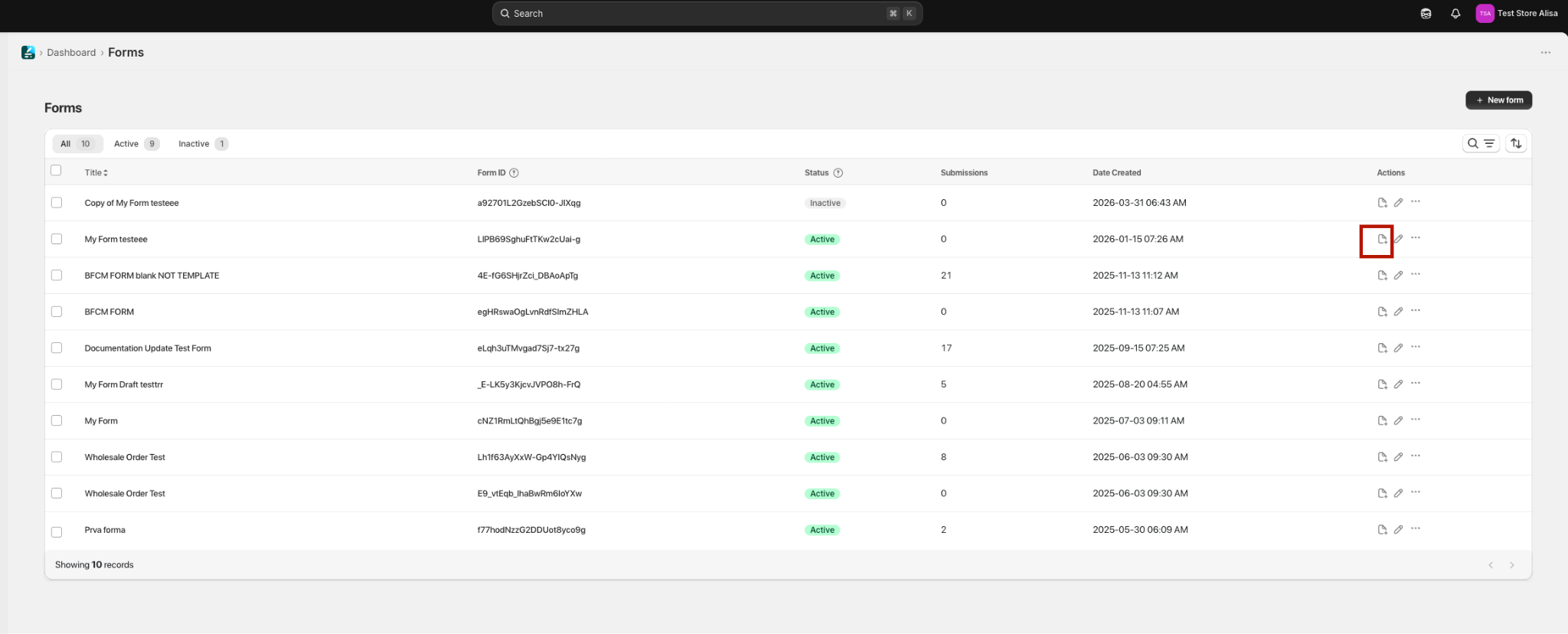
Pop-up setup is now found directly on the Forms page: click Insert to page → Pop-up (alongside the Inline embed option).
Make sure that the app is enabled (Can be enabled from dashboard page).
Go to forms page and for the form that you want to insert make sure that the form's status is Active (this is default initial state).
Click Insert to page.
In Embed type choose Pop-up.
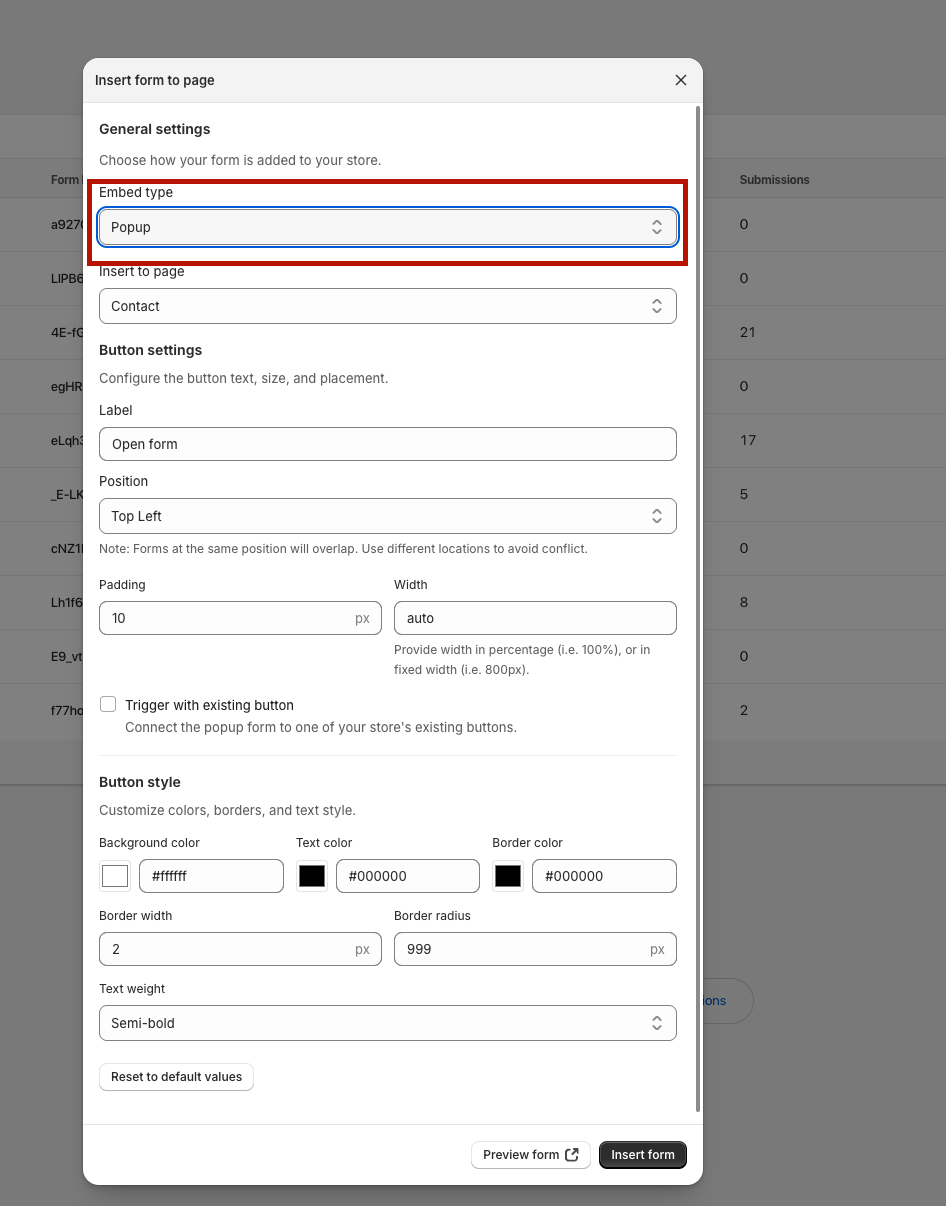
Choose the page where you want to insert form to.
Pop-up on a new button
Select where you want the form button to be among the 4 position options or place it anywhere in the page by choosing Custom placement option. You can place the form as a popup anywhere in the page by going to the storefront, clicking Inspect and then copying the class id into the Class ID field. When placing a form as a popup button on a custom part of your page, first right-click and select Inspect. Then, hover over different parts of the code to see them highlighted on the page. This helps you confirm you've selected the correct section. From the highlighted div class, copy only the text within the quotation marks up to the first space, and paste it in the Class / ID of Position field.
Click Insert form.
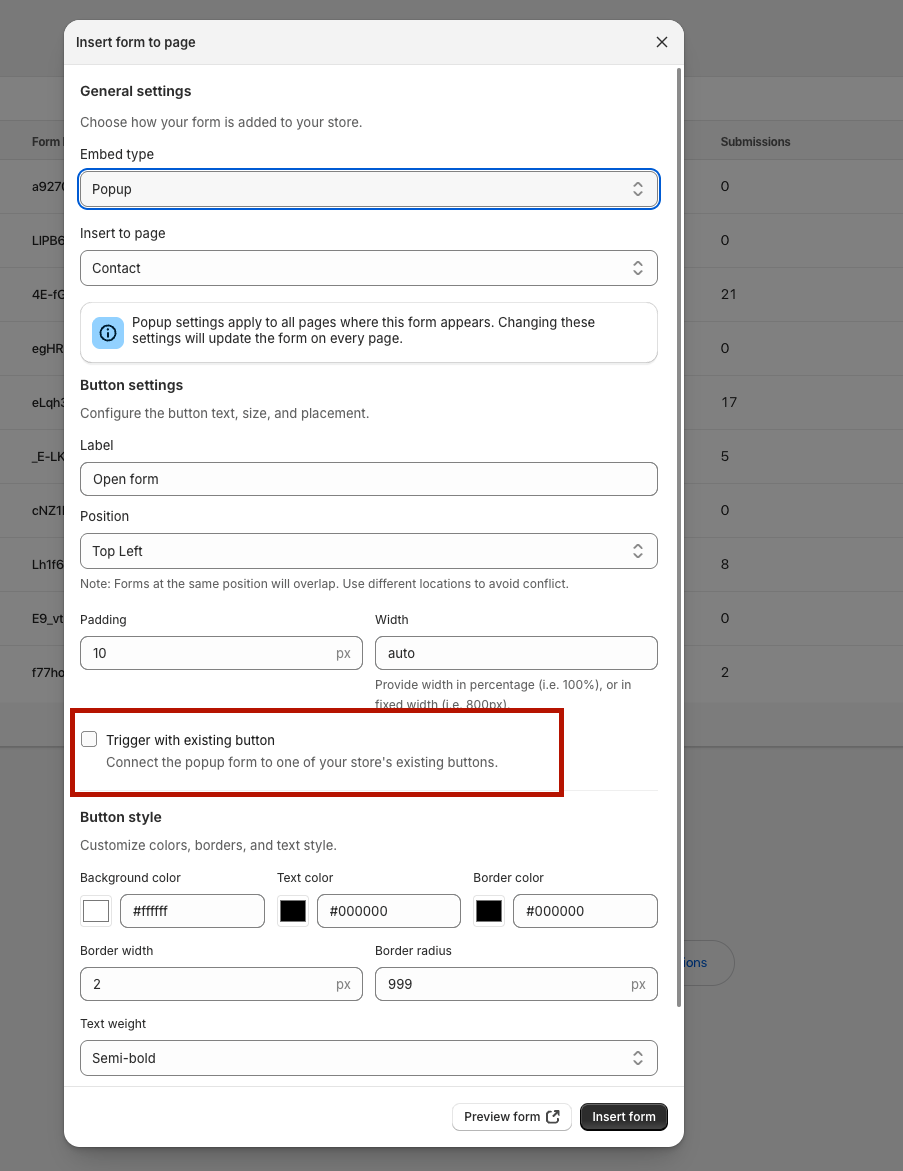
Pop-up on an existing button
You can add a form to appear as a pop-up on any button on the page you want. To do so,
Enable the Trigger with the existing button checkbox.
Go to the storefront, hover over the button where you want the form to appear. Right-click and select Inspect. From the highlighted div class, copy only the text within the quotation marks up to the first space.
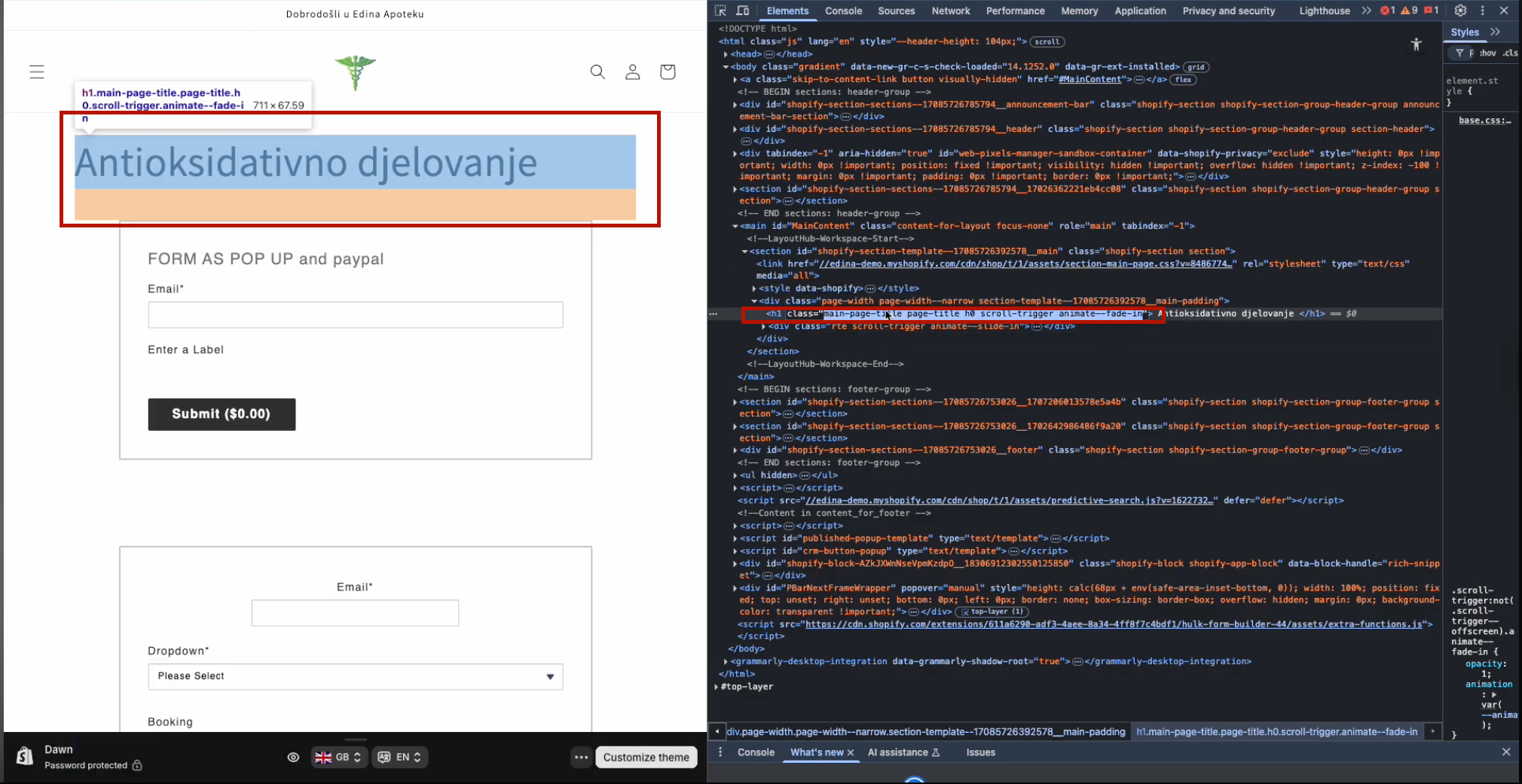
Paste it in the Form load as a pop-up with an existing button class/ID field
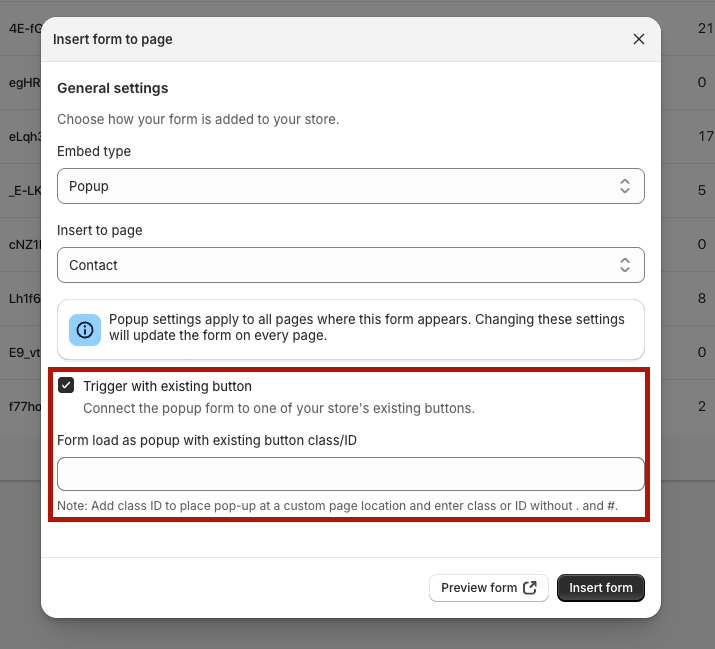
4. Click Insert form.
Was this article helpful?
That’s Great!
Thank you for your feedback
Sorry! We couldn't be helpful
Thank you for your feedback
Feedback sent
We appreciate your effort and will try to fix the article