Buy X Get Y (BXGY) offers are powerful promotional tools that encourage customers to purchase more by rewarding them with a discounted or free product when specific conditions are met.
With the Volume Discount Functions app, you can create flexible BXGY offers using different product and collection combinations.
This guide walks you through creating a Buy X Get Y offer step by step.
Available Offer Combinations
The app supports four different BXGY combinations, allowing you to tailor promotions to your strategy.
1. Product + Product
Description:
Customers buy a specific product (X) and receive another specific product (Y) either free or at a discount.
Example:
Buy Product A → Get Product B Free
This option is ideal for pairing complementary products or promoting slower-moving inventory.
2. Collection + Collection
Description:
Customers buy any product from one collection (X) and receive any product from the same or a different collection (Y) for free or at a discount.
Example:
Buy any product from Collection X → Get any product from Collection Y at 20% off
This is useful for category-wide promotions or seasonal campaigns.
3. Product + Collection
Description:
Customers buy a specific product (X) and receive any product from a selected collection (Y) for free or at a discount.
Example:
Buy Product A → Get any product from Collection B Free
This works well when you want to promote accessories or add-ons related to a flagship product.
4. Collection + Product
Description:
Customers buy any product from a specific collection (X) and receive a specific product (Y) for free or at a discount.
Example:
Buy any product from Collection X → Get Product Y at $10 off
This is ideal for gifting a featured product with broader purchases.
How to Create a Buy X Get Y Offer
1. Create a New Offer
Go to the Offers page
Click Add new
Select Buy X Get Y
You’ll be redirected to the BXGY configuration screen.
2. Select Your Combination Type
Choose the combination structure that fits your promotion strategy: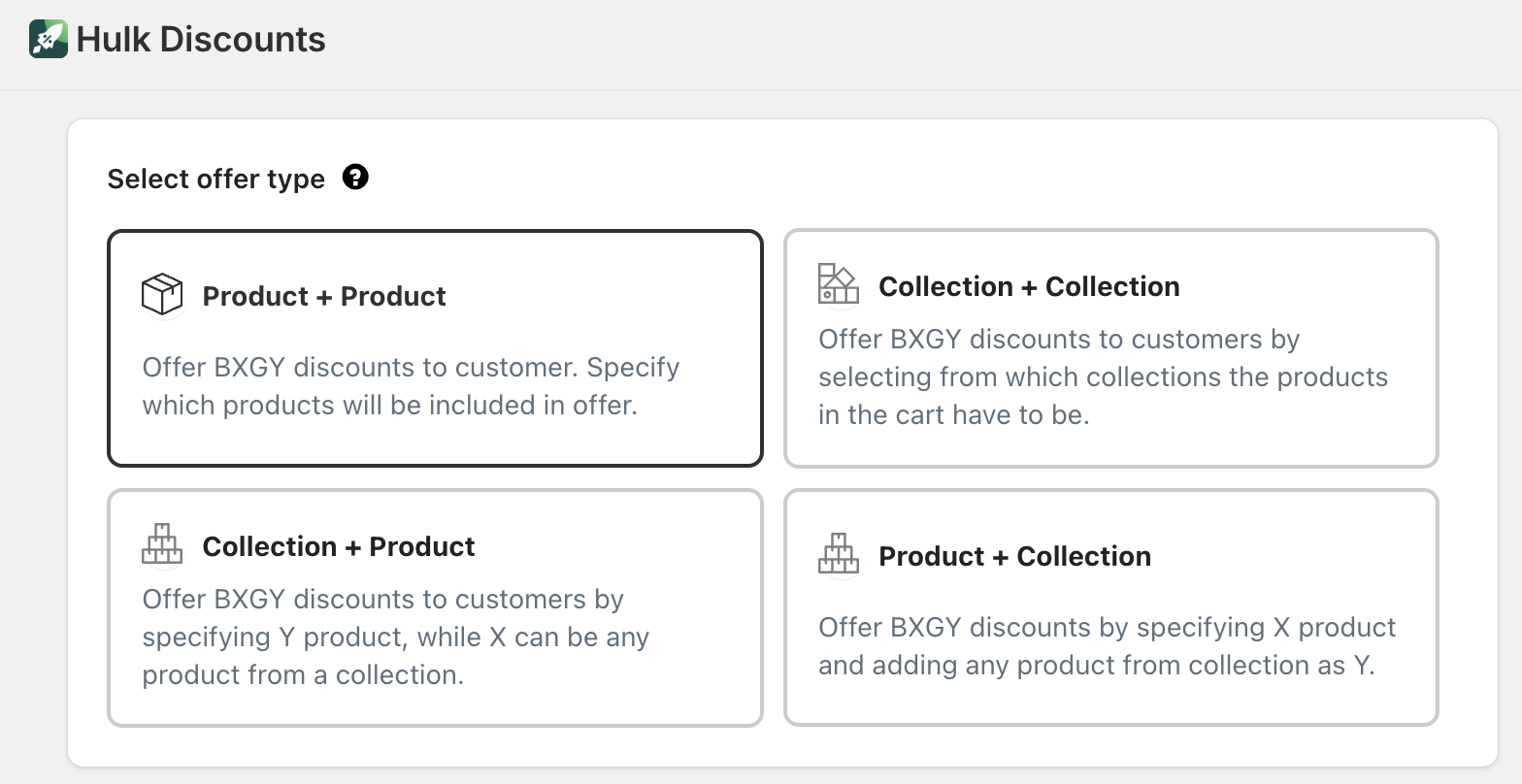
Product + Product
Collection + Collection
Product + Collection
Collection + Product
Your selection determines how you will assign X (required purchase) and Y (reward product).
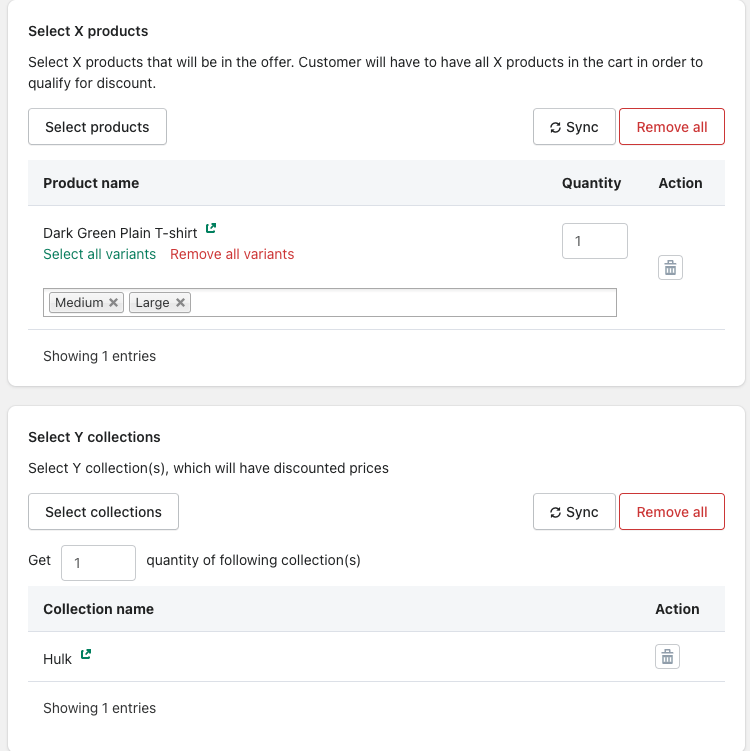
3. Assign X and Y Products
Next, define:
X group – The product(s) or collection(s) customers must add to the cart
Y group – The product(s) or collection(s) that will receive the discount
Important:
The discount will only apply when both X and Y conditions are satisfied in the cart.
You can:
Select individual products
Select collections
Define required quantities (if applicable)
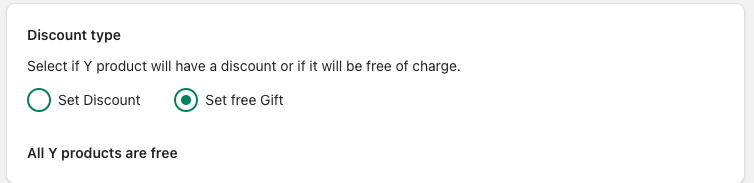
4. Set the Discount for Y
Choose how the Y products will be rewarded:
Percentage Discount
Example: 20% off Y products
Fixed Amount Discount
Example: $10 off Y product
Free Product
Example: Get Y product completely free
The discount will always be applied to the Y group once all BXGY conditions are met.
5. Configure Offer Details
Complete the core settings:
Offer name – Internal reference name
Offer status – Activate when ready
Offer priority – Manage conflicts with other offers
Title & description – Customer-facing messaging
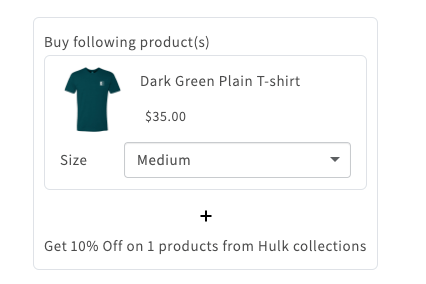
Display widget settings – Customize how the offer appears on product pages
Clear messaging helps customers understand what they need to add to qualify.
6. Additional Settings (Optional)
Further customize your offer using advanced controls:
Schedule offer – Set start and end date/time
Customer tags – Target specific customer segments
Country selection – Restrict by location
Limit redemptions – Control how many times the offer applies per order
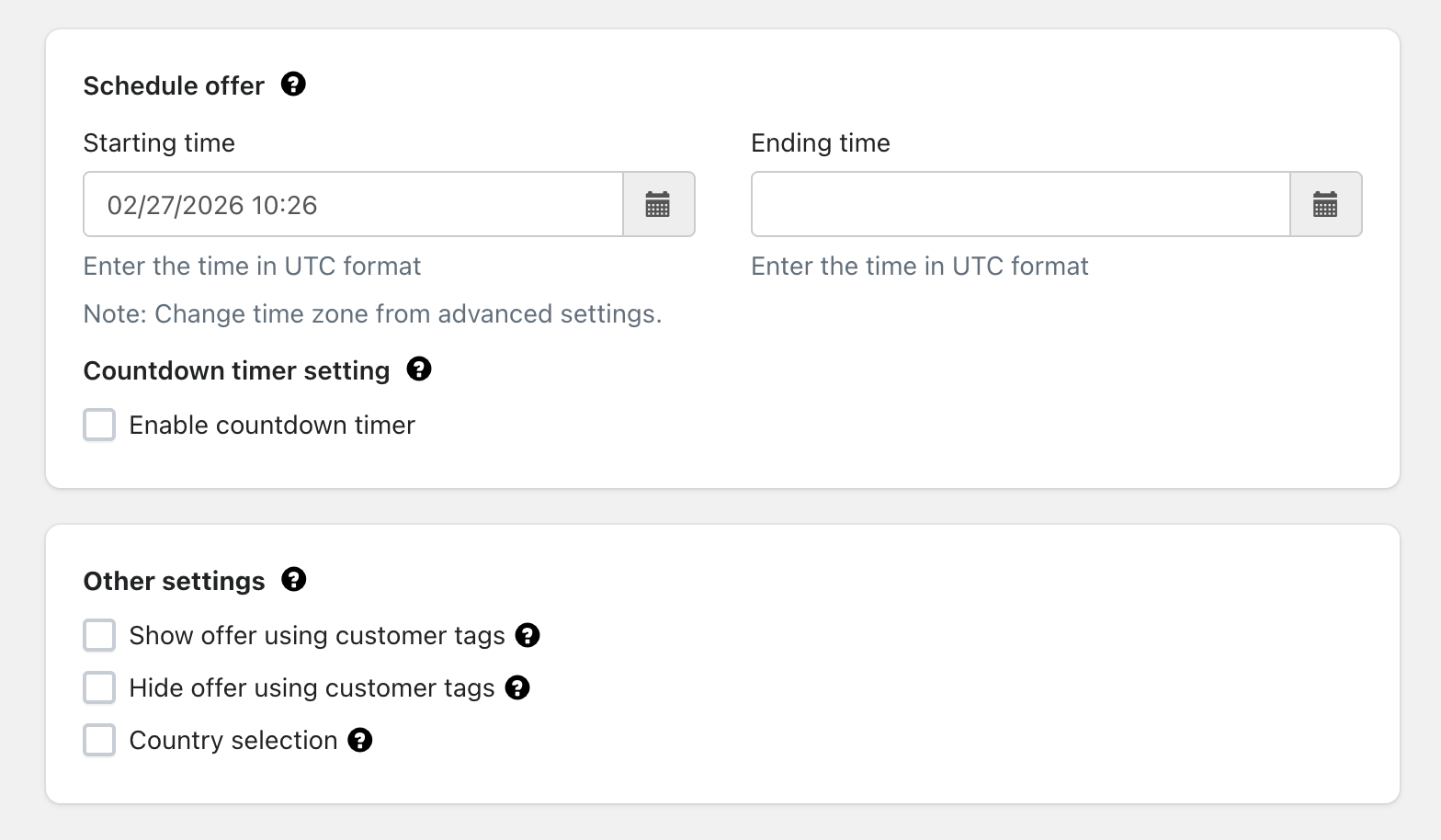
These settings provide flexibility and control over campaign behavior.
7. Review & Activate
Before activating:
Confirm X and Y assignments
Double-check discount values
Preview the widget display
Set status to Active
Save your offer
Once active, the discount will automatically apply when customers add both the required X products and eligible Y products to their cart.
Important Behavior Note
For Buy X Get Y offers:
The discount is always applied to the Y group
Both X and Y products must be present in the cart
If either group is missing, the discount will not trigger
Tips for Best Performance
- Clearly communicate the benefit (e.g., “Buy 1, Get 1 Free”)
- Pair complementary products to increase conversion
- Use limited-time campaigns to create urgency
- Test different discount types (free vs. % off)
Was this article helpful?
That’s Great!
Thank you for your feedback
Sorry! We couldn't be helpful
Thank you for your feedback
Feedback sent
We appreciate your effort and will try to fix the article