How to Configure Custom Sending Domain for Email Notifications?
In the Order Status Tracker app merchants can send shipment status mail notifications to their customers.
Order Placed
Ready to Ship
In transit
Out for Delivery
Delivered
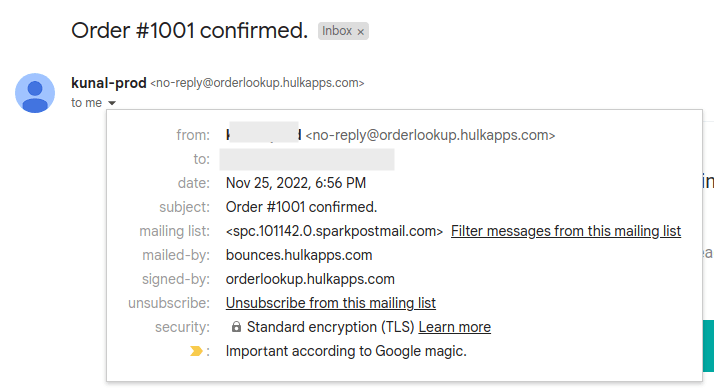
By default, the Order Status Tracker app uses a private mailing service and sends notifications to your customers on behalf you your store from no-reply@orderlookup.hulkapps.com mail address.
See the example below:
With Custom Domain Settings, you can use your preferred SMTP service and "from" sending address for sending email notifications to your customers.
This feature is located in Settings -> Email notifications section
WATCH HOW IT'S DONE
Here are links to popular domain hosting providers' documentation:
Step 1: Keep the below details of your choice of platform handy:
Username
Password
Host
Port
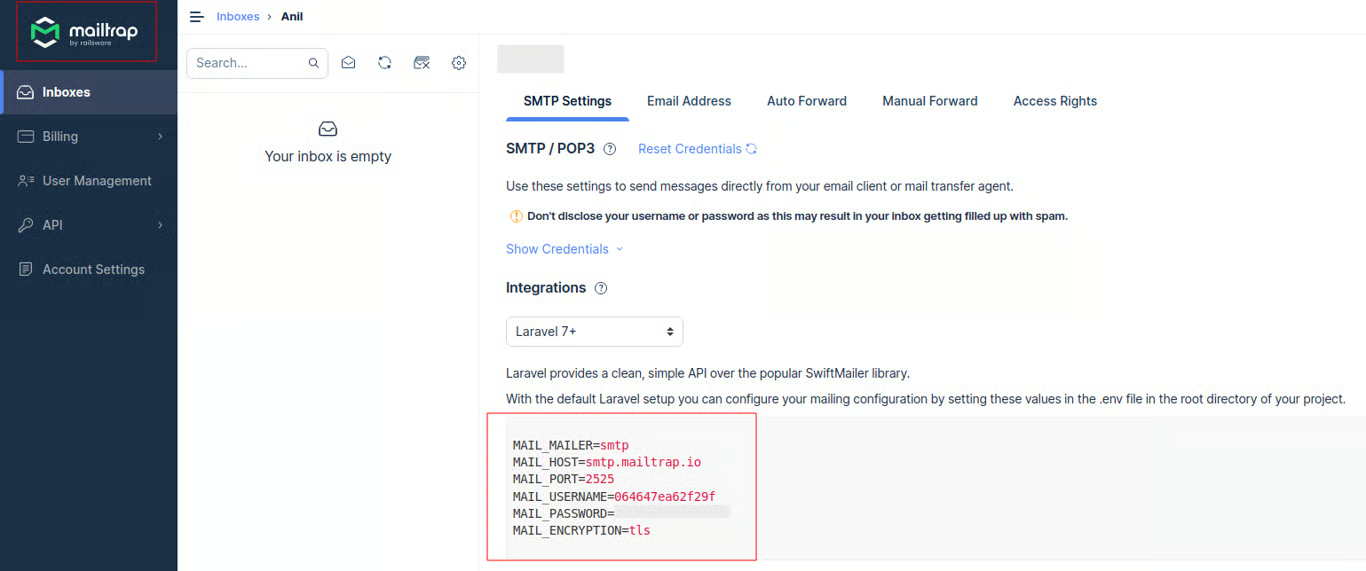
Step 2: Enter the details in the fields below.
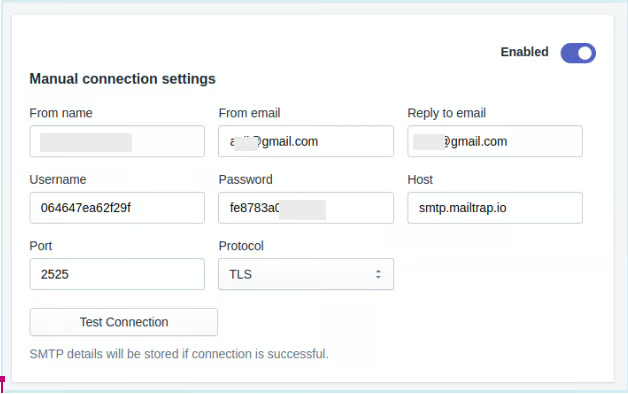
Step 3: Click on the Test Connection button to verify your inserted information, and connection success or failure message will be sent.
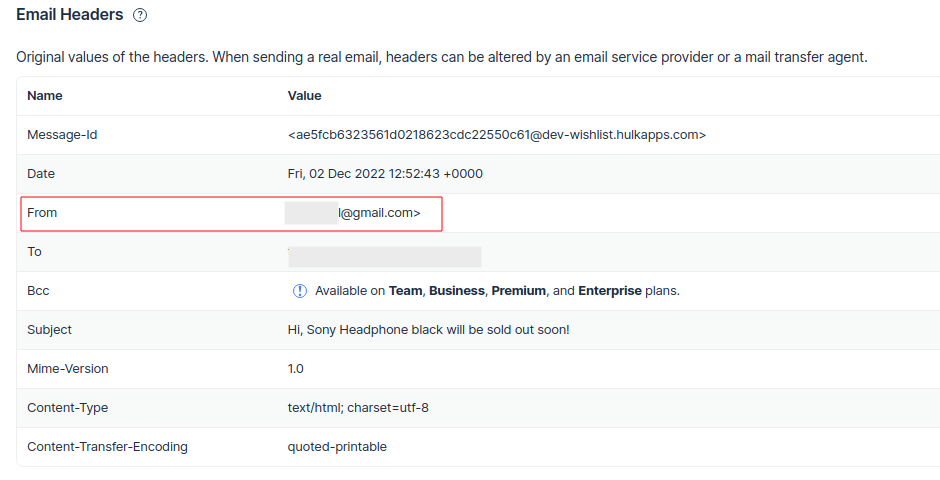
If the credentials are correct, all further mail notifications will be sent from your custom SMTP details and through your preferred platform. See example below:
That's it! If you need assistance, please contact us!
Was this article helpful?
That’s Great!
Thank you for your feedback
Sorry! We couldn't be helpful
Thank you for your feedback
Feedback sent
We appreciate your effort and will try to fix the article