Carrier Assigning Rules

Modified on Tue, 3 Mar at 5:29 AM


The Carrier Assigning Rules feature allows you to automatically assign shipments to a specific carrier based on tracking number patterns and/or destination country.

This ensures accurate carrier detection when tracking numbers are not automatically recognized or when you use custom logistics providers.


Why Use Carrier Assigning Rules?

In some cases:

  • A tracking number may not be auto-detected correctly.

  • Multiple carriers may use similar tracking formats.

  • You may use regional or custom shipping partners.

  • You want to override automatic carrier detection.

Carrier Assigning Rules give you full control over how shipments are matched to carriers.


How It Works

You can create rules that:

  • Match tracking numbers using Regular Expressions (RegEx)

  • Assign a specific carrier when the pattern matches

When a tracking number matches the pattern you define, the app will automatically assign the selected carrier.


How to Create a Rule

  1. Go to Carrier Assigning Rules.

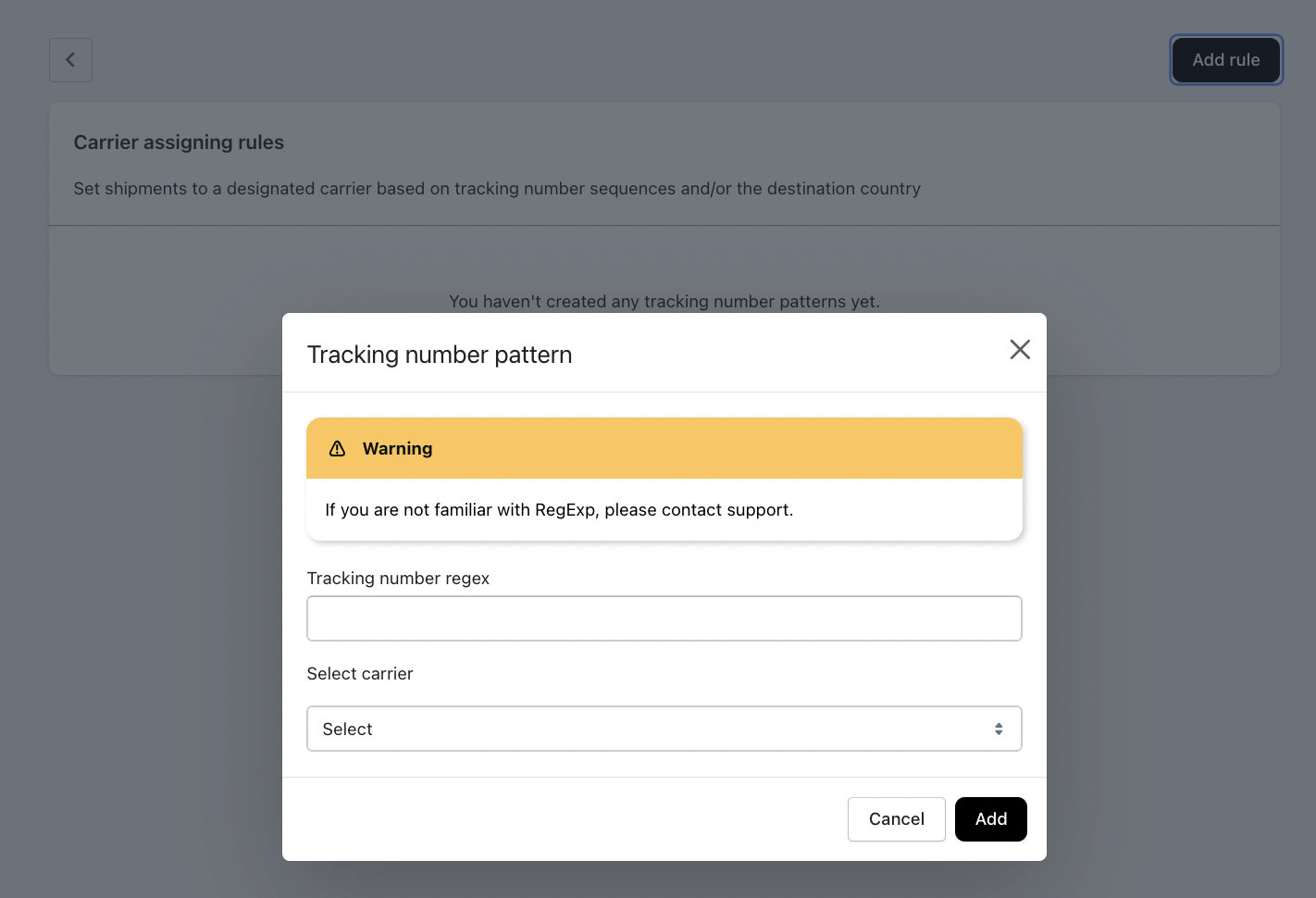
  2. Click Add Rule.

  3. In the popup:

    • Enter the Tracking Number Regex

    • Select the Carrier

  4. Click Add

The rule will now automatically apply to future matching shipments.


Field Explanation

Tracking Number Regex

This field accepts a Regular Expression (RegEx) pattern used to match tracking number formats.

⚠️ If you are not familiar with RegEx, we recommend contacting support for assistance.

Example Use Cases

ScenarioExample RegexDescription
Tracking numbers start with "1Z"^1Z.*Matches UPS-style tracking numbers
Exactly 12 digits^\d{12}$Matches 12-digit numeric tracking numbers
Starts with "ABC" and ends with 9 digits^ABC\d{9}$Matches custom carrier format

Select Carrier

Choose the carrier you want to assign when the tracking number matches the defined pattern.

Supported carriers include (depending on your store configuration):

  • USPS

  • FedEx

  • UPS

  • DHL

  • Other supported logistics providers


Important Notes

  • Rules apply only to tracking numbers added after the rule is created.

  • If multiple rules match, the system will apply them based on priority (if applicable).

  • Incorrect RegEx patterns may result in shipments not being assigned properly.

  • We recommend testing with sample tracking numbers before applying widely.


Best Practices

  • Keep patterns specific to avoid incorrect carrier assignments.

  • Avoid overly broad expressions like .* unless absolutely necessary.

  • Document your rules internally for future reference.

  • Contact support if you're unsure about RegEx syntax.


Was this article helpful?

That’s Great!

Thank you for your feedback

Sorry! We couldn't be helpful

Thank you for your feedback

Let us know how can we improve this article!

Select at least one of the reasons
CAPTCHA verification is required.

Feedback sent

We appreciate your effort and will try to fix the article