Buttons allow customers to select only one option from a presented group, ensuring mutually exclusive choices. It provides a clean and interactive way to display options, making selections more intuitive and visually appealing.
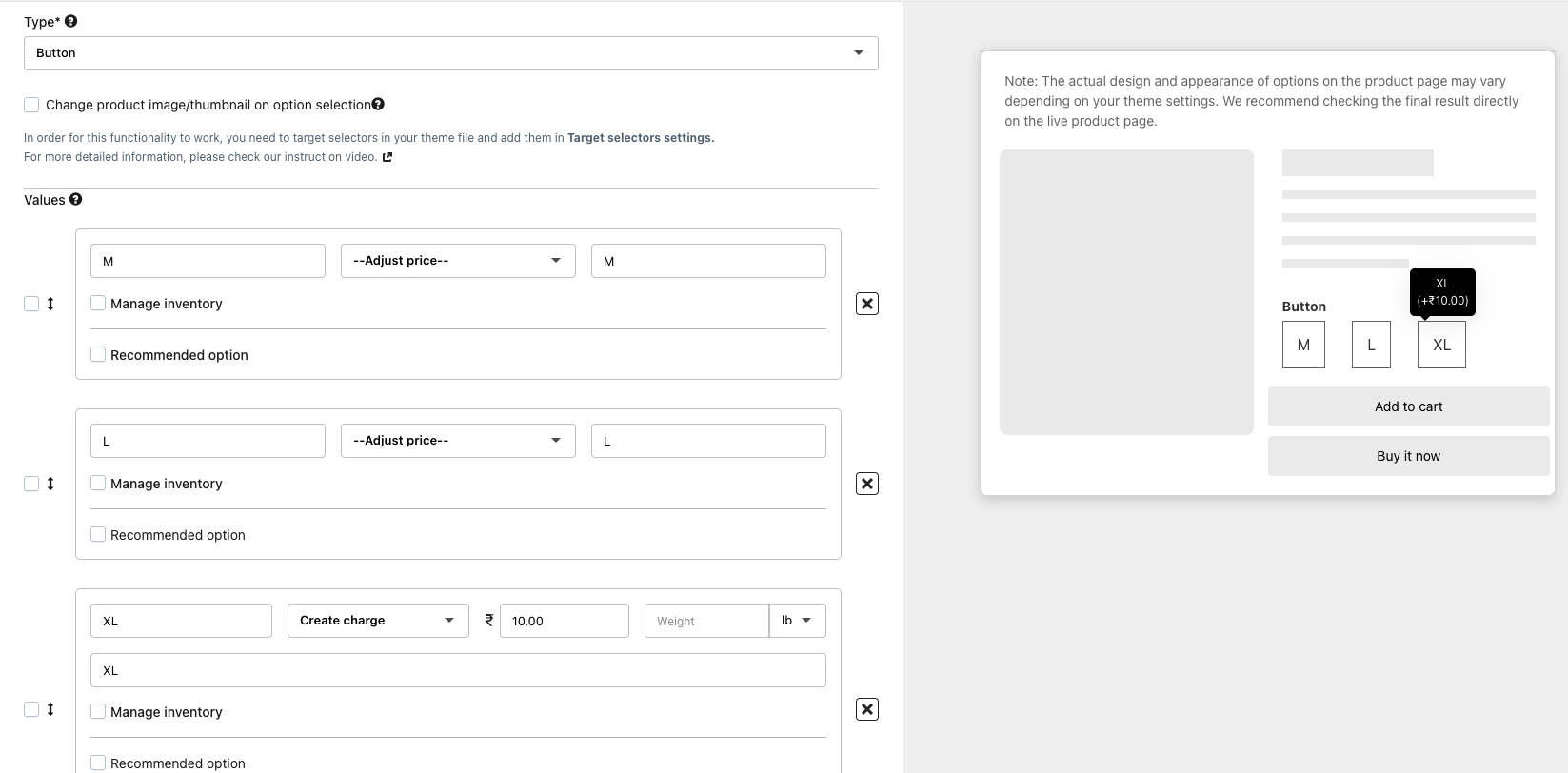
To update the Button color and other settings, kindly navigate to Settings >> Display Settings >> Button and adjust the settings as required.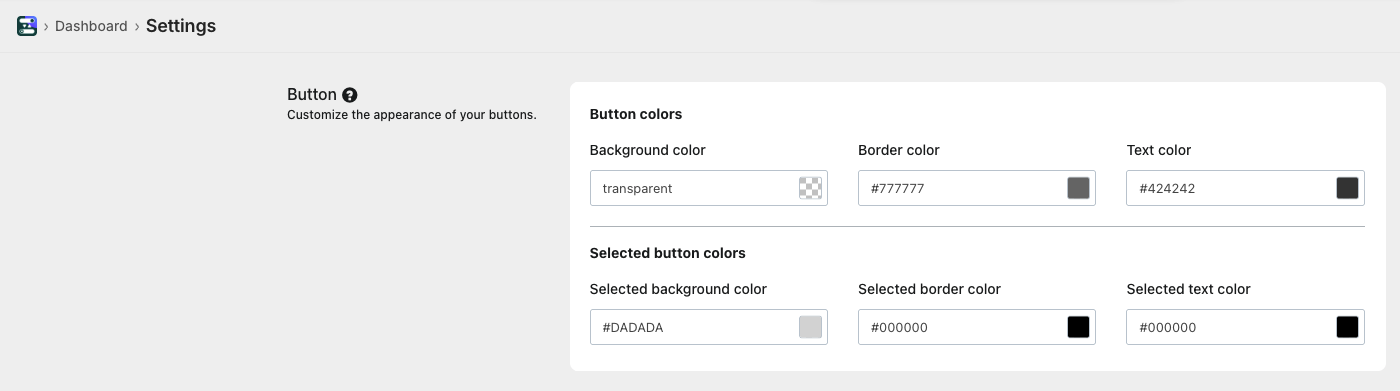
This Button Settings allows to customize the appearance and style of product option buttons displayed on the storefront.
Here’s what each setting does:
Button Colors
- Background Color: Sets the default background of unselected buttons.
- Border Color: Defines the outline color of the button in its normal (unselected) state.
- Text Color: Controls the color of the button label text.Selected Button Colors
- Selected Background Color: Changes the background color when a button is selected.
- Selected Border Color: Updates the border color of the active/selected button.
- Selected Text Color: Defines the color of the text when the button is selected.
Was this article helpful?
That’s Great!
Thank you for your feedback
Sorry! We couldn't be helpful
Thank you for your feedback
Feedback sent
We appreciate your effort and will try to fix the article