Notification popup position
By default, the wishlist notification pop-up appears in the bottom-right corner of the screen. If you prefer to display it in a different corner, you can easily adjust the position using a few simple lines of CSS code. No advanced developer skills are needed.
How to Access the Position Settings
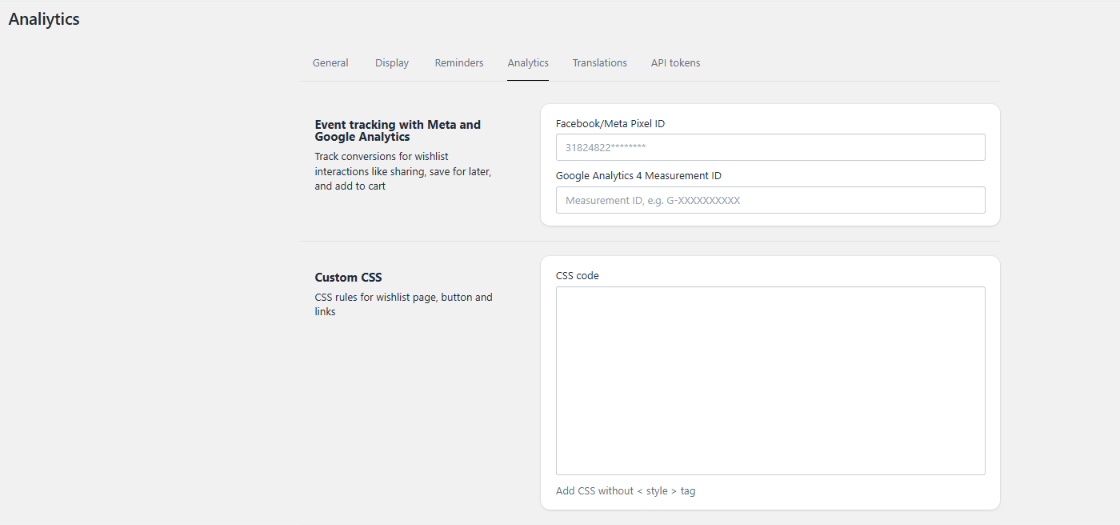
To customize the layout position, navigate to the following section inside the app backend:
Go to Settings.
Select Analytics settings.
Locate the Custom CSS input box section.
Position Code Snippets
Copy and paste one of the following code snippets into the Advanced CSS input box, depending on your preferred location:
1. Top-Right Corner Position
.msg-tooltip{ top: 10px ; bottom: unset ; }
2. Top-Left Corner Position
.msg-tooltip{ top: 10px ; bottom: unset ; left: 30px; }
3. Bottom-Left Corner Position
.msg-tooltip{ left: 30px; }
Saving Your Changes
Once you have copied and pasted your chosen snippet into the Advanced CSS field, save your settings to apply the new position to your live storefront.
Was this article helpful?
That’s Great!
Thank you for your feedback
Sorry! We couldn't be helpful
Thank you for your feedback
Feedback sent
We appreciate your effort and will try to fix the article