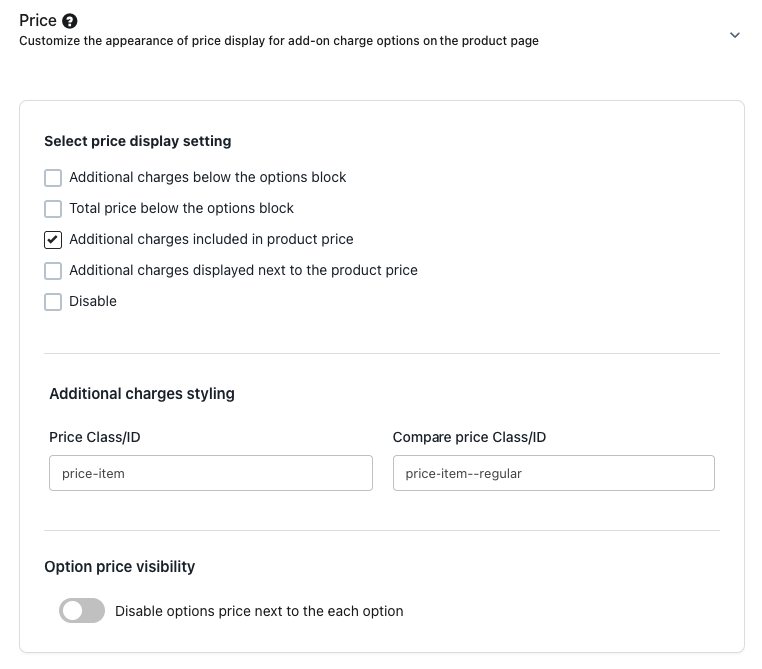
To add the selected charged option price to the product’s base or compare price on the product page, go to Settings → Display Settings → Price and enable “Additional charges included in product price.”
After that, add the Product Price class or ID. If a compare price is used and needs updating, include the Compare Price class or ID as well.
OUTCOME: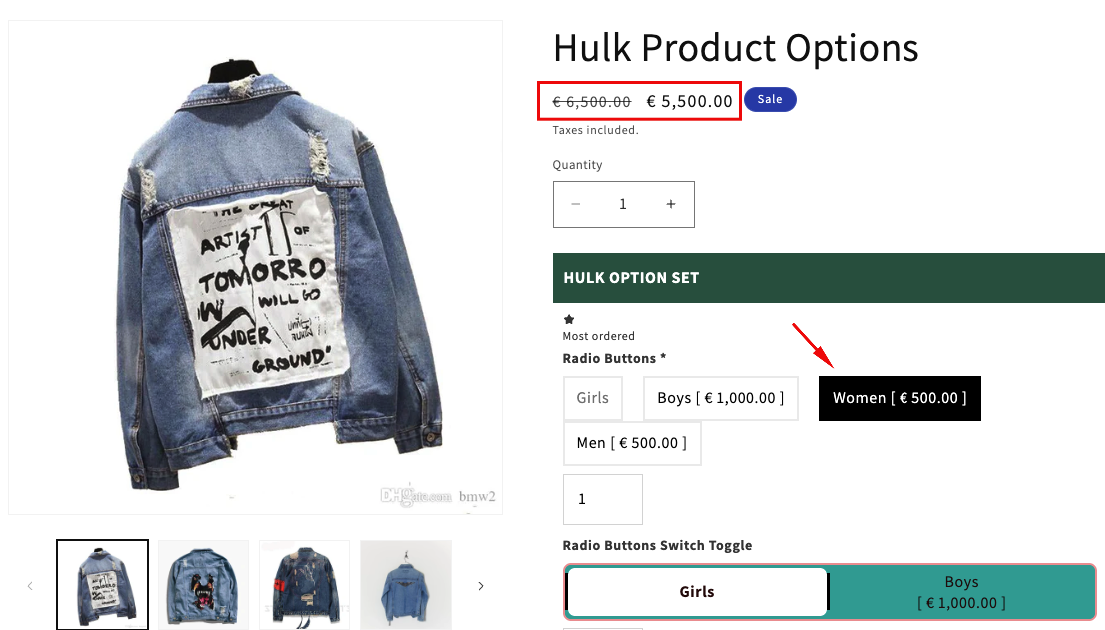
Was this article helpful?
That’s Great!
Thank you for your feedback
Sorry! We couldn't be helpful
Thank you for your feedback
Feedback sent
We appreciate your effort and will try to fix the article