Once you create a value for an option, click on the “Adjust price” dropdown next to the value. It will give you the following options:
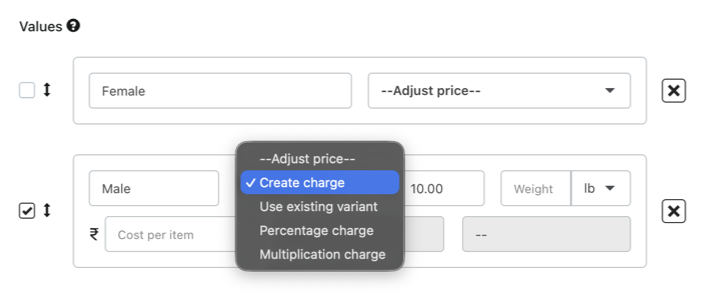
Create charge: allows you to add a custom price to the value
Use existing variant: allows you to link the value to an already existing Shopify variant
Percentage/Multiplication charge: allows you to charge for this specific value based on the main product price.
Was this article helpful?
That’s Great!
Thank you for your feedback
Sorry! We couldn't be helpful
Thank you for your feedback
Feedback sent
We appreciate your effort and will try to fix the article