Navigate to the Option sets tab, select the option set for which you need to define conditions, and edit an option set to create a set of Rules and Actions.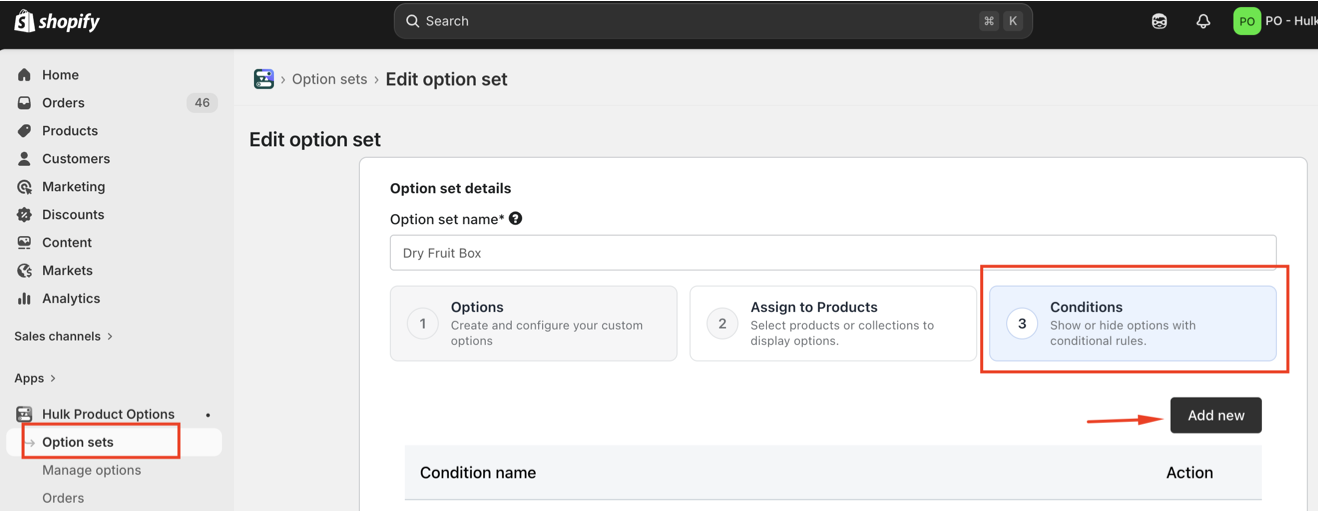
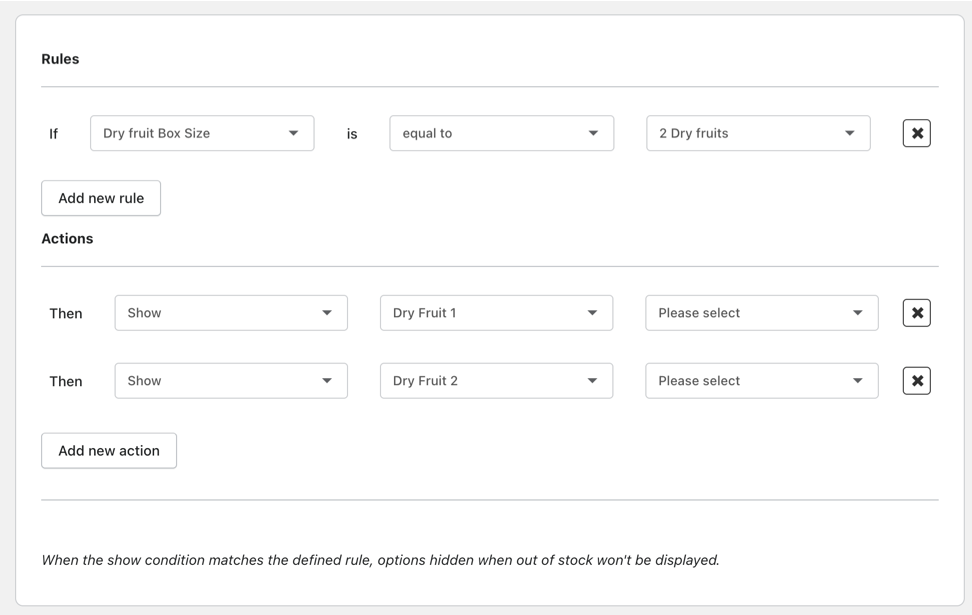
Define rules that show or hide options based on customer selections.
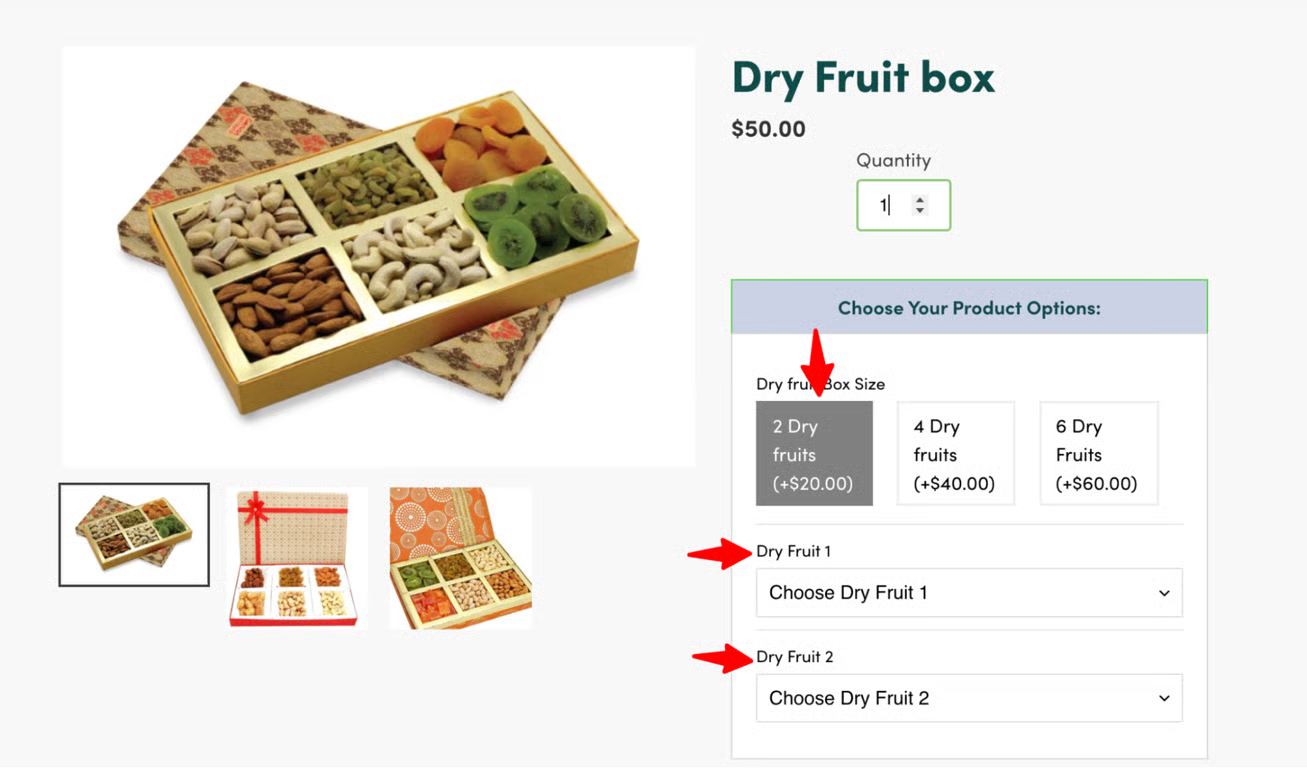
Example: If the Dry fruit Box Size is selected as 2 Dry fruits, then display the options Dry Fruit 1 and Dry Fruit 2.
Outcome: