How does variant-based conditional logic work and what should I be aware of?

Modified on Tue, 31 Mar at 6:51 AM

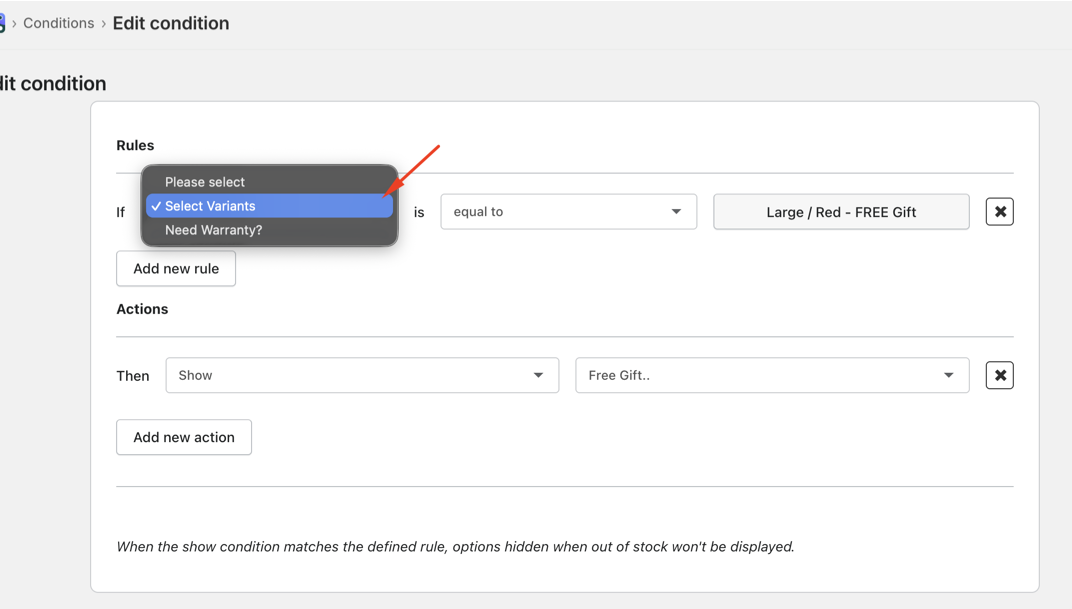
We can now create conditions to show/hide options based on the Shopify selected variant.


Example:
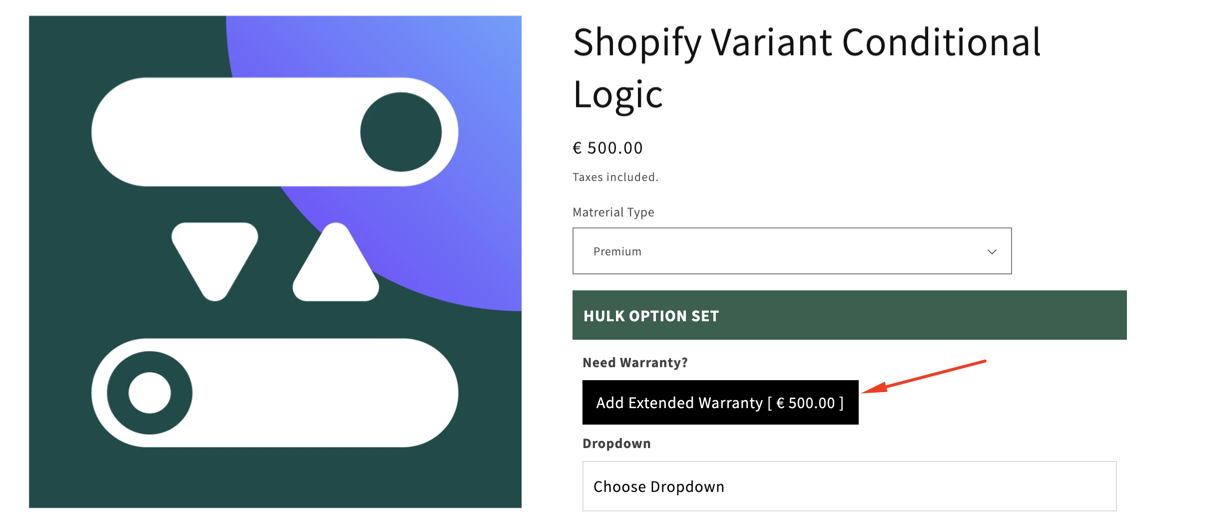
If a customer selects the “Premium” variant of a product, you can automatically display an additional option like “Extended Warranty” while keeping it hidden for other variants.


Important notes:

  • Deleted variants: If a variant used in a condition is deleted, the conditional rule will remain but won’t function. You’ll need to manually update or delete the condition.

  • Product-specific rules: Conditions are tied to unique variant IDs, so they apply only to that specific product—not to other products with similar variant names.

  • Theme compatibility: Conditions depend on the theme’s variant selector. Custom selectors may require additional setup for the logic to work correctly.

Example:
If “Gift Wrap” option is shown only for the Red / Large variant on Product A, it will:

  • Work only for that variant on Product A
  • Not apply to another product with the same variant name
  • Stop working if the variant is deleted, unless updated manually

Was this article helpful?

That’s Great!

Thank you for your feedback

Sorry! We couldn't be helpful

Thank you for your feedback

Let us know how can we improve this article!

Select at least one of the reasons
CAPTCHA verification is required.

Feedback sent

We appreciate your effort and will try to fix the article