The Analytics Dashboard in Hulk Order Status Tracker gives you a complete overview of your orders, tracking activity, and shipment performance — all in one place. It helps you monitor customer engagement, identify delivery issues early, and make informed post-purchase decisions.
Overview Cards (Top Section)
At the top of the dashboard, you’ll find quick summary metrics for today:
Today’s Orders – Total orders created today.
Today’s Notification Stats – Number of tracking notifications sent to customers today.
Today’s Tracking Page Views – Number of visits to your order tracking page today.
These real-time metrics help you quickly assess daily activity and customer engagement.
Orders This Month
 This section shows your total order volume for the current month along with a visual progress indicator.
You can use this to:
Track monthly growth
Monitor order trends
Understand store performance at a glance
Orders Graph
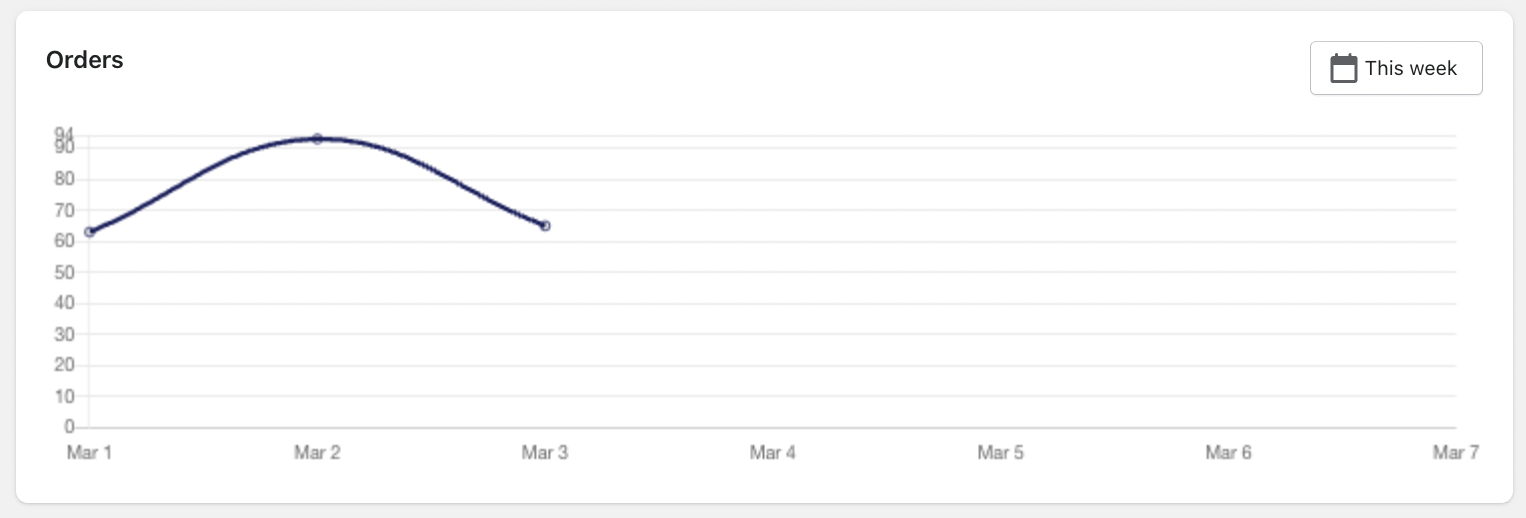 The Orders chart provides a visual representation of order volume over time.
Features:
Selectable date range (e.g., This Week)
Daily order breakdown
Trend visualization
This helps you:
Identify peak sales days
Spot sudden drops or spikes
Monitor short-term performance trends
Was this article helpful?
That’s Great!
Thank you for your feedback
Sorry! We couldn't be helpful
Thank you for your feedback
Feedback sent
We appreciate your effort and will try to fix the article