1. Overview
This article explains how Hulk Product Options integrates with Shopify POS for Enterprise users.
⚠ Important: Shopify POS integration is available only for App Enterprise plan users.
(Watch Video)
2. Setup Requirements
2.1 Install Shopify POS
Install the Shopify POS app on your mobile device (iOS or Android).
Log in using your store credentials.
If a staff member will be using POS:
Ensure they have the required POS access permissions enabled in Shopify Admin.
2.2 App Configuration in Shopify POS
After installing Shopify POS:
Open the Shopify POS app.
Tap Add Tile.
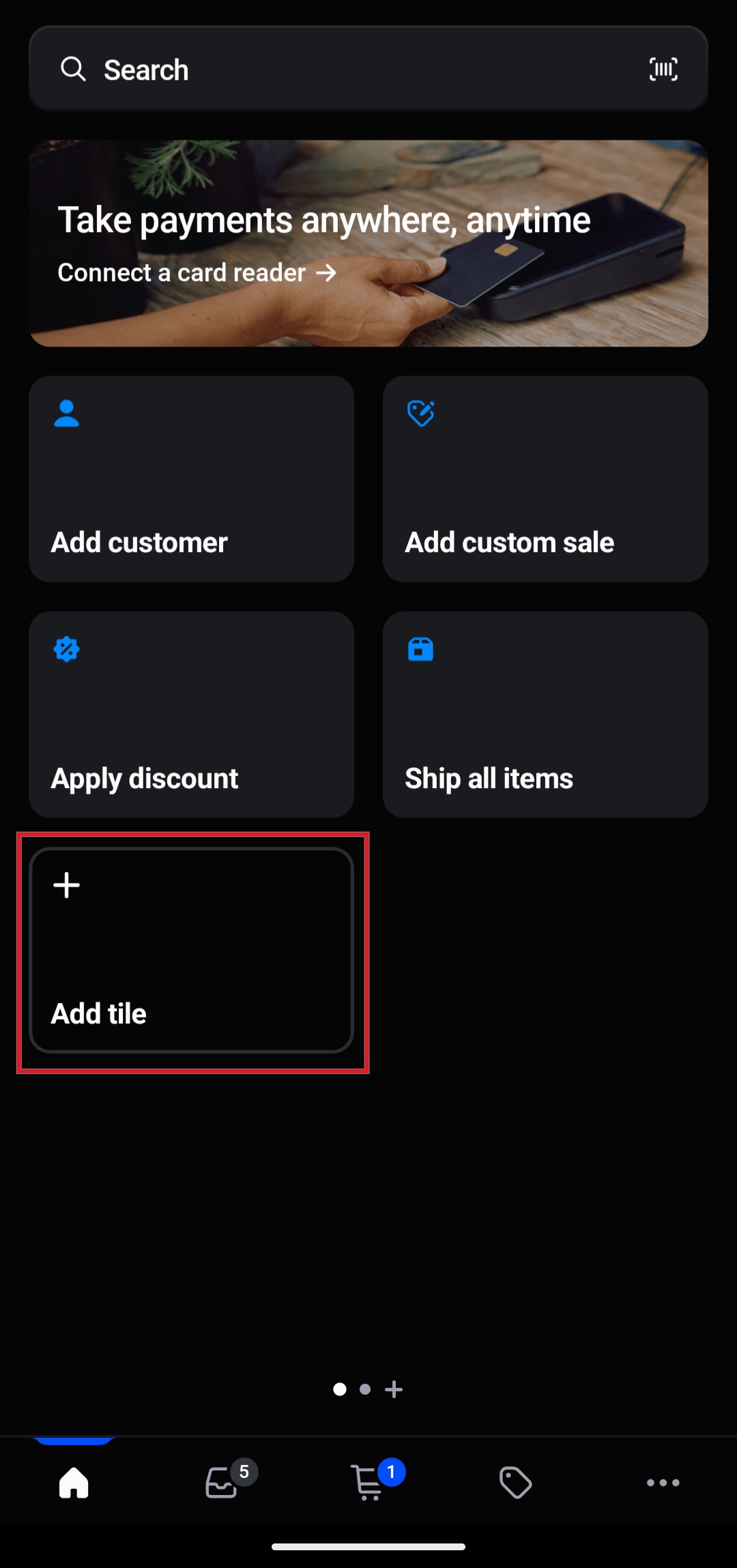
In the Add Tile section:
Tap App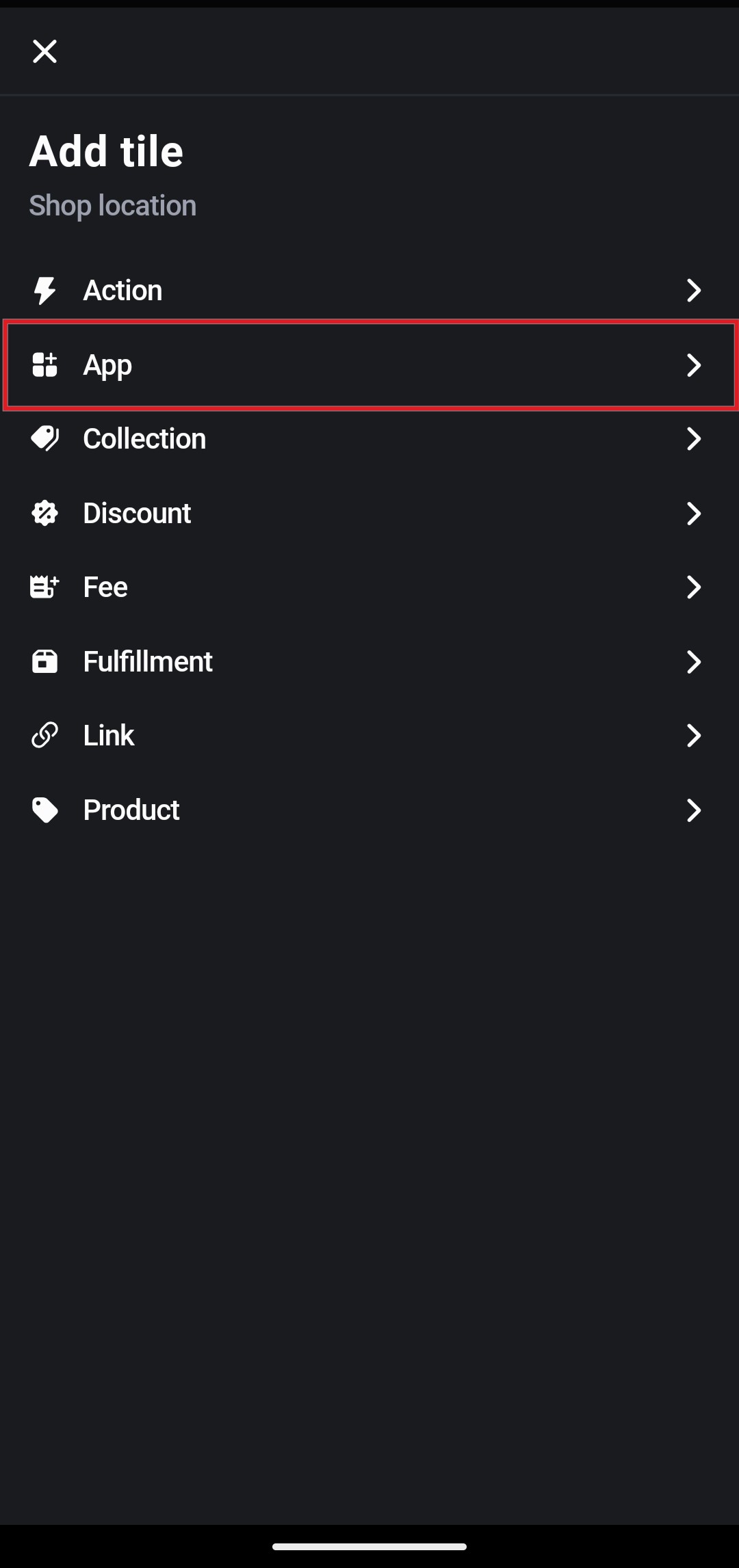
Select Hulk Product Options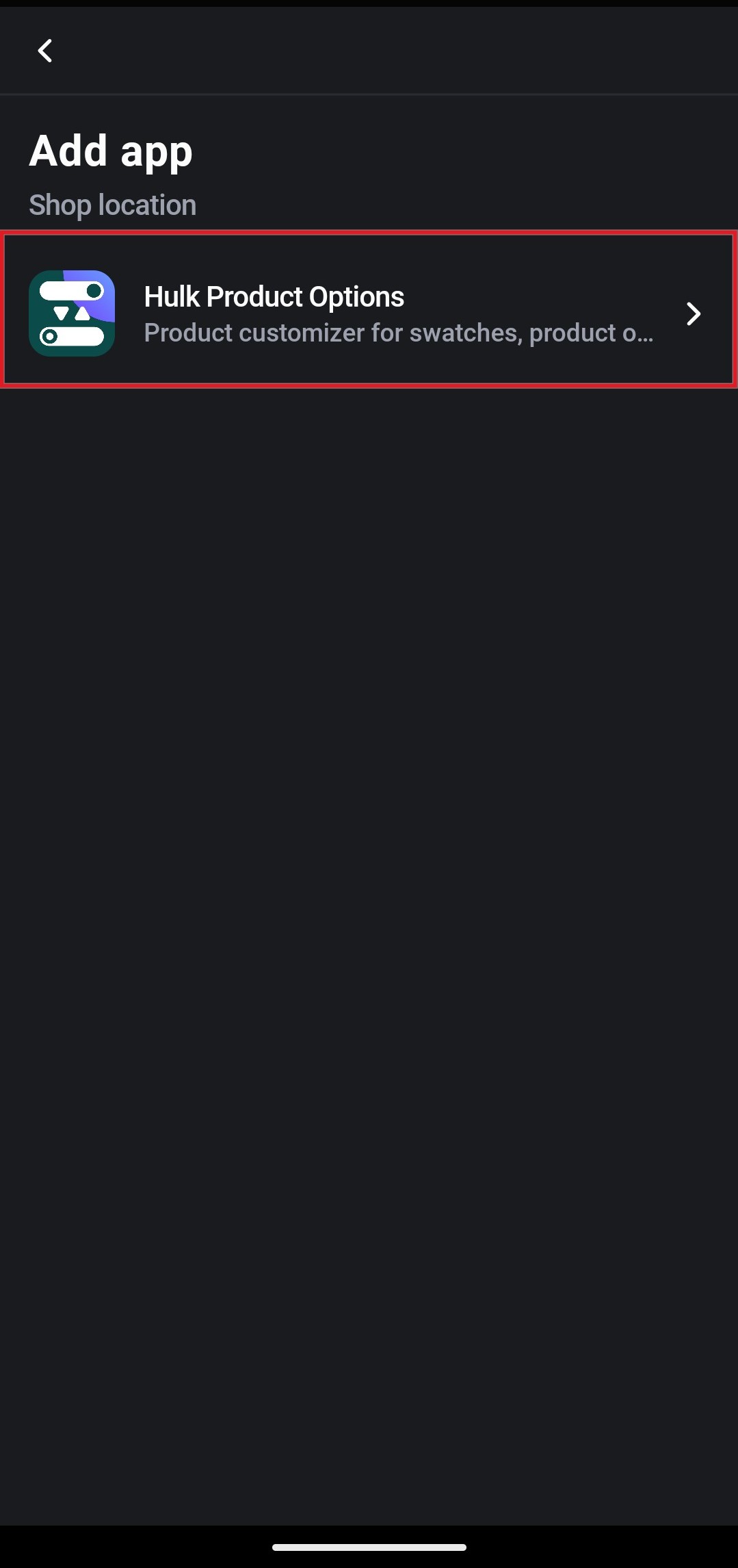
Tap Add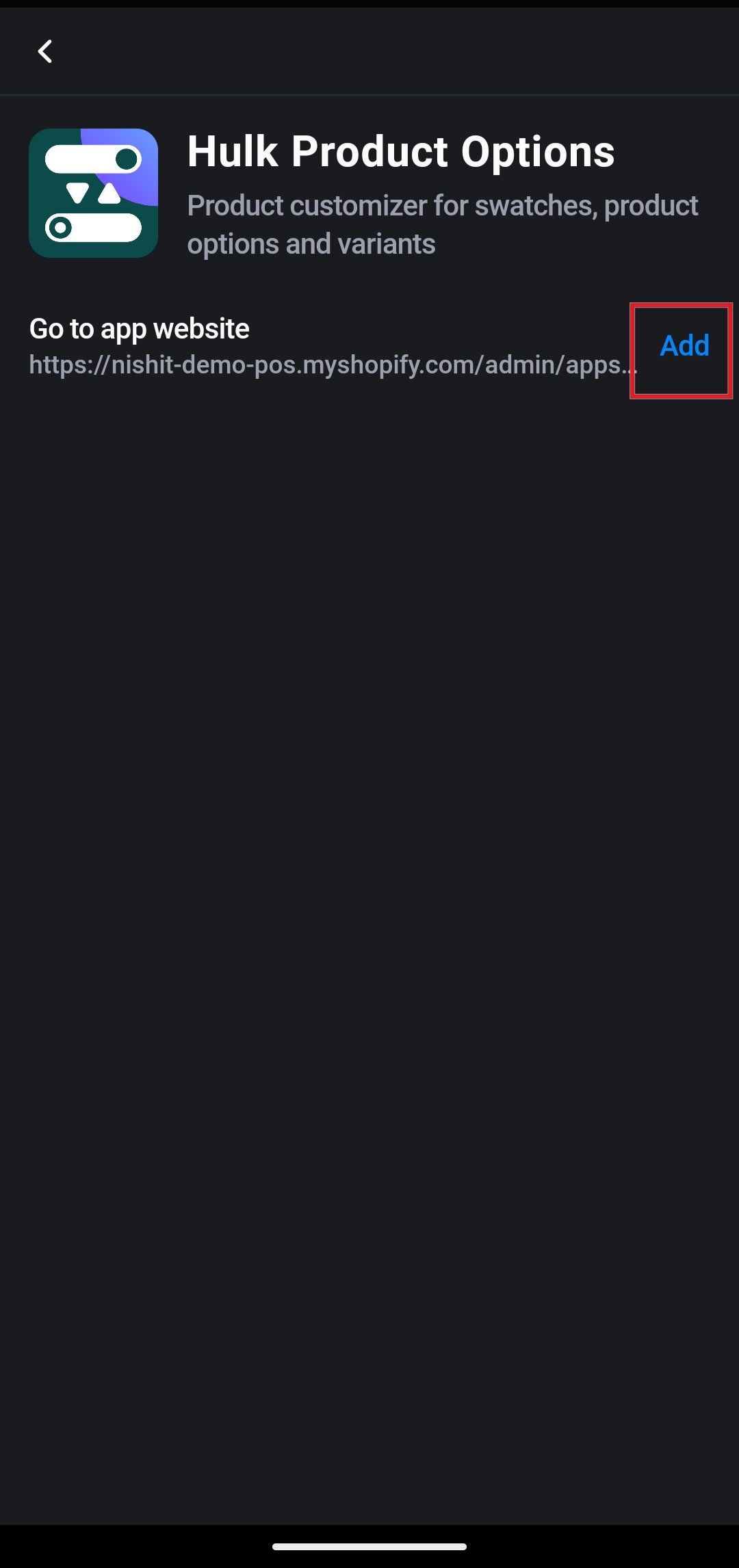
Click Save from the top header.
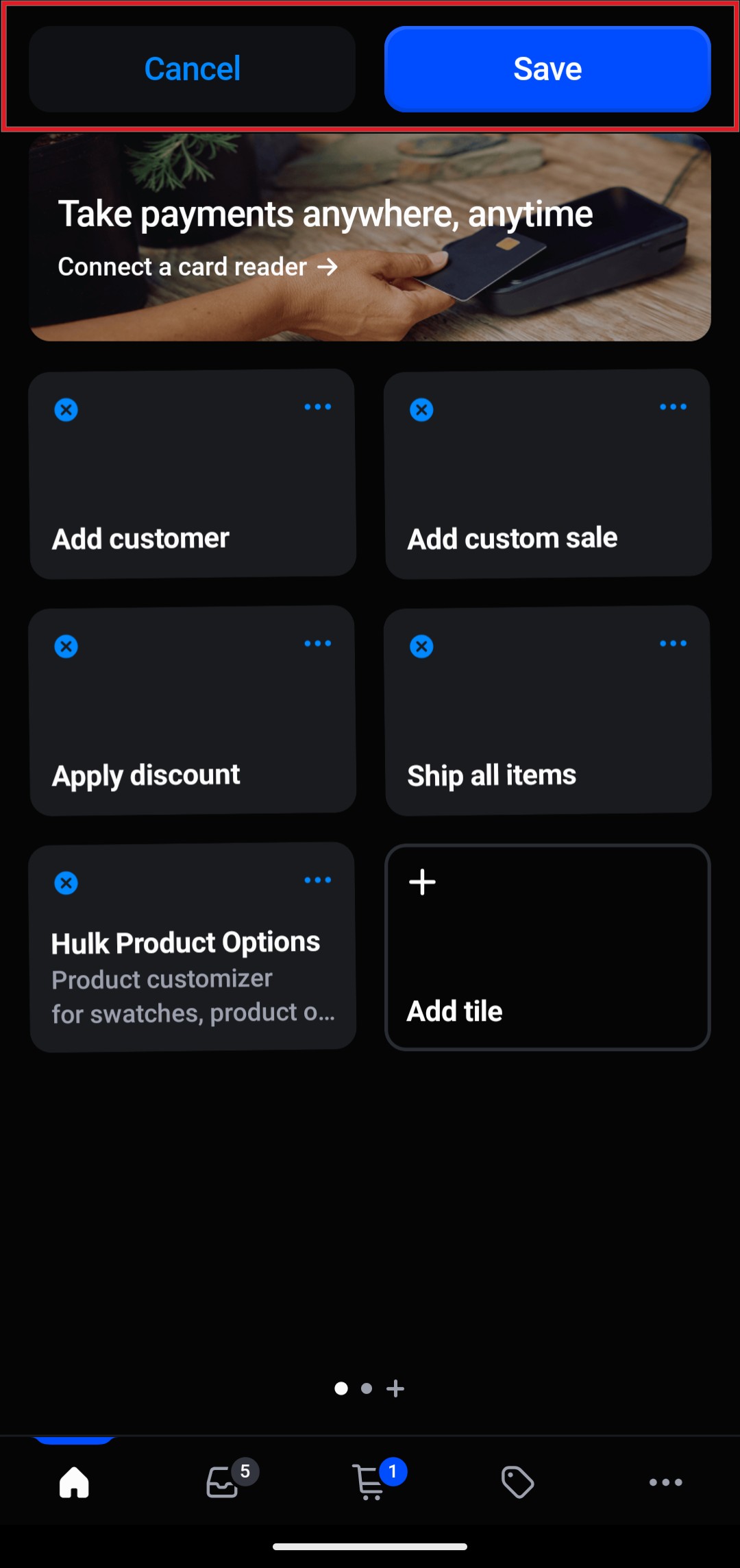
- Open the newly added tile to start using the app.
Your POS integration is now ready.
3. How to Use Product Options in Shopify POS
Follow these steps while creating an order:
Open the Shopify POS app.
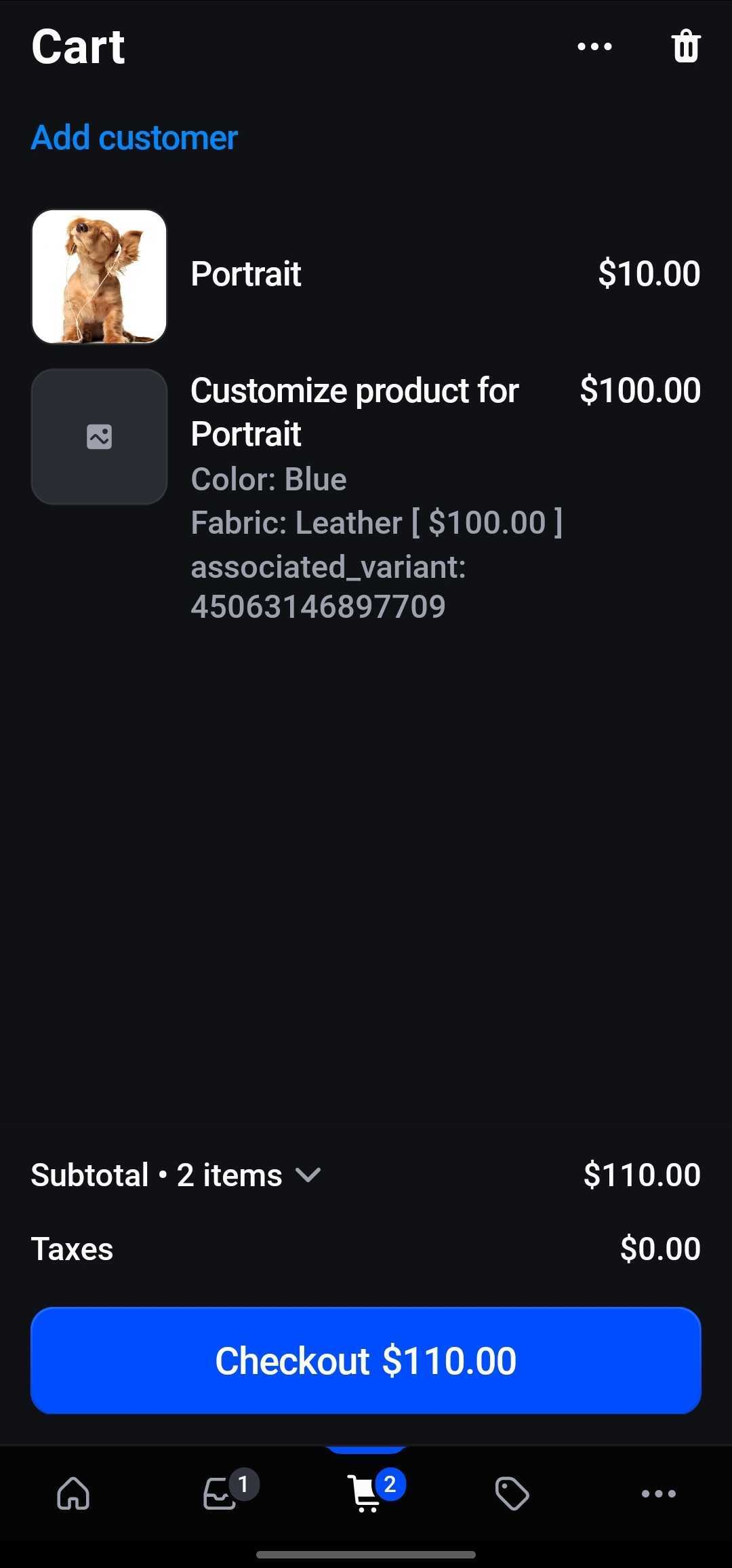
Add the product(s) to the cart by selecting them after they’ve been added to the tile.
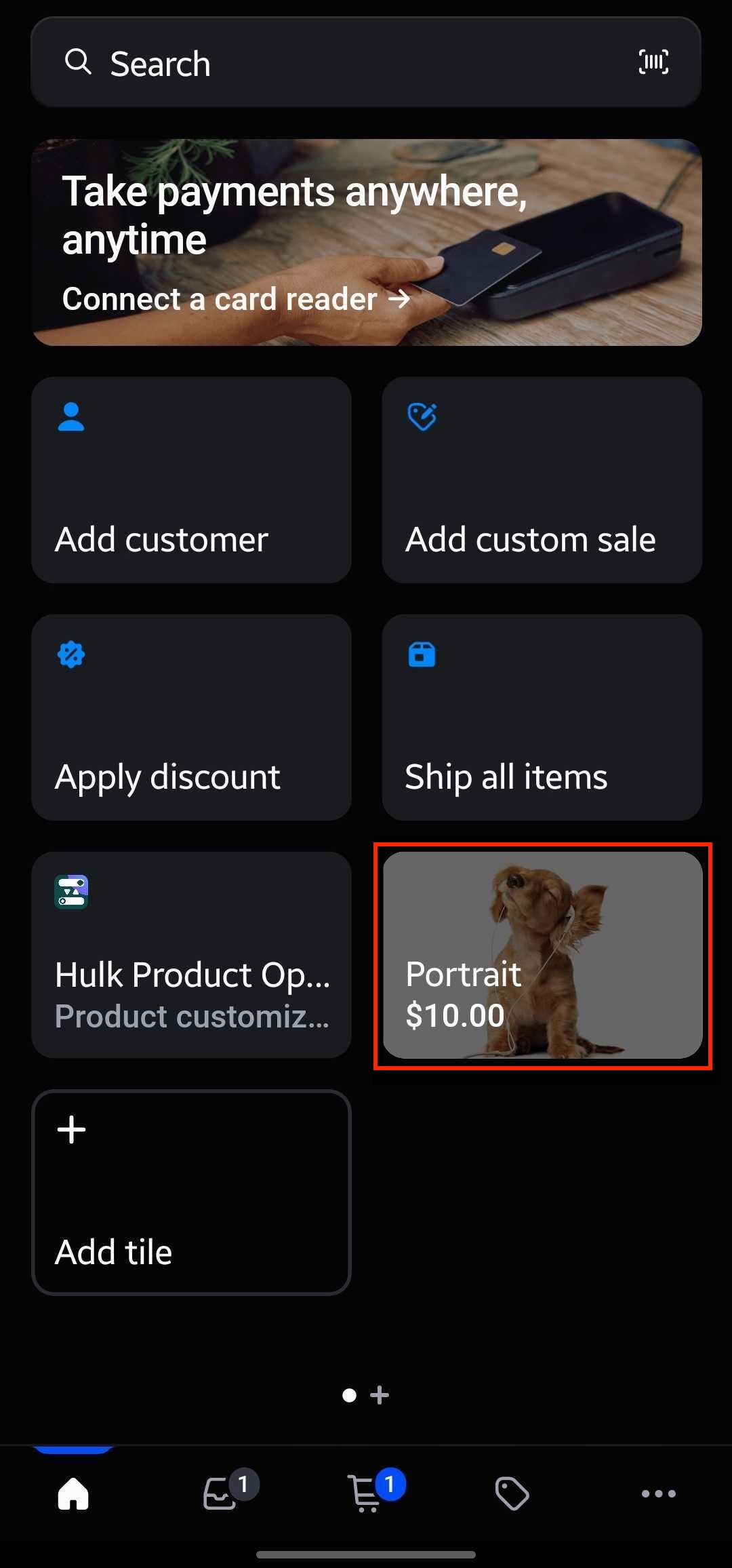
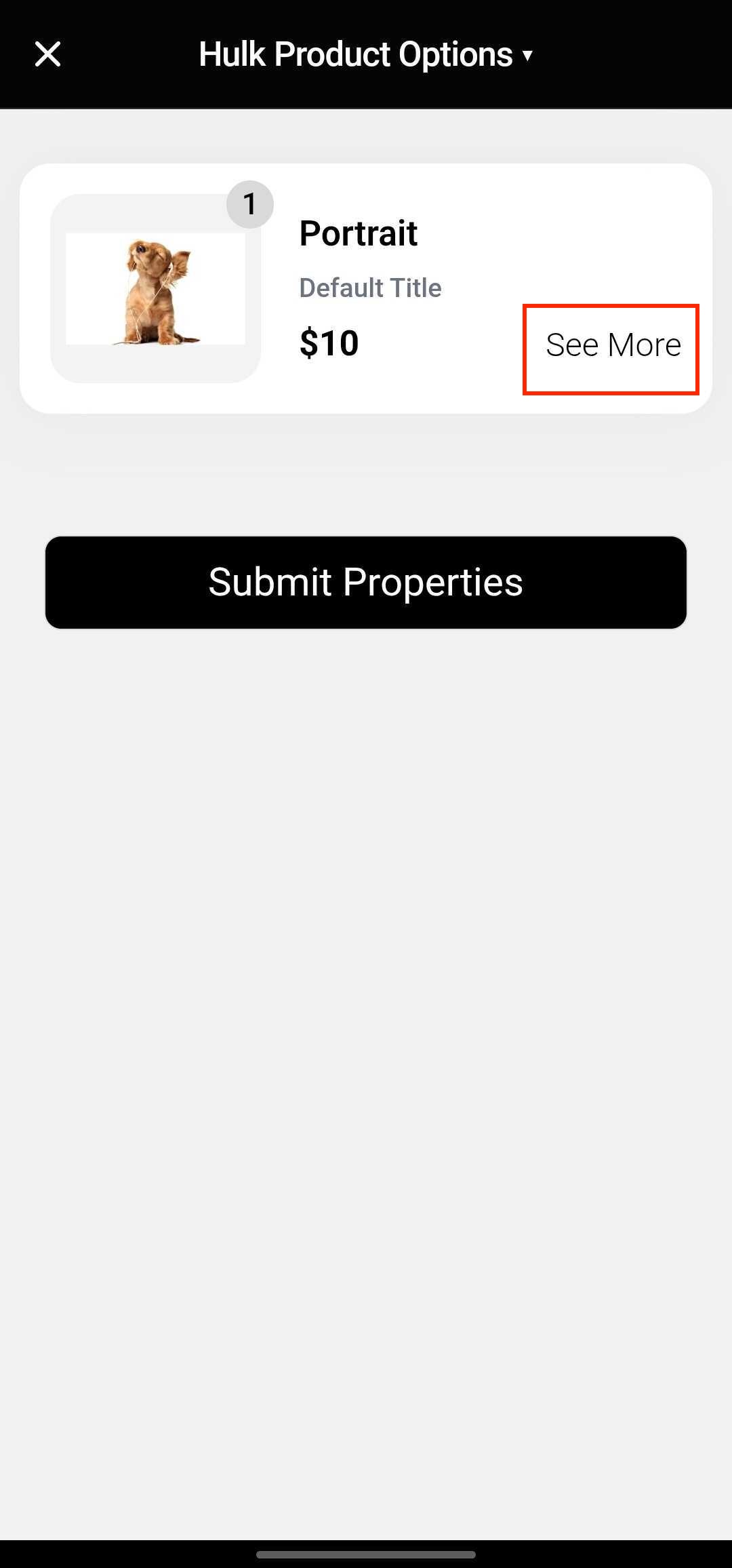
Open Hulk Product Options tile.
Note: When opening the Hulk Product Options tile, the product added to the cart and its assigned options may take a moment to load.Select or enter the required option properties by clicking on See More.
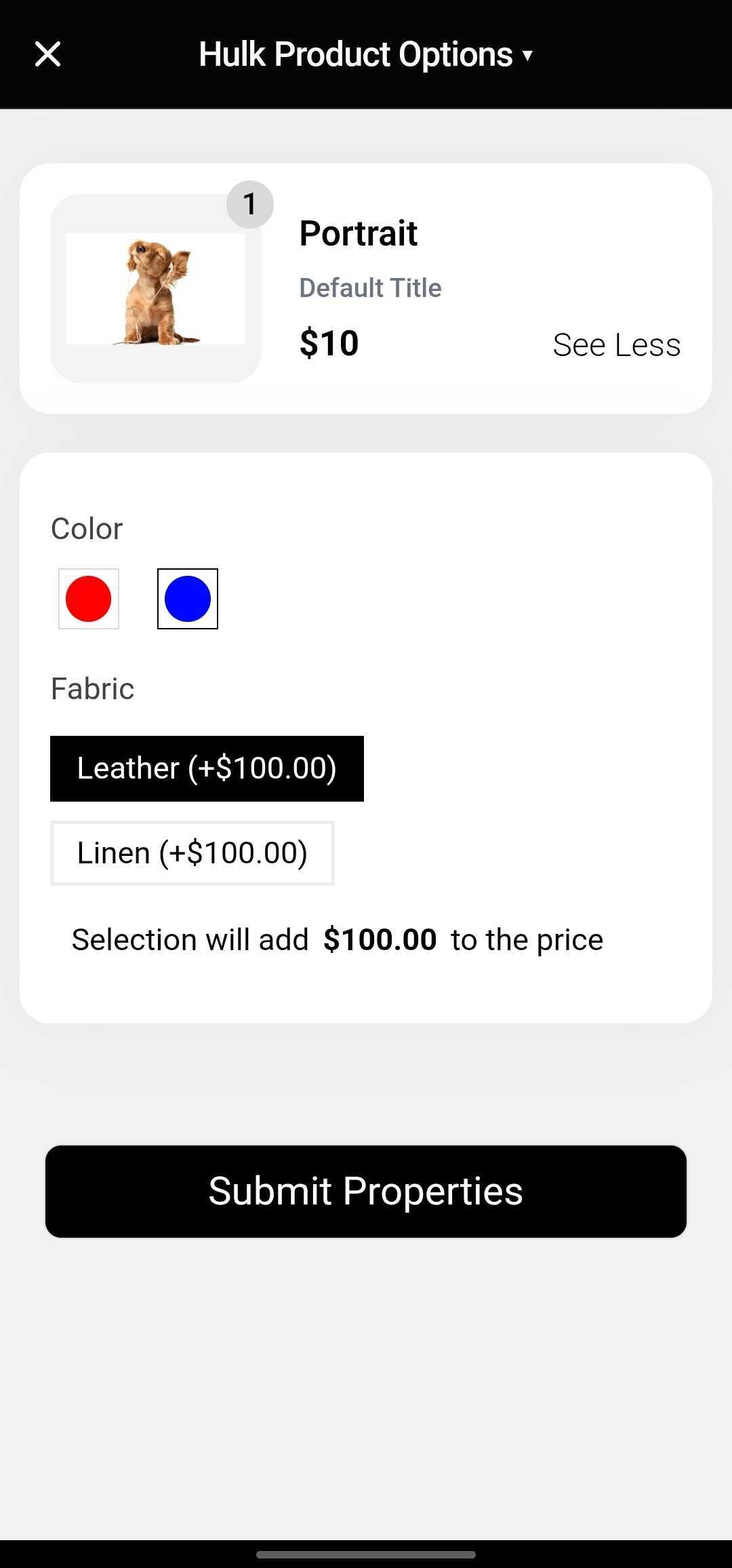
Select the options and Submit Properties.
Complete checkout.
⚠ Important Usage Notes
You must add the product to the cart first before configuring options.
Required validation works only when opening product-specific options.
If you edit the cart after adding options, you must re-add the option properties.
It is strongly recommended to finalize the cart before adding option properties.
4. Current Limitations in Shopify POS
Due to Shopify POS platform restrictions, certain features are limited.
4.1 Order-Level Limitations
Order tags cannot be passed via Shopify POS.
Tax settings strictly follow Shopify POS behavior.
Tax cannot be modified or overridden from our end.
4.2 Unsupported Features in Shopify POS
The following option types and features are not supported in Shopify POS:
Font Picker Options
Phone Field
Popup
File Upload
Collection-Based Option Set
Product Image Customizer
4.3 Cart & Checkout Responsibility
Our app handles only cart-level option properties.
The following processes are fully managed by Shopify POS and are not controlled by our app:
Payment
Shipping
Confirmation emails
Order processing
Any issues related to the above fall under Shopify POS functionality.
5. Summary
Because of Shopify POS platform limitations:
Some advanced product option types are not supported.
Order tags cannot be passed.
Certain input types are restricted.
Cart edits require re-adding option properties.
Checkout-related operations are fully handled by Shopify POS.
Please carefully review these limitations before enabling Shopify POS integration for Enterprise stores.
Was this article helpful?
That’s Great!
Thank you for your feedback
Sorry! We couldn't be helpful
Thank you for your feedback
Feedback sent
We appreciate your effort and will try to fix the article
