Can I Change the Order of Form Fields?
Yes, you can easily change the order of form fields in your form using the drag-and-drop feature.
How to Reorder Form Fields
Open the form you want to edit.
In the form editor, locate the field you want to move.
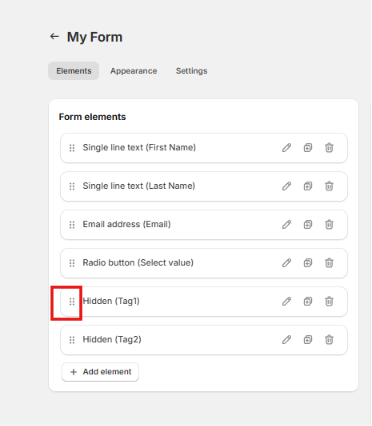
Click and hold the drag handle (usually shown as dots or a move icon) next to the field.
Drag the field to your preferred position.
Release it to place the field in the new order.
Save or publish the form to apply the changes.
Was this article helpful?
That’s Great!
Thank you for your feedback
Sorry! We couldn't be helpful
Thank you for your feedback
Feedback sent
We appreciate your effort and will try to fix the article