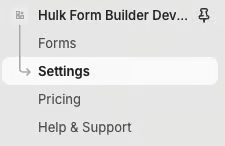
1. Go to "Settings", then "Integrations" and "Stripe Payments"
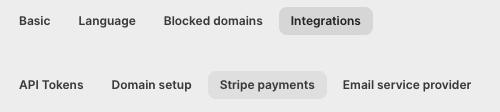
2. Here you can connect your “Stripe” account by entering the "Publishable Key" and "Secret Key" which can be retrieved from "Stripe".
Was this article helpful?
That’s Great!
Thank you for your feedback
Sorry! We couldn't be helpful
Thank you for your feedback
Feedback sent
We appreciate your effort and will try to fix the article