Consent Bar Display Settings
Go to Settings > Display tab.
NOTE: Click on the Save button in the bottom of the page to save the changes.
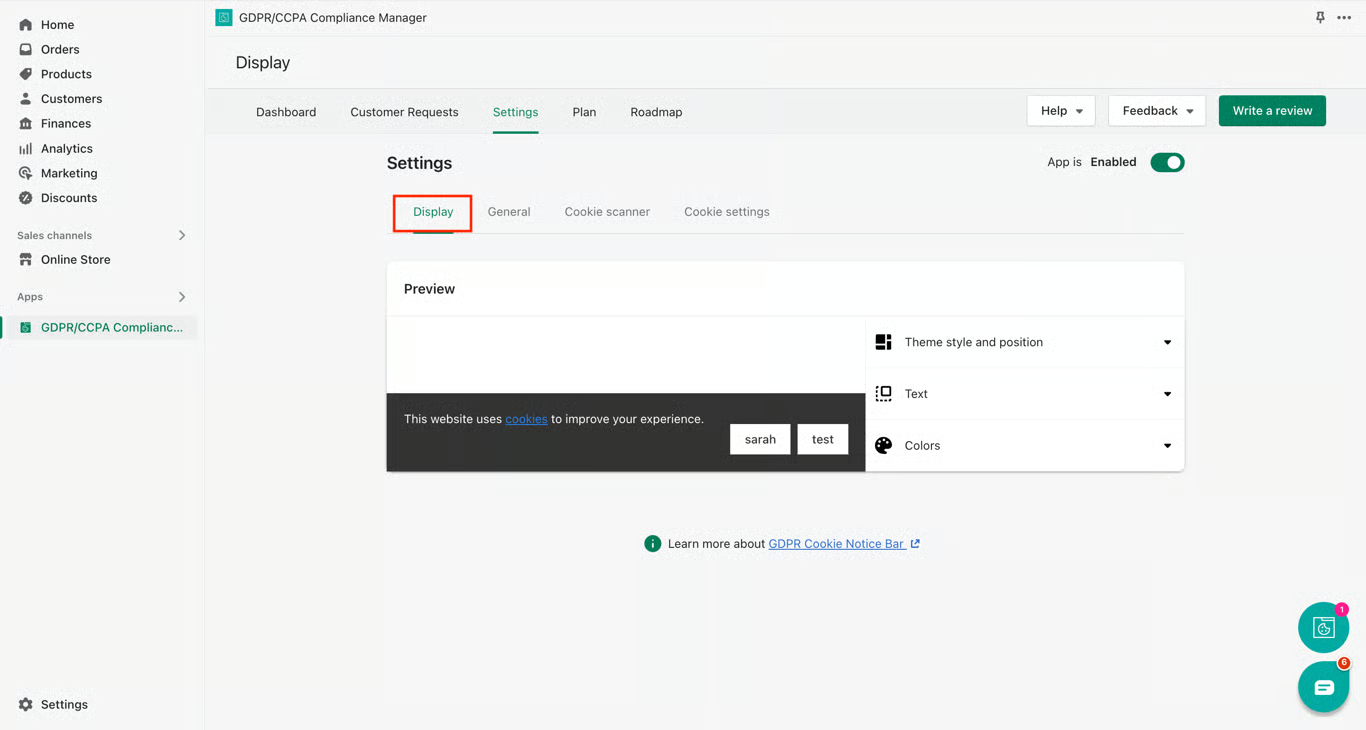
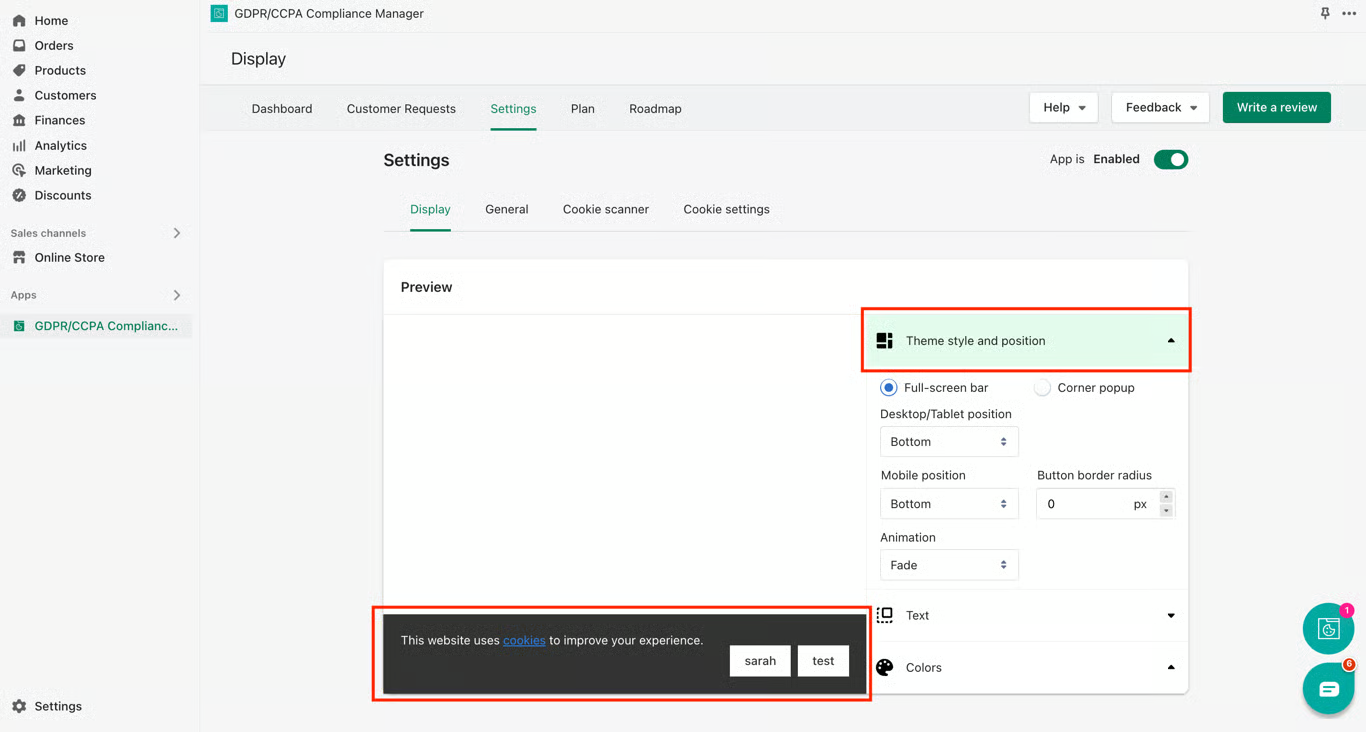
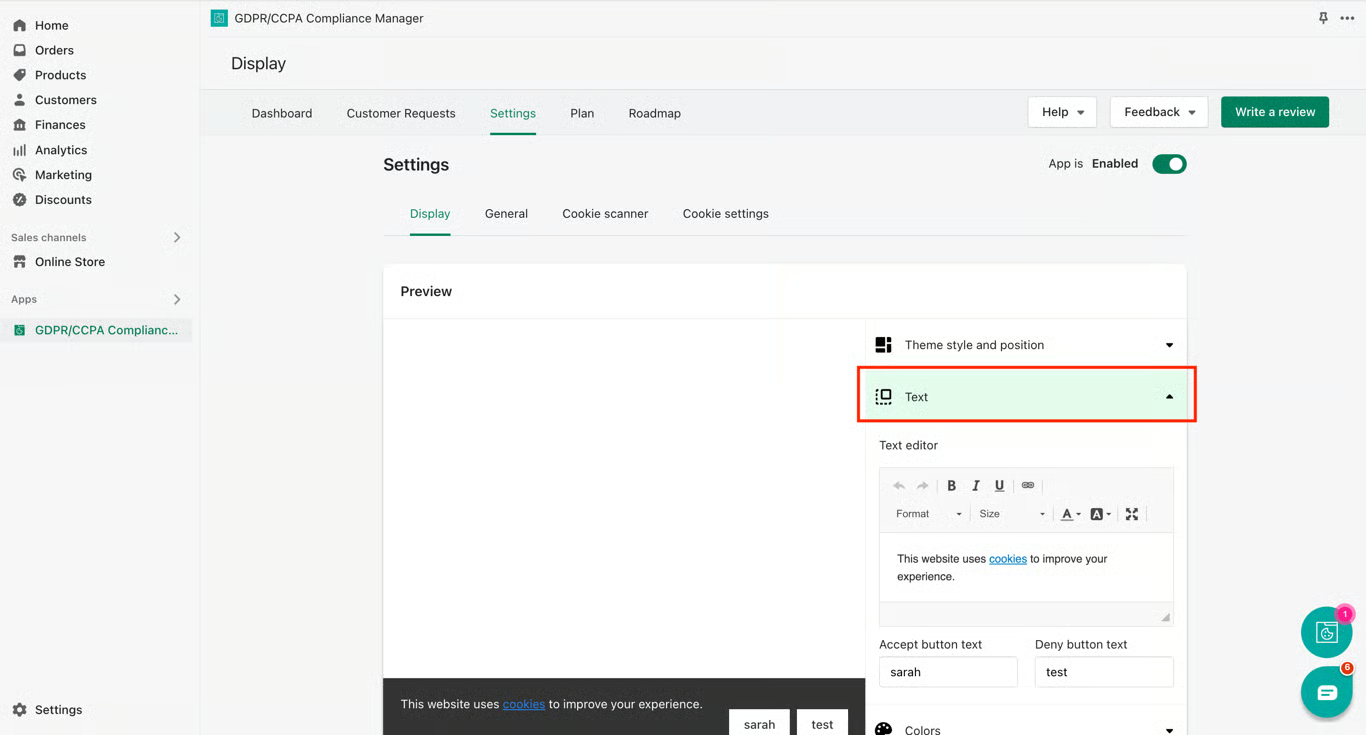
Configure the look and feel of the Consent Bar with the customization options. Users have the ability to modify the main text and customize the colour of the Cookie Consent Bar and Buttons. Users can also select the position of the bar on Desktop and Mobile devices.
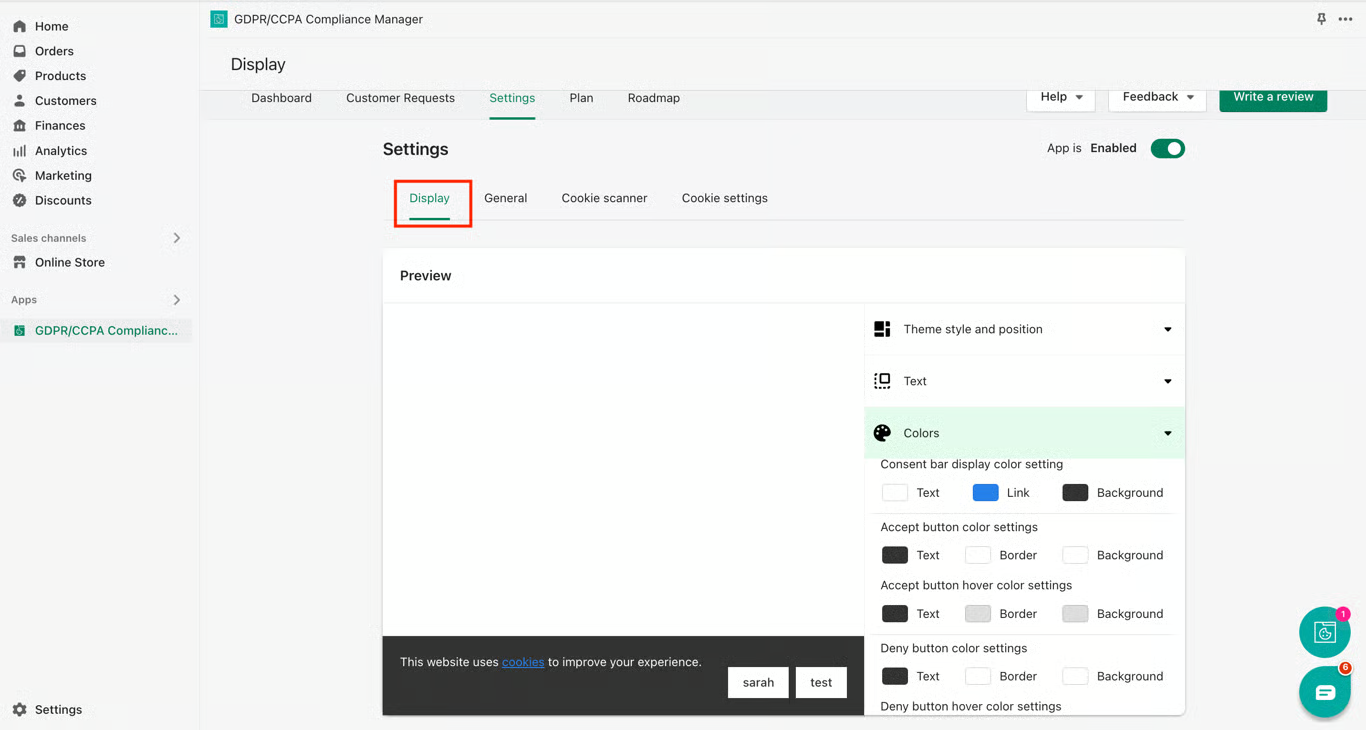
The app allows you to change the colour of the below-mentioned parameters in the cookies notice bar:
- Background colour
- Link colour
- Text color
- Button text colour
- Hover the background-colour
- Border Color
- Hover the border-colour
Was this article helpful?
That’s Great!
Thank you for your feedback
Sorry! We couldn't be helpful
Thank you for your feedback
Feedback sent
We appreciate your effort and will try to fix the article