Installation Guide for Reorder button
Automatic Installation
Shopify's online store theme now does not require the code placements for the Reorder button on the Order detail page and Order listing page.
Check out the below steps for button placement:
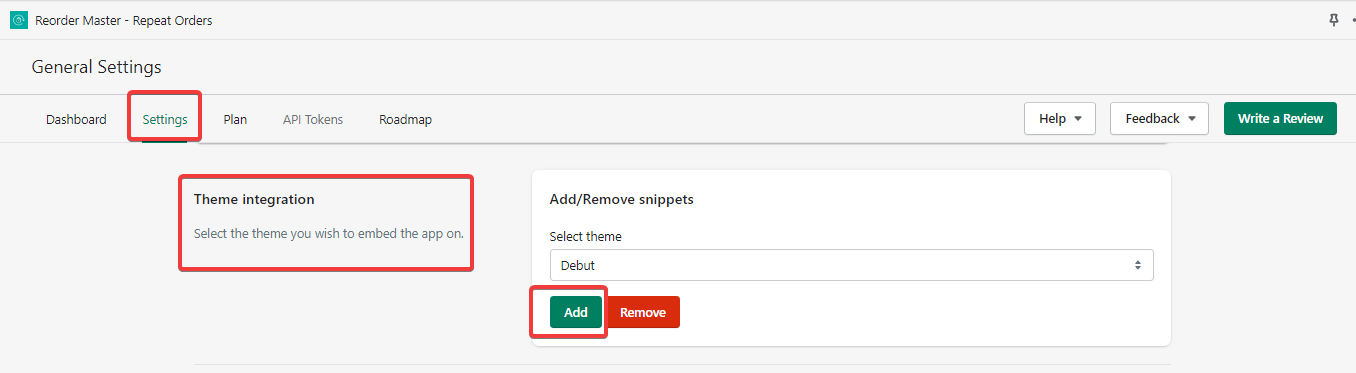
1. The first step is to select the theme you wish to embed the app on.
Go to Settings -> General settings -> Theme integration
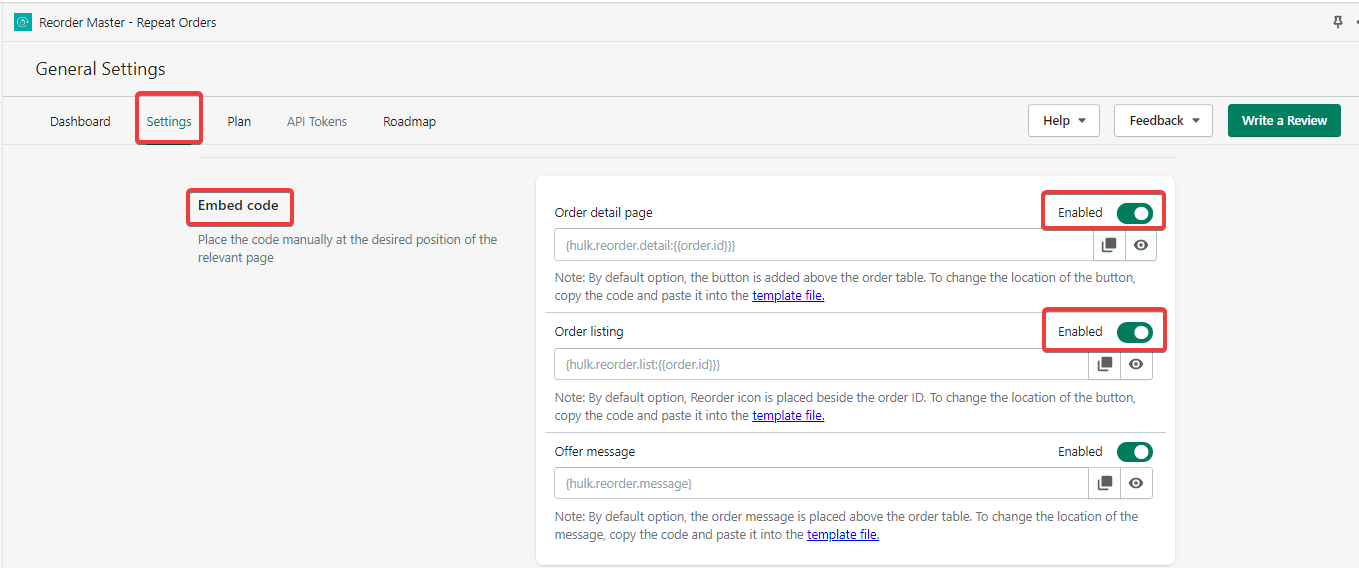
2. The next step is to Embed the code on the order details page and order listing page.
Go to Settings -> General settings -> Embed code section -> Enable the page settings as shown in the screenshot.
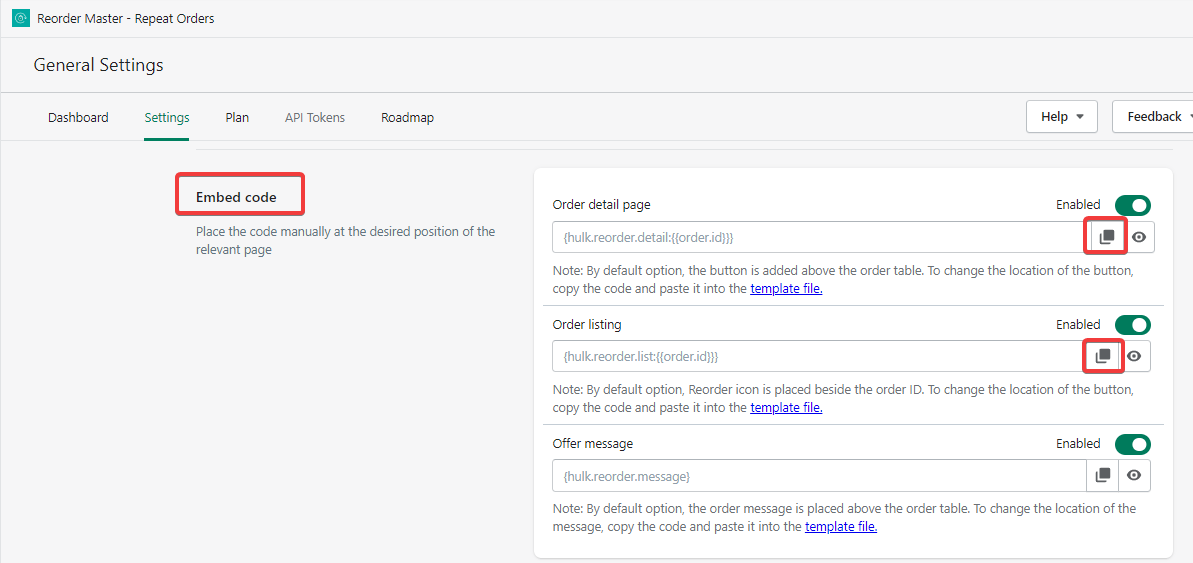
In any case, if you would like to change the Reorder button position, then you need to manually copy the code and paste it into the template file.
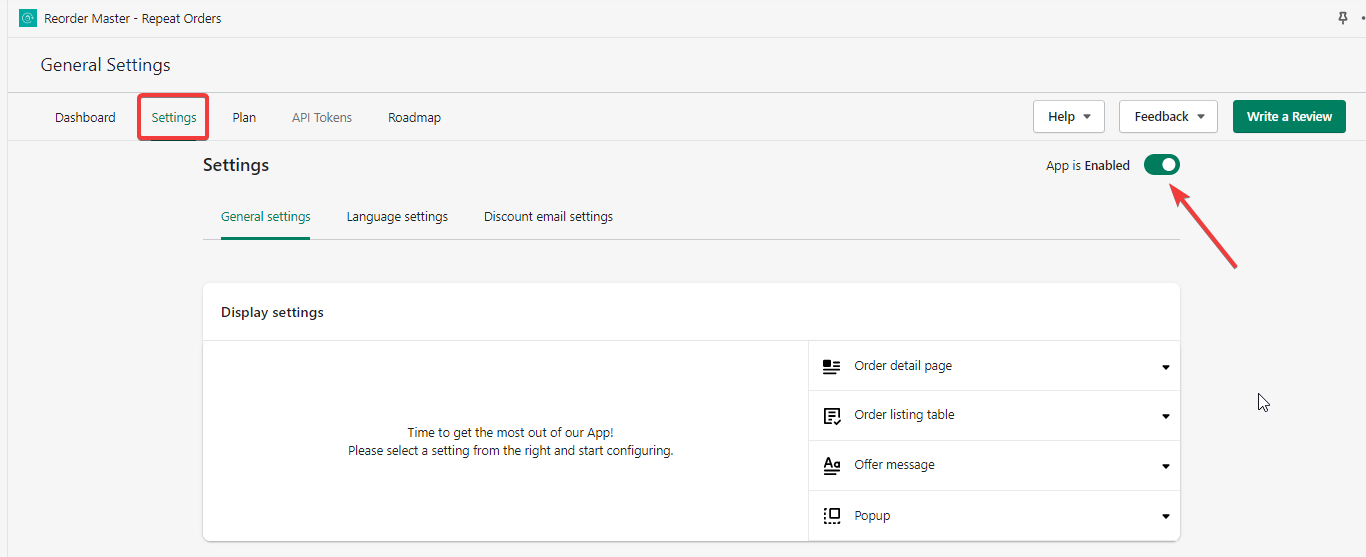
3. Make sure to enable an app from the top right corner in settings.
That's all
Was this article helpful?
That’s Great!
Thank you for your feedback
Sorry! We couldn't be helpful
Thank you for your feedback
Feedback sent
We appreciate your effort and will try to fix the article