When a new theme is published, the Hulk Product Options app setup doesn’t automatically carry over. You’ll need to reinstall the app snippets to apply the add-on charges to the cart files from:
App Dashboard>>Help and Support>>Theme Installation and Pick a theme you just have published.
This will ensure the options load correctly on the new theme.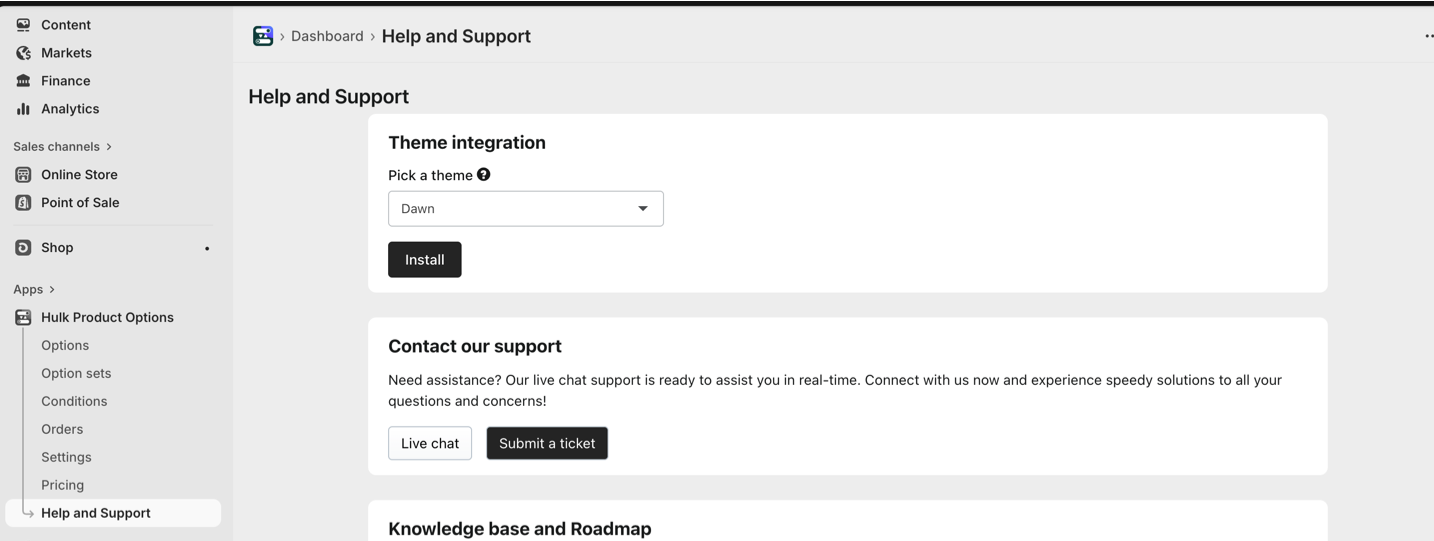
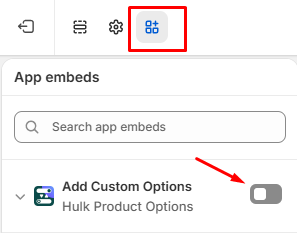
And if the Options are not displaying on the product page, kindly make sure the app is enabled from the Theme Customize>App Embed section as shown on the following link:
Was this article helpful?
That’s Great!
Thank you for your feedback
Sorry! We couldn't be helpful
Thank you for your feedback
Feedback sent
We appreciate your effort and will try to fix the article