This issue might occur due to the Dynamic Checkout Button (like Shop Pay or Buy Now) being enabled on the product page.
To resolve it, please enable the following setting in the app:
App Dashboard>>General Settings>>Enable Express checkout buttons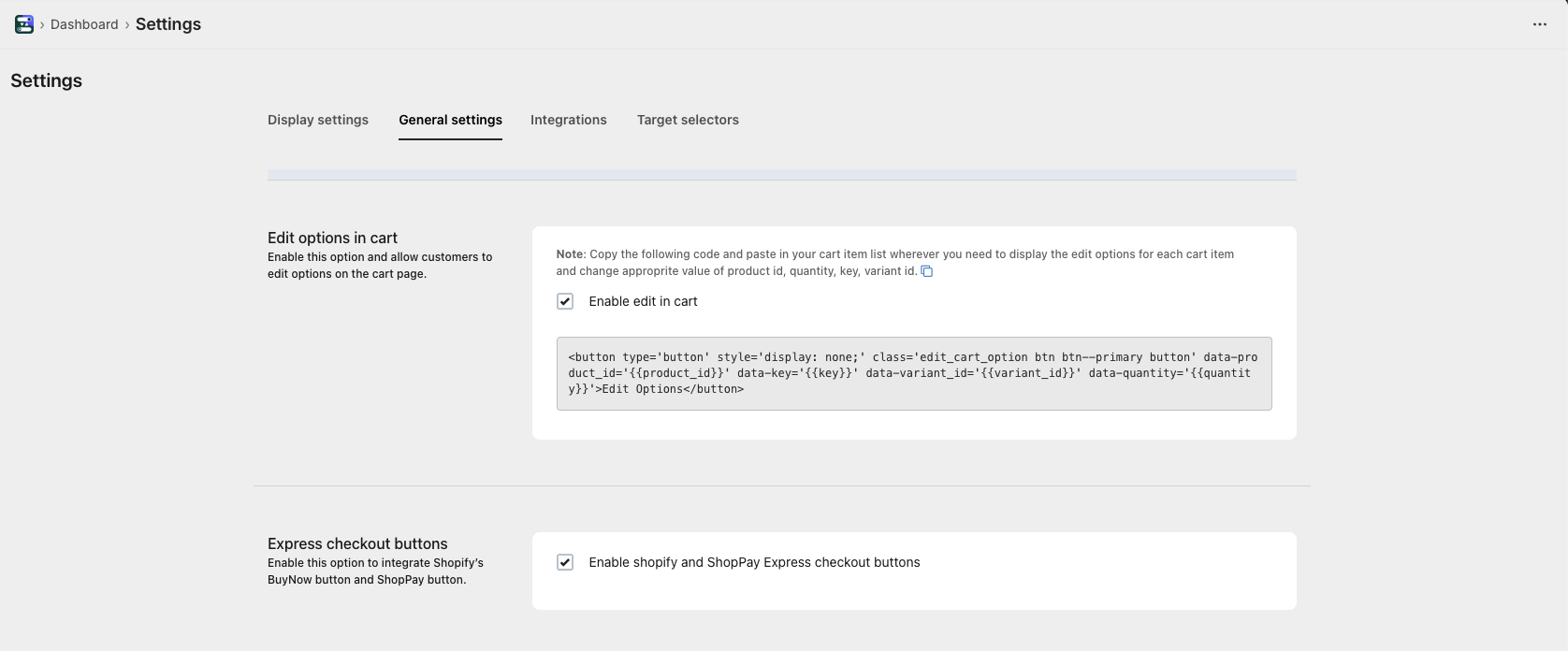
This ensures that file uploads and custom options pass correctly through checkout.
Was this article helpful?
That’s Great!
Thank you for your feedback
Sorry! We couldn't be helpful
Thank you for your feedback
Feedback sent
We appreciate your effort and will try to fix the article