To activate the Form Builder on your storefront, you need to enable the app embed in your theme settings. Please follow these simple steps:
From your Shopify admin, navigate to Online Store > Themes.
Find the theme you want to edit and click the Customize button.
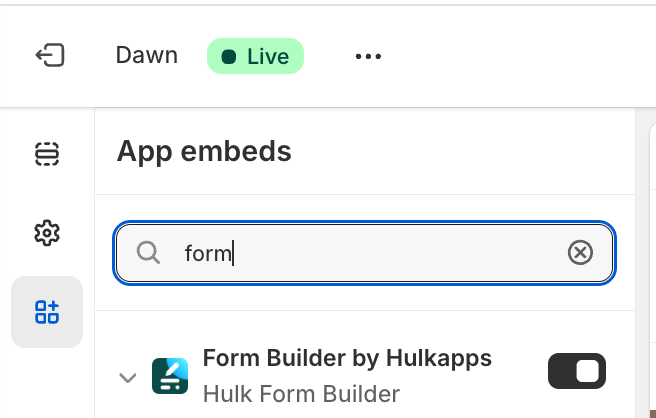
In the theme editor menu on the left-hand side, click on the App embeds icon.
Locate Form Builder by Hulkapps in the list and toggle the switch to turn it on.
Finally, click the Save button in the top-right corner of the window.
Was this article helpful?
That’s Great!
Thank you for your feedback
Sorry! We couldn't be helpful
Thank you for your feedback
Feedback sent
We appreciate your effort and will try to fix the article