Instructions to enable Hulk Advanced Wishlist plugin with Hulk Mobile App Builder
Steps:
Navigate to the Hulk Mobile App Builder App > Settings > Integrations > Hulk Advanced Wishlist, paste the created API key in the Wishlist App,, Enable the Integration.
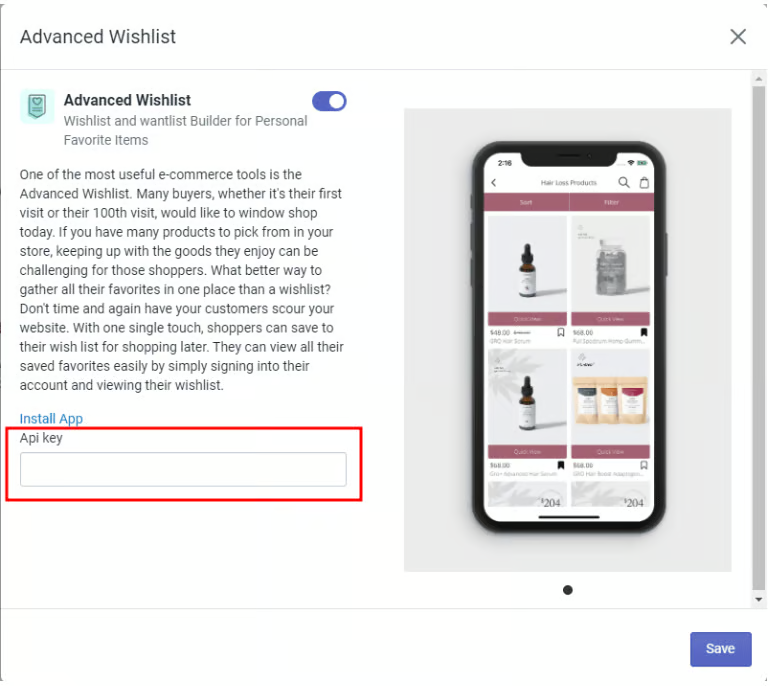
Congratulations! You have successfully integrated the Hulk Advanced Wishlist with our Hulk Mobile App Builder application.
Was this article helpful?
That’s Great!
Thank you for your feedback
Sorry! We couldn't be helpful
Thank you for your feedback
Feedback sent
We appreciate your effort and will try to fix the article