1. Under Settings, scroll down to Customizations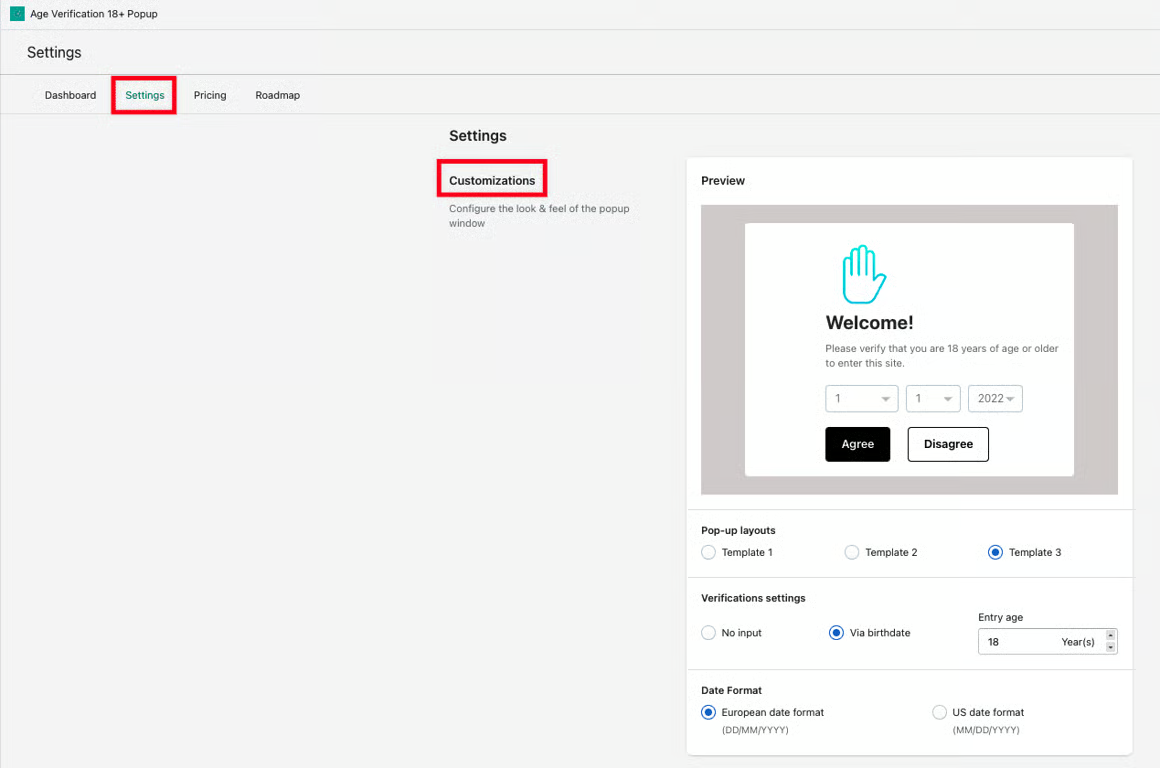
2. Here, you have the ability to customize the Preview of the Pop-up (how you want the pop-up to look) and Pop-up layouts (choose between three layouts); you can also change Verification settings (verify customers via birthdate or without any information input and adjust entry age) and Date Format (choose between European and US date format).
3. Once the changes are made per your preference, click on the Save button to save your configured settings.
Was this article helpful?
That’s Great!
Thank you for your feedback
Sorry! We couldn't be helpful
Thank you for your feedback
Feedback sent
We appreciate your effort and will try to fix the article