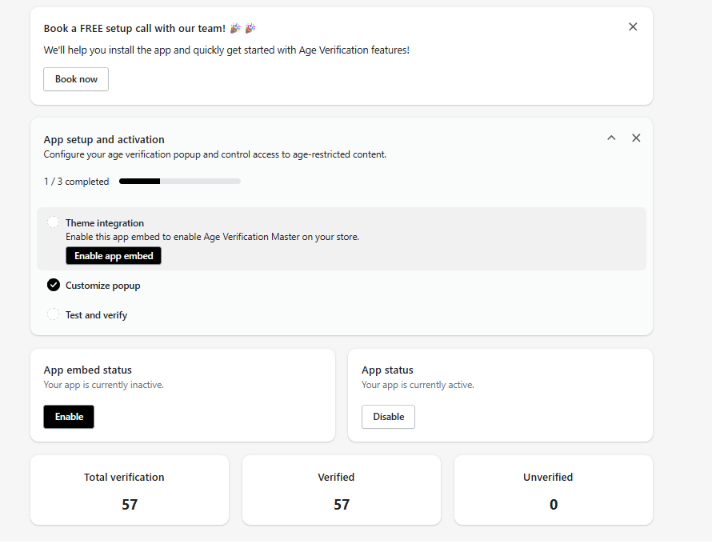
The Hulk Age Verification dashboard gives you quick access to your app setup, popup configuration, and key visitor statistics at a glance.
Dashboard Features
1. Verification Statistics
Track how visitors interact with your age gate using real-time metrics:
Total Verifications: The total number of visitors who encountered the age popup.
Verified: The number of visitors who passed the age check and entered your store.
Unverified: The number of visitors who were denied access or left the page without verifying.
2. App Setup & Activation
Quickly check whether your age popup is live:
Review your App Status (toggle ON/OFF).
Verify that App Embeds are enabled in your active Shopify theme.
Was this article helpful?
That’s Great!
Thank you for your feedback
Sorry! We couldn't be helpful
Thank you for your feedback
Feedback sent
We appreciate your effort and will try to fix the article