To display the Hulk Age Verification popup on your store, you must enable it in two locations: inside the app dashboard and within your Shopify theme settings.
Step 1: Enable App Status in the Dashboard
Open the Hulk Age Verification app from your Shopify Admin.
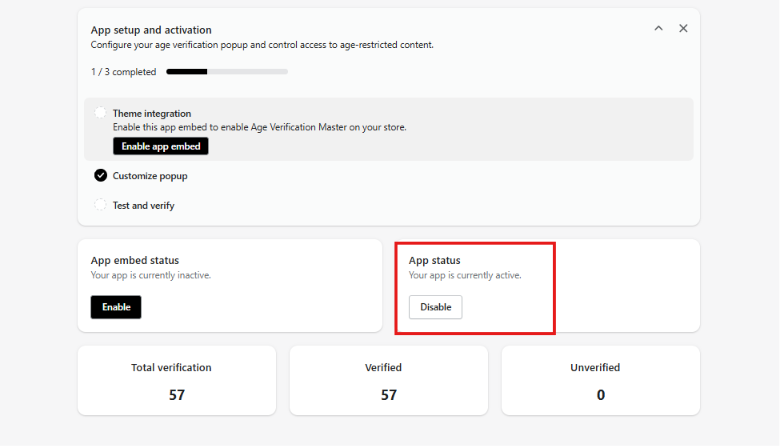
Navigate to the Dashboard.
Locate App Status and toggle it to Enabled.
Step 2: Enable App Embed in Shopify Theme Settings
Go to Shopify Admin > Online Store > Themes.
Click Customize next to your live theme.
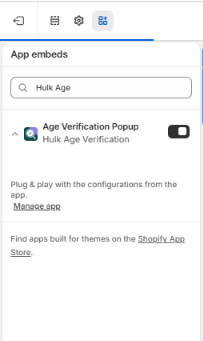
On the left sidebar, click the App Embeds tab.
Toggle on Hulk Age Verification Popup.
Click Save in the top-right corner.
Was this article helpful?
That’s Great!
Thank you for your feedback
Sorry! We couldn't be helpful
Thank you for your feedback
Feedback sent
We appreciate your effort and will try to fix the article