Hulk Metafields app allows you to add & display additional information using metafields in any language you want. It supports all languages you put in.
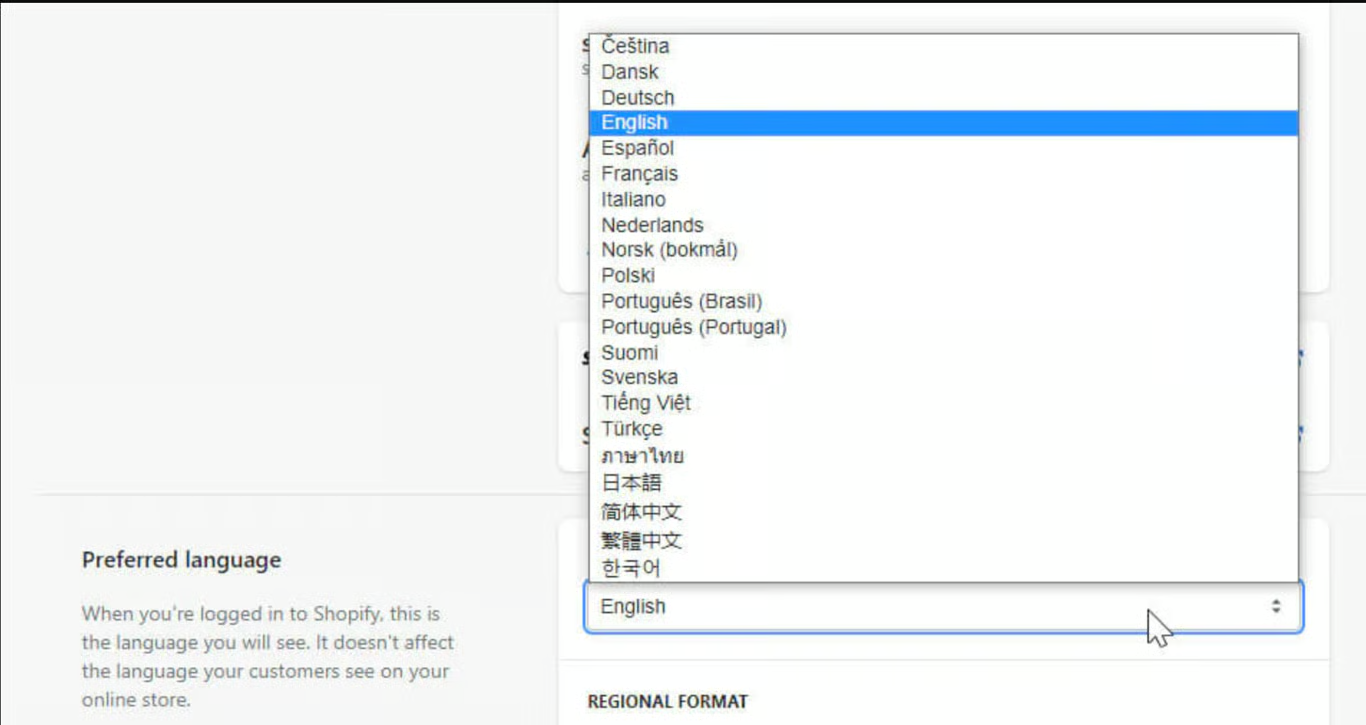
If you’ve set up a default language for your Shopify store, you can change it by following a few easy steps:
- Go to your Shopify store
- Navigate to the top right & click on Your account.
- From the language dropdown in Preferred language settings, select the language you prefer to configure for your store.
- Click on Save
Now that you’re store language is changed, you can add the values in metafields in the same language which is undoubtedly supported by Hulk Metafields.
Was this article helpful?
That’s Great!
Thank you for your feedback
Sorry! We couldn't be helpful
Thank you for your feedback
Feedback sent
We appreciate your effort and will try to fix the article