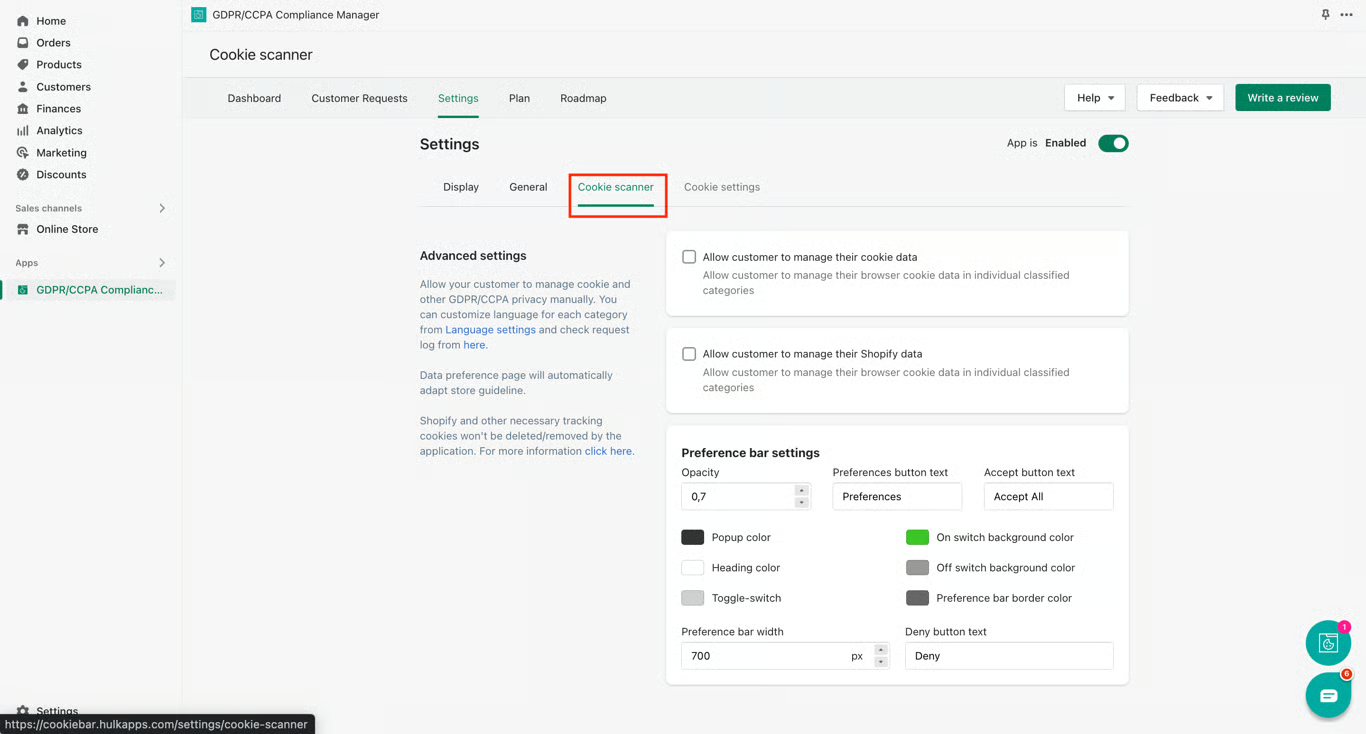
Allow your customer to manage cookies and other GDPR/CCPA privacy manually.
- Go to the App Settings.
- Open Cookie scanner tab
- Check the checkbox to "Allow customer to manage their cookie data" or/and "Allow customer to manage their Shopify data"
Was this article helpful?
That’s Great!
Thank you for your feedback
Sorry! We couldn't be helpful
Thank you for your feedback
Feedback sent
We appreciate your effort and will try to fix the article