Please view the video 'OR' follow the steps below & to enable products/collections in your mobile app from your Shopify Product module.
Video: Refer to the Video
Steps to enable Products:
- Go to your Shopify store
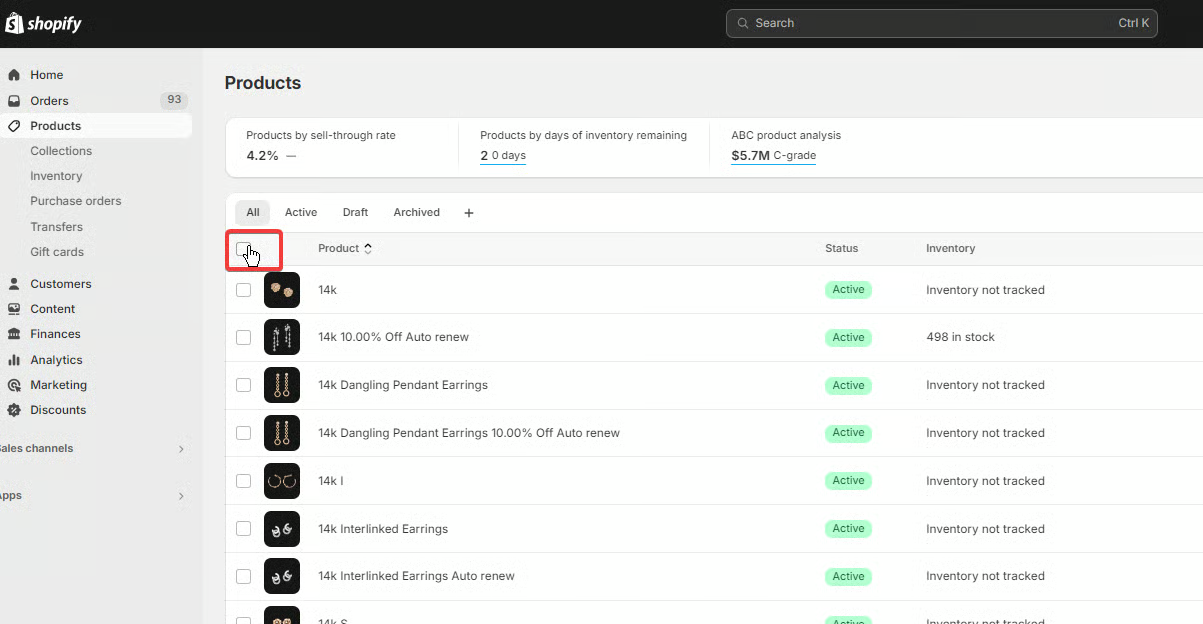
Click on ‘Products’ at the left corner of your store
In the 'All Products' menu, check the option to select all the ‘Products’ available in your shopify store.
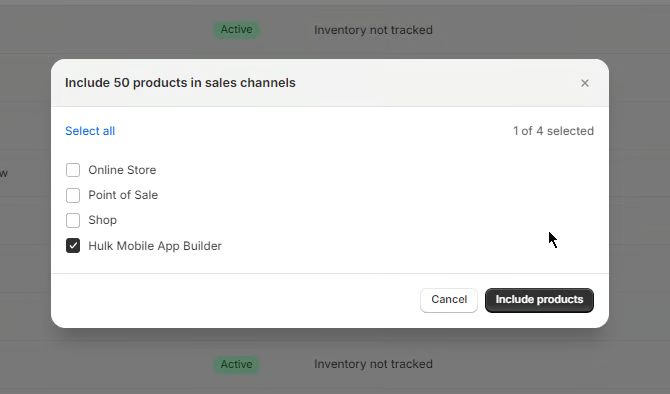
Click on the 'More actions' dropdown menu and click on the 'Include in sales channel' option.
As soon as you click on the button a popup will appear to select the sales channel where we need to select the 'Hulk Mobile App Builder' sales channel to enable the products in the Hulk Mobile App Builder.
Steps to enable Collections:
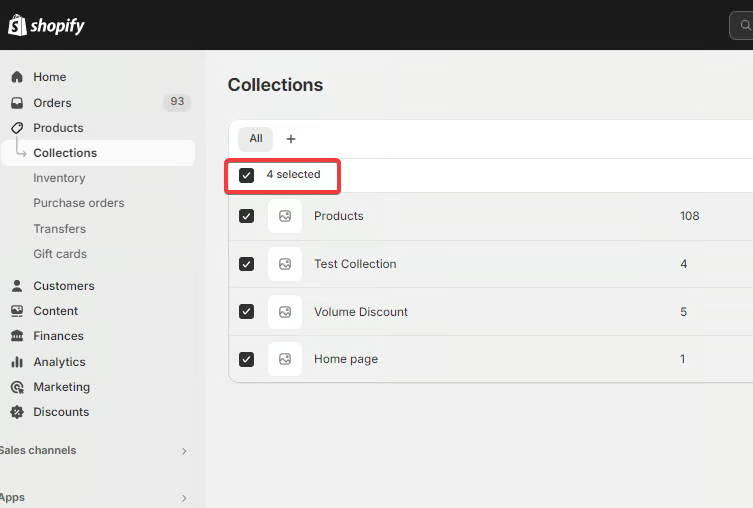
- Click on the ‘Collections’ menu available under the Products module in the left corner of your store.
Check the option to select all the ‘Collections’ available in your shopify store.
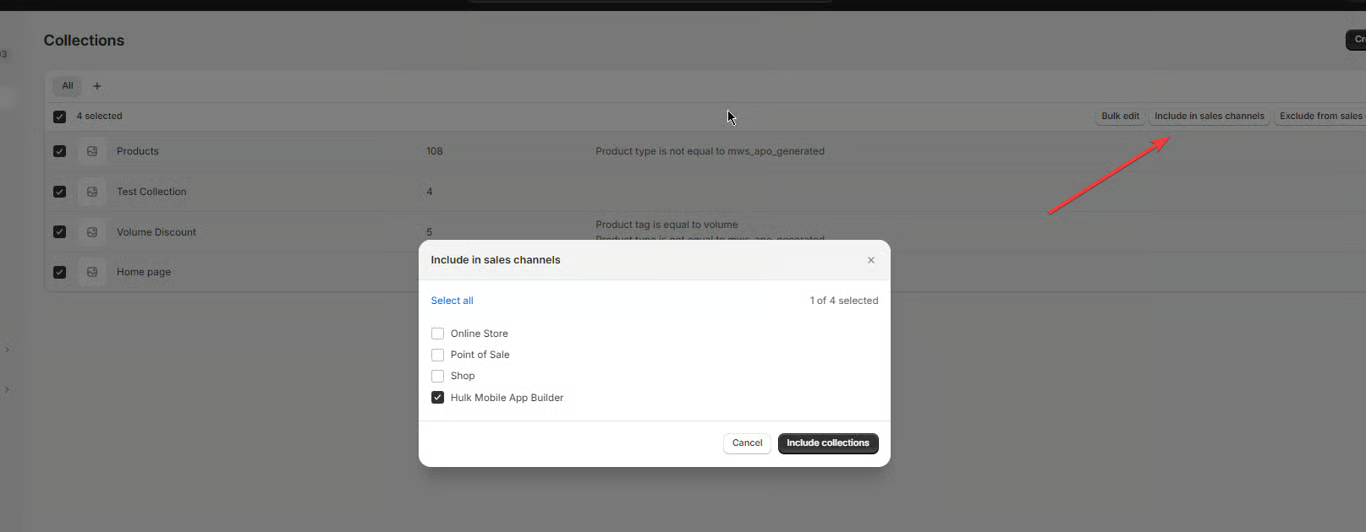
Click on the 'Include in sales channel' button.
As soon as you click on the button a popup will appear to select the sales channel where we need to select the 'Hulk Mobile App Builder' sales channel to enable the collections in our mobile app.
Was this article helpful?
That’s Great!
Thank you for your feedback
Sorry! We couldn't be helpful
Thank you for your feedback
Feedback sent
We appreciate your effort and will try to fix the article