
Searchanise Search & Discovery
- Smart & Instant Search Bar, which finds matches across all in-store pages
- Voice search & Personalized AI search for a seamless user experience
- Unlimited out-of-the-box and custom filters by default ones, tag filters, prefixes
- Configurable live search results page & product cards’ content
- Merchandising tools (custom labels, sorting, autocomplete rules) to boost sales
- Analytics: reports on clicks, navigation, product views & most-searched products
Instructions to enable Rewardify Integration with Hulk Mobile App Builder
Hulk Mobile App Builder must be on the PRO+ or Enterprise plan.
Make sure that the Searchanise Search & Discovery app is installed in the Shopify store.
Steps:
Navigate to the Hulk Mobile App Builder App > Settings > Integrations > Paste the created API Key from the Searchanise Search & Discovery App’s backend, Enable the Integration.
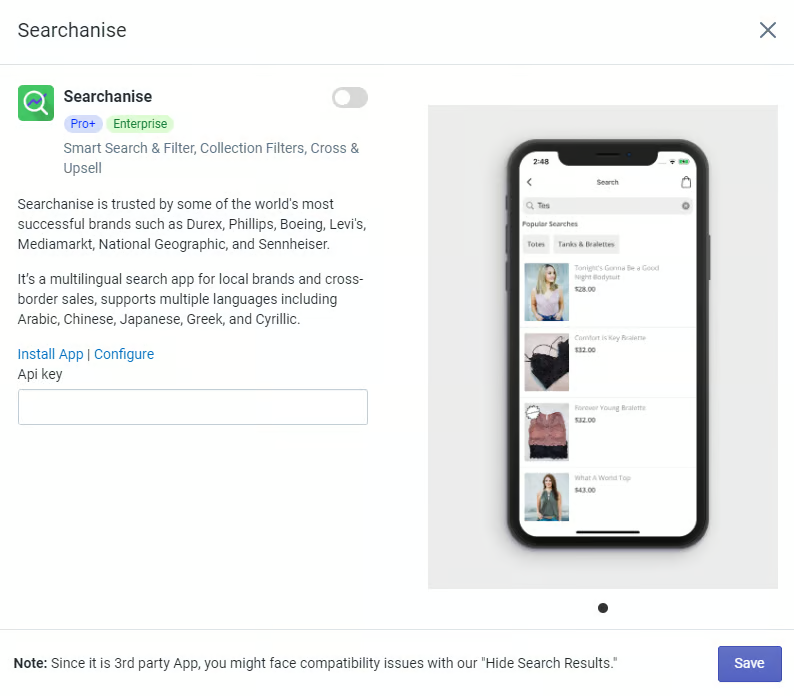
Congratulations! You have successfully integrated Searchanise Search & Discovery in our Hulk Mobile App Builder application.
Cloud Search & Product Filter
- Instant search bar for fast product discovery with consistently relevant results
- Easy-to-use, customizable filters for search and collection pages.
- Retains collection page design, functionality, and 3rd party apps & integrations.
- Bestseller prioritization and product promotions for optimal search performance.
- Search analytics to understand how customers are using your search.
Instructions to enable Cloud Search & Product Filter Integration with Hulk Mobile App Builder
Hulk Mobile App Builder must be on the PRO+ or Enterprise plan.
Make sure that the Cloud Search & Product Filter app is installed in the Shopify store.
Steps:
Navigate to the Hulk Mobile App Builder App > Settings > Integrations > Cloud Search & Product Filter, Enable the Integration.
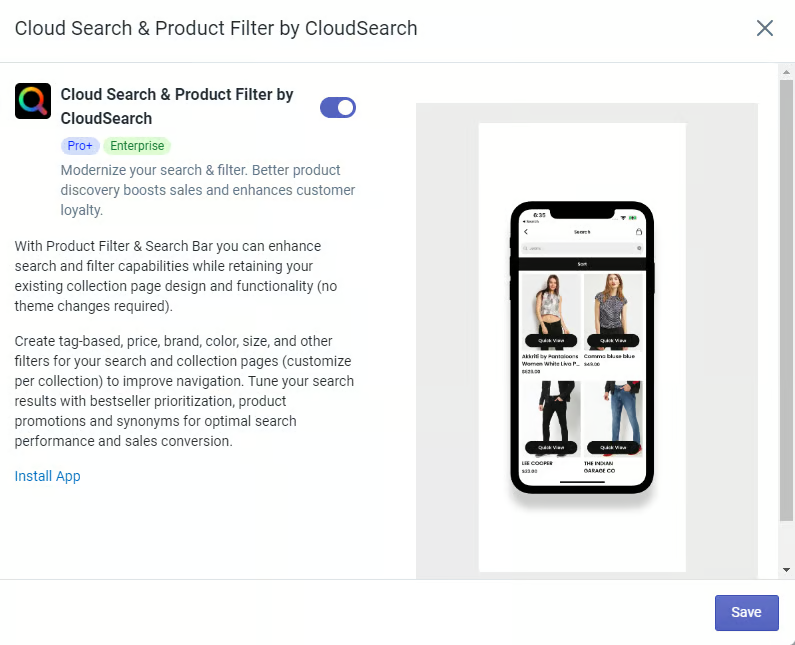
Congratulations! You have successfully integrated Cloud Search & Product Filter in our Hulk Mobile App Builder application.

Product Filter & Search By Boostcommerce
- AI-powered search bar: search suggestion, typo tolerance, AI synonyms, stopwords
- Various recommendation settings in the home, collection, product & cart pages.
- Visual merchandising tools with a pin, boost, demote & hide product strategy.
- Custom filter tree with unlimited Filter options: tag, meta field, variant, etc.
- Insightful analytics with detailed collection filter & search behavior report.
Instructions to enable Product Filter & Search Integration with Hulk Mobile App Builder
Hulk Mobile App Builder must be on the PRO+ or Enterprise plan.
Make sure that the Product Filter & Search app is installed in the Shopify store.
Steps:
Navigate to the Hulk Mobile App Builder App > Settings > Integrations > Product Filter & Search, and Enable the Integration.
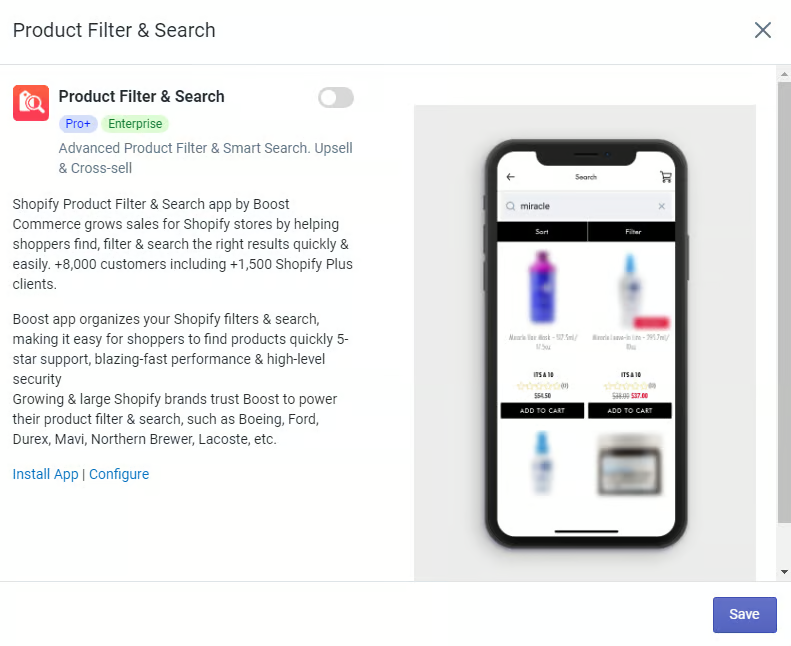
Congratulations! You have successfully integrated Product Filter & Search in our Hulk Mobile App Builder application.
Was this article helpful?
That’s Great!
Thank you for your feedback
Sorry! We couldn't be helpful
Thank you for your feedback
Feedback sent
We appreciate your effort and will try to fix the article