1. Navigate
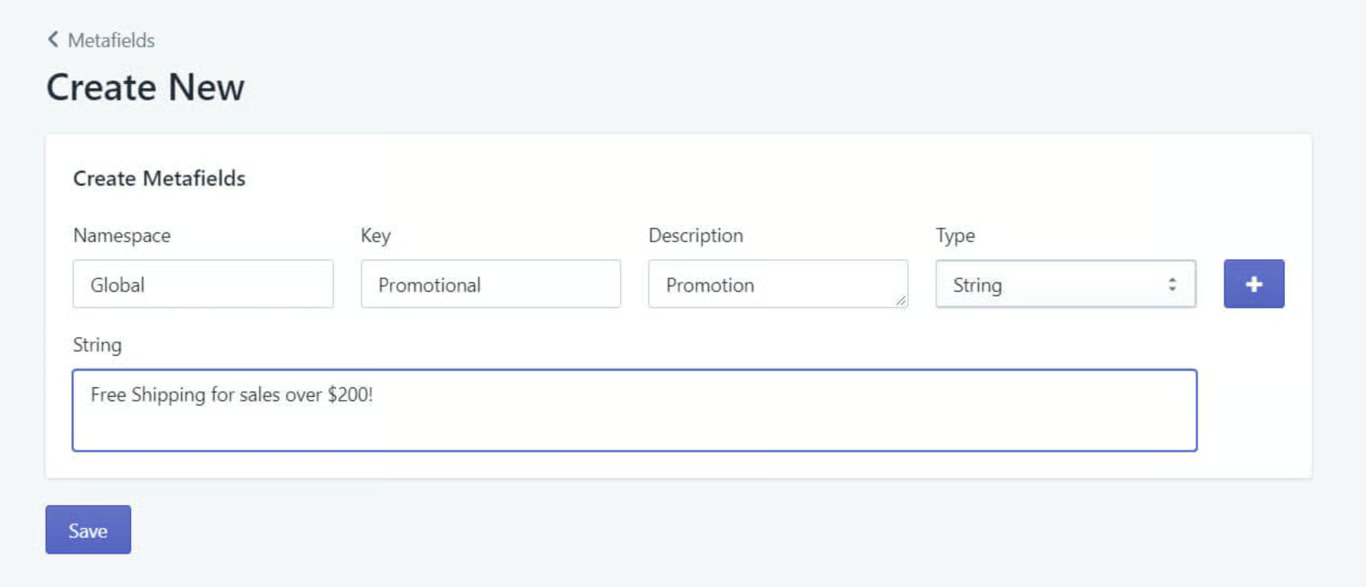
In this tutorial, a global promotions bar like "Free Shipping for sales over $200!" is added to the top of the Shopify store.
2. Create Metafield
To start, navigate to the Metafields Master application, and in Shop create a metafield.
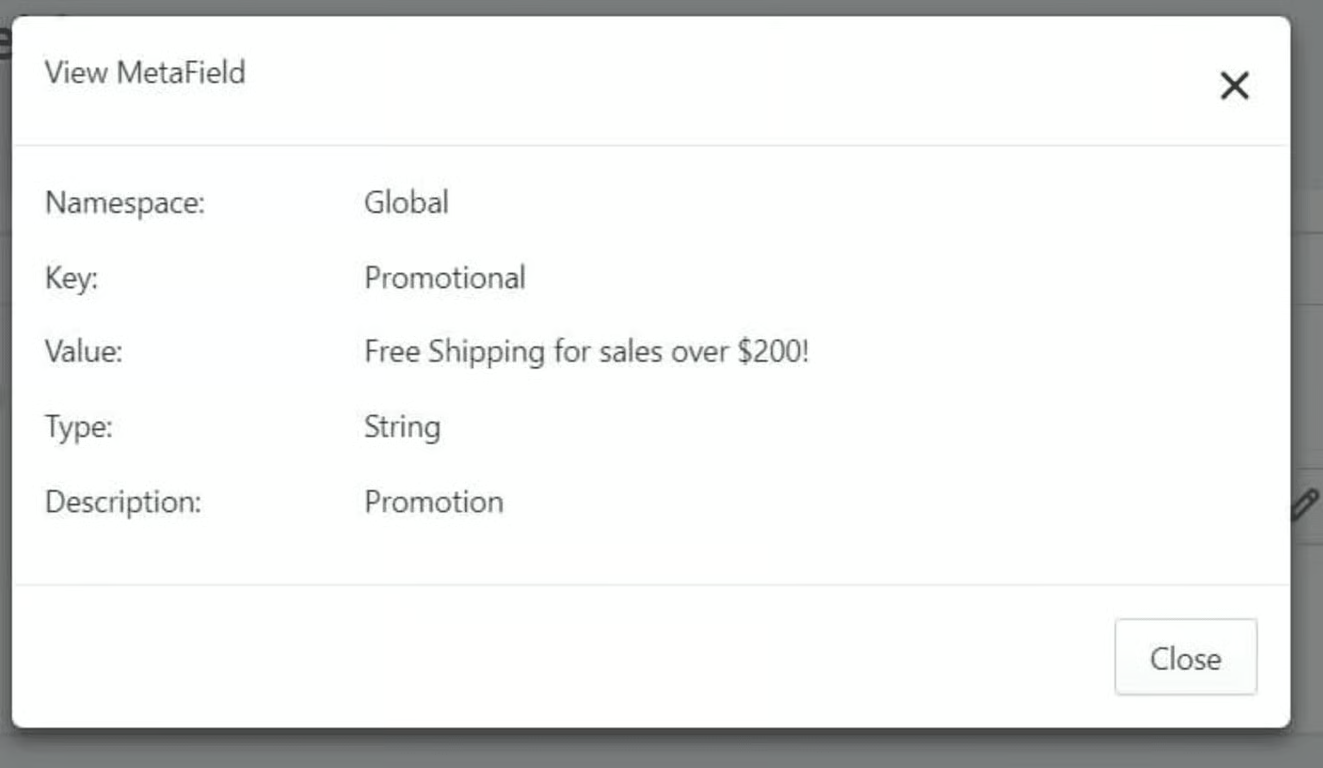
3. Metafield Review
Created Metafield will look similar to this:
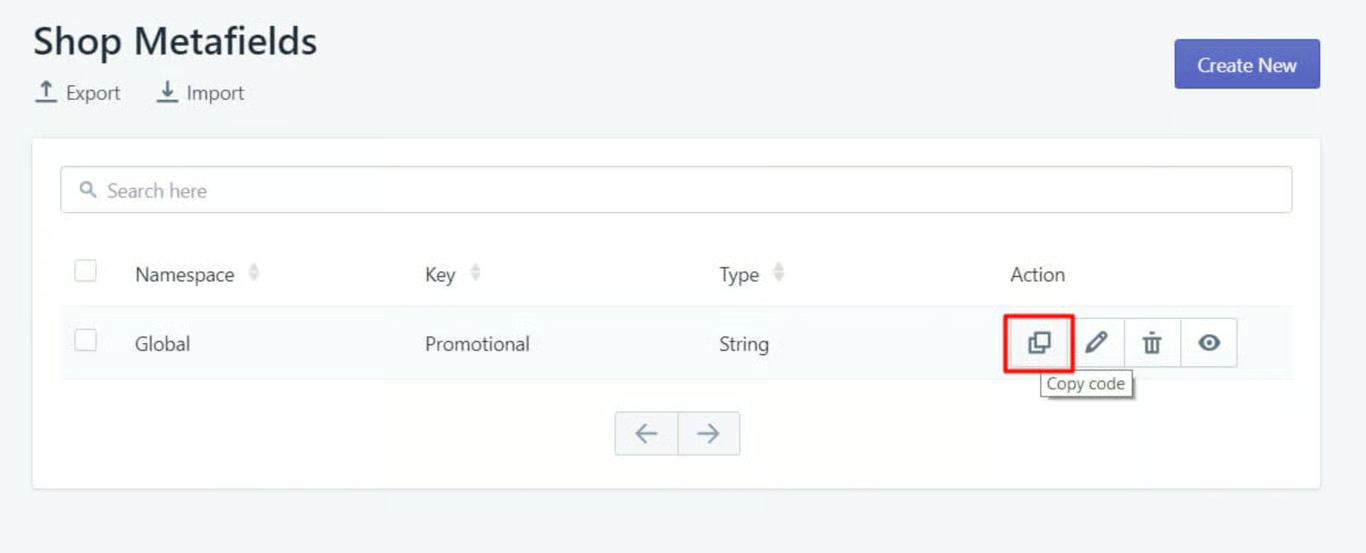
4. Copying Metafield
Now copy the metafield code of the metafield that has been created.
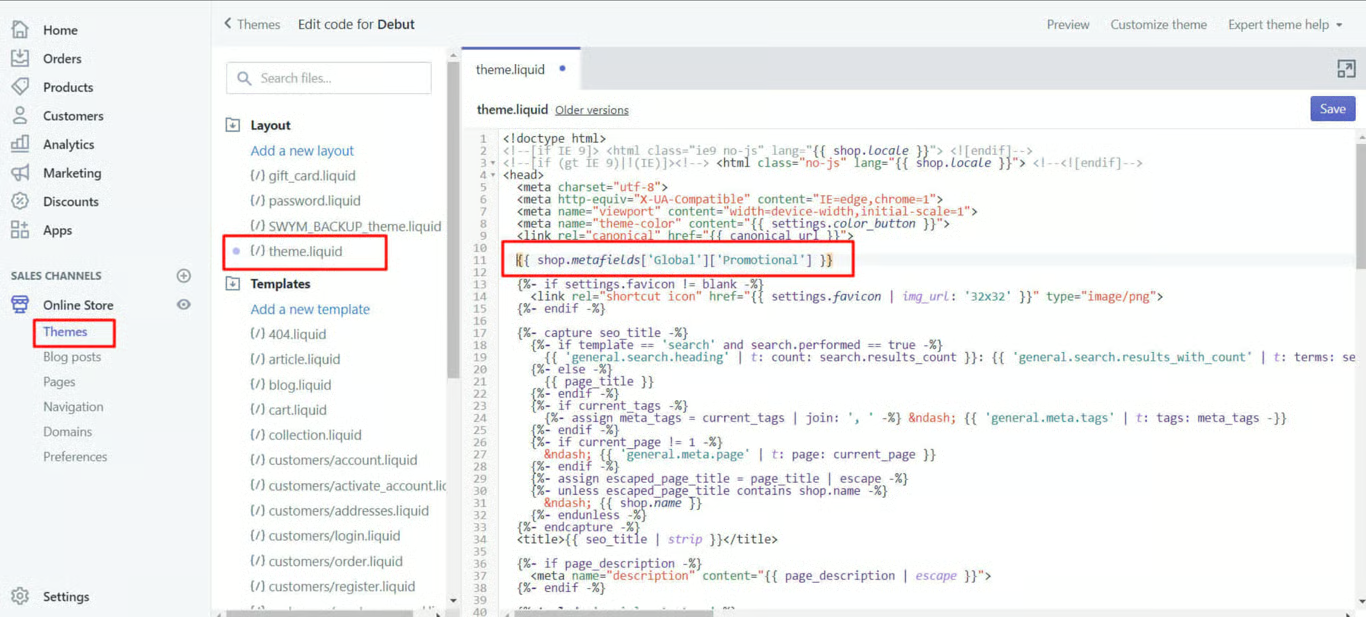
5. Adding Metafield in the theme coding
Now navigate to Shopify's “Online Store” menu and look for the edit code option under the ‘Action’ dropdown option.
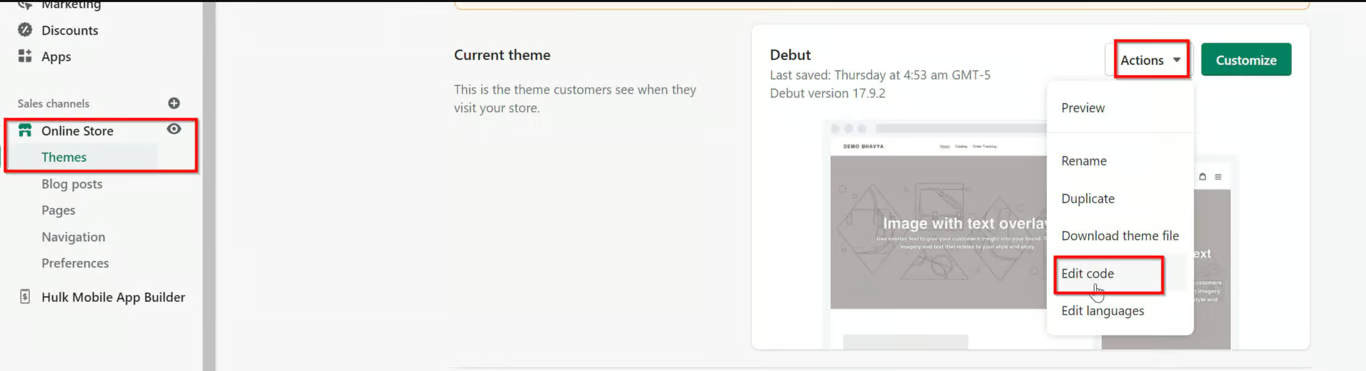 Now under the ‘product.liquid’ or ‘product-template.liquid’ file of the Shopify store theme, place the code where ever it requires the metafield to be displayed. In this example, the code is placed above the product description. Save the file.
6. Preview on store
Now, when we preview our theme. We’ll view the Metafield displayed at the top of the page.

And now you can customize the look and feel of the promotional bar according to theme style using custom CSS.
Was this article helpful?
That’s Great!
Thank you for your feedback
Sorry! We couldn't be helpful
Thank you for your feedback
Feedback sent
We appreciate your effort and will try to fix the article