Automated emails to users based on Wishlist actions
Sending email notifications to customers who have saved their favorites for later, is crucial to bringing them back to complete their purchase. Currently, event triggers have been set for three types of activities in your store:
- General wishlist item reminder
- Price drop reminder
- Product restock reminder
- Low stock reminder
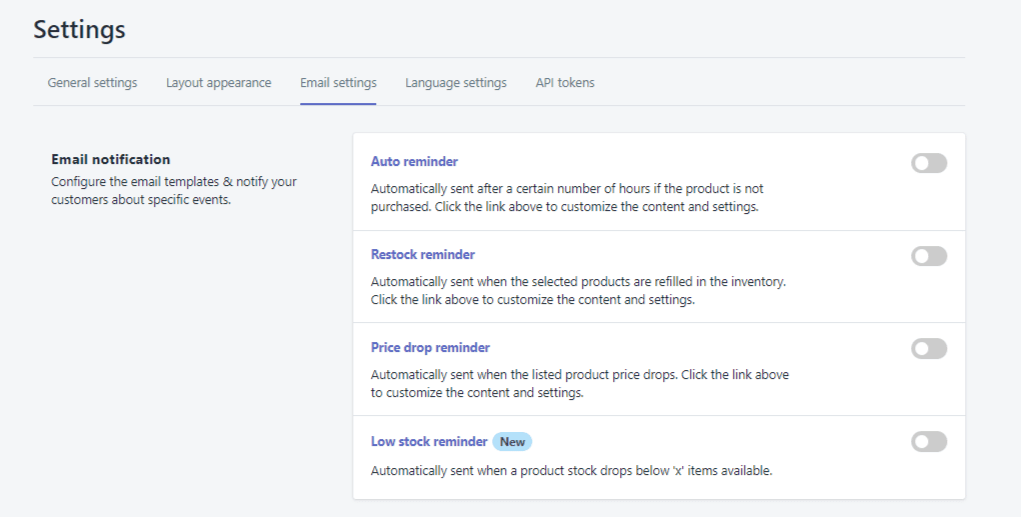
You can enable the events where you want to notify your customers. You can configure the email contents directly on the backend of the app.
By default, we use the store owner email as sent FROM email.
You can pick any of the 5 dynamic Shopify variables to personalize your email and check if the event triggers work by sending yourself a test email before publishing the settings.
Admins can also choose to send wishlist alerts when their item price reaches a specific value.
Was this article helpful?
That’s Great!
Thank you for your feedback
Sorry! We couldn't be helpful
Thank you for your feedback
Feedback sent
We appreciate your effort and will try to fix the article