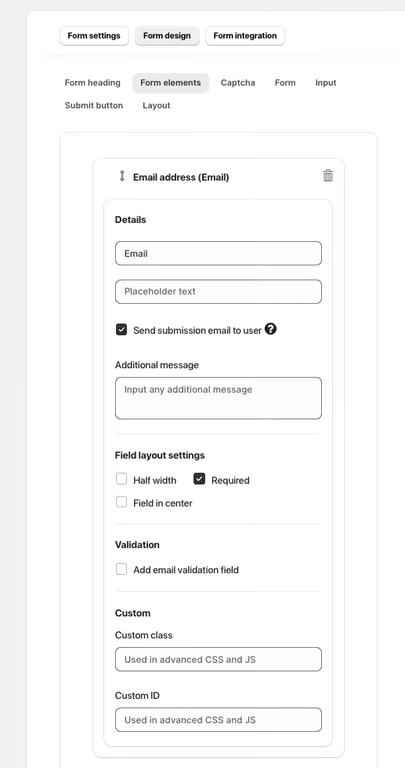
The Email element allows users to collect an email address within a form and send an automatic confirmation or message after submission.
Available Options:
Placeholder text – displays an example email format inside the field (e.g., example@email.com).
Send submission email to user – automatically sends an email to the user who submitted the form.
Additional message – lets you include a short custom message in the email.
Field Layout Settings:
Half width – displays the field as half of the form’s width.
Required – marks the field as mandatory.
Field in center – centers the element within the form.
Validation:
Add email validation field – checks if a valid email address is entered.
Custom Options:
Custom class – adds a CSS class for advanced styling.
Custom ID – used for advanced customization via CSS or JavaScript.
Was this article helpful?
That’s Great!
Thank you for your feedback
Sorry! We couldn't be helpful
Thank you for your feedback
Feedback sent
We appreciate your effort and will try to fix the article