1. Under Settings, scroll down to Display Criteria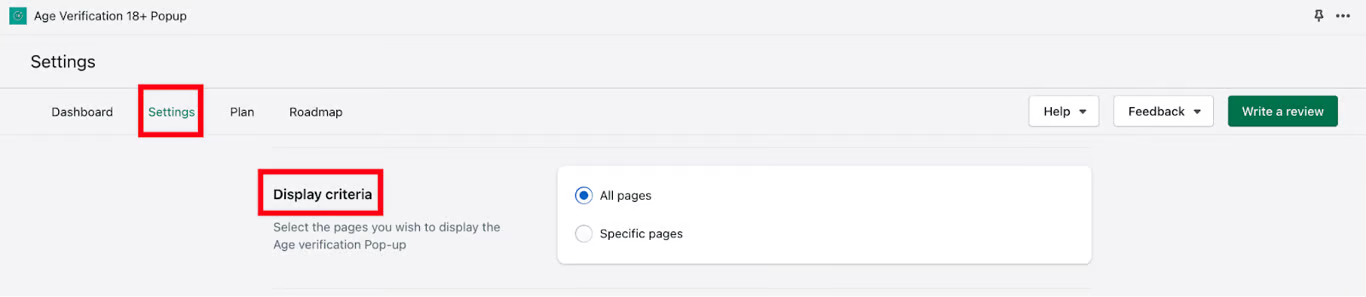
2. Here, you have the ability the set up Display criteria (select the pages you wish to display the Age Verification pop-up on)
3. Once the changes are made per your preference, click on the Save button to save your configured settings
Was this article helpful?
That’s Great!
Thank you for your feedback
Sorry! We couldn't be helpful
Thank you for your feedback
Feedback sent
We appreciate your effort and will try to fix the article