1. On the Dashboard, and Theme integration, click the link: "by activating this app"
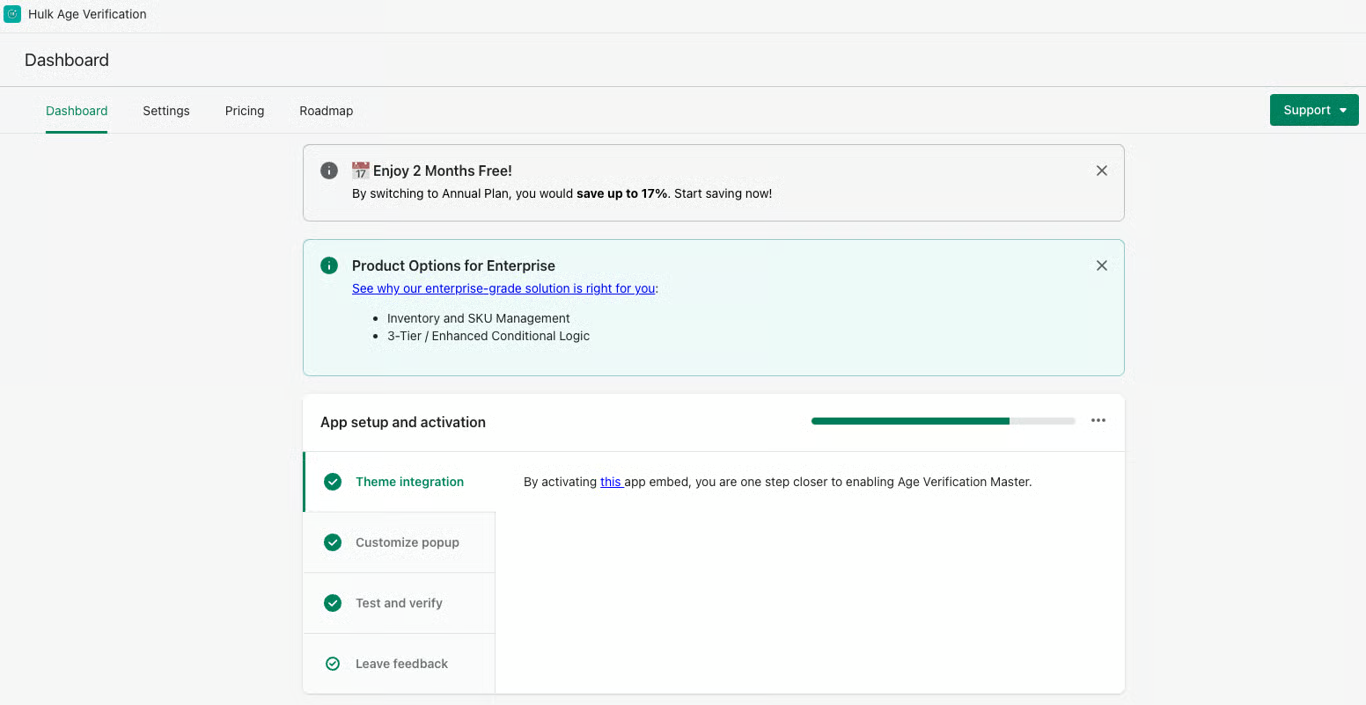
2. This will take you to the app embeds where you can turn it on. You’re good to go; the app is now properly configured and installed for your store!
Was this article helpful?
That’s Great!
Thank you for your feedback
Sorry! We couldn't be helpful
Thank you for your feedback
Feedback sent
We appreciate your effort and will try to fix the article