
1. Per item: This helps to apply the offer on a particular product, and variant quantities as individual items.
E.g. Buy 3 quantities for $10 on each item. Per item
2. Bulk items: This enables to apply the offer the total number of items/variants quantities in the cart.
E.g. Buy 3 quantities for $30
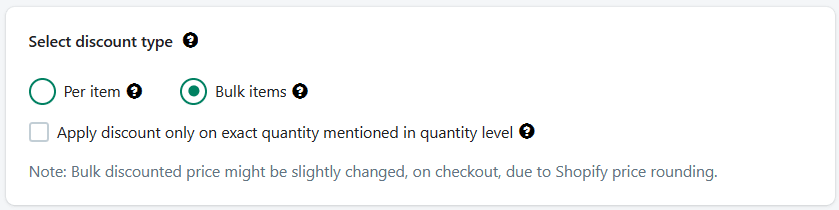 Bulk items
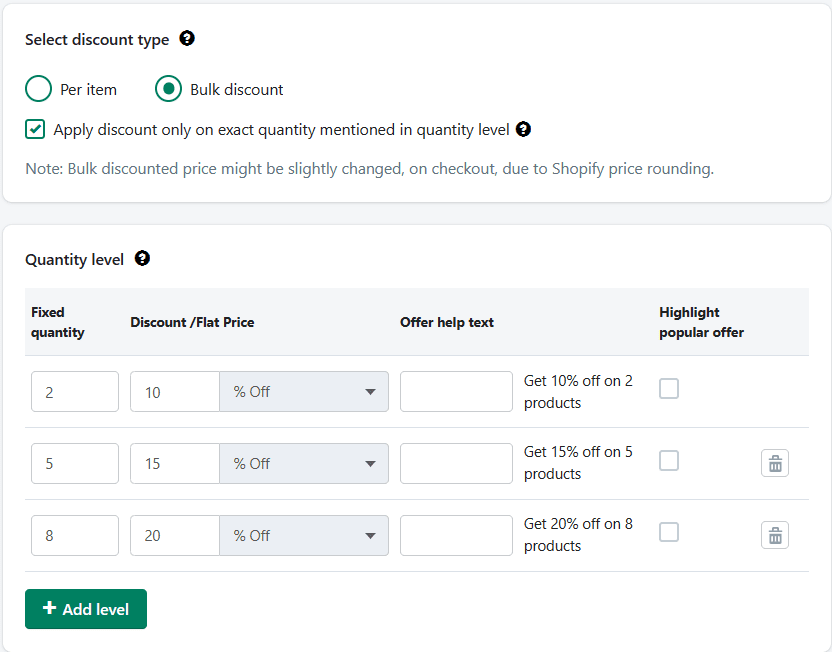
Under these bulk items if you check for, "Apply discount only on the exact quantity mentioned in the quantity level" then the discount will only apply to those tier levels and not any other quantities except the mentioned tiers.
E.g. Discount will not apply at all if the quantity value is in between quantity range which can be 3, 4, 6, 7, or above 8 in the below screenshot. Discounts will only apply on 2, 5, and 8 quantities added to the cart.
NOTE:
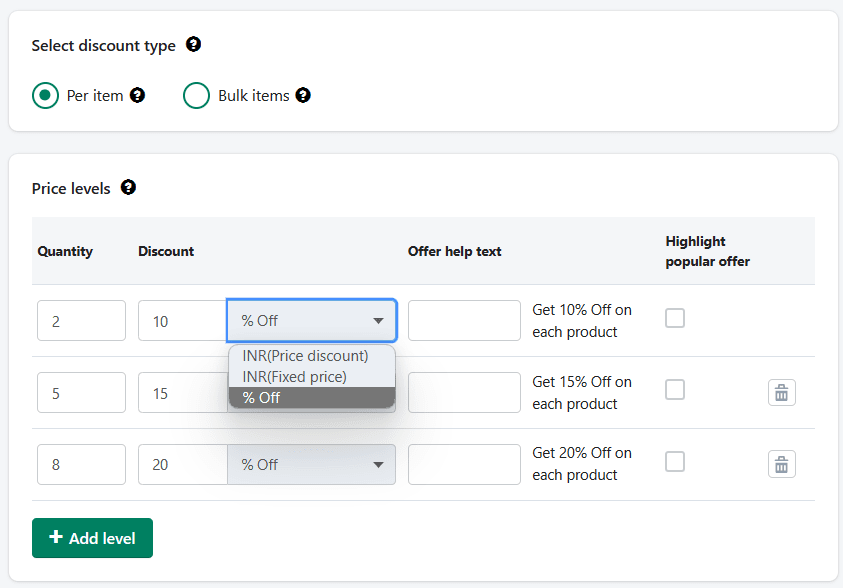
1. Per item discount type will have 3 types such as:
i. Price discount - E.g. Get $10.00 Off on each product
ii. Fixed price - E.g. Get each product for $10.00
iii. %off - E.g. Get 10% Off on each product
2. However, Bulk items will have only 2 types:
i. Fixed price - E.g. Get 2 products for $10.00
ii. %off - E.g. Get 10% off on 2 products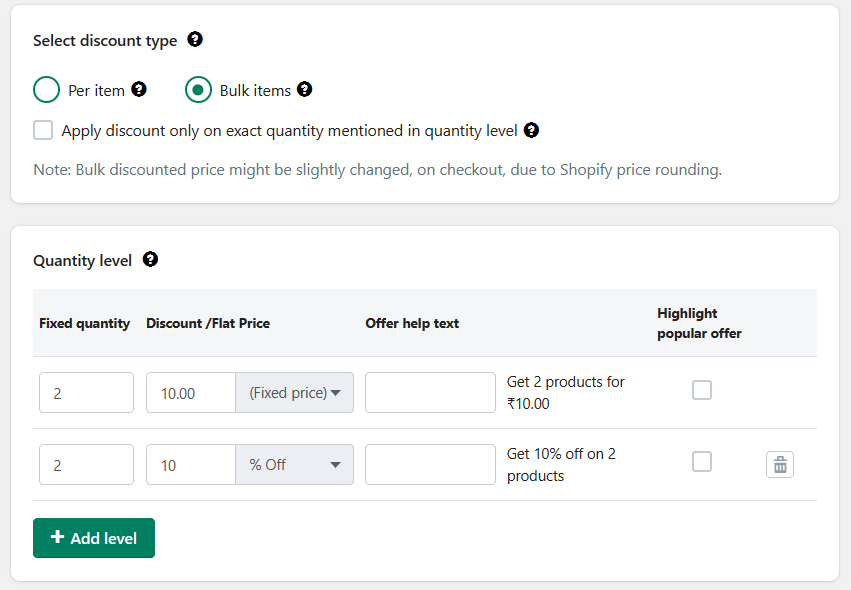
NOTE: Bulk discounted price might be slightly changed, on checkout, due to Shopify price rounding.