
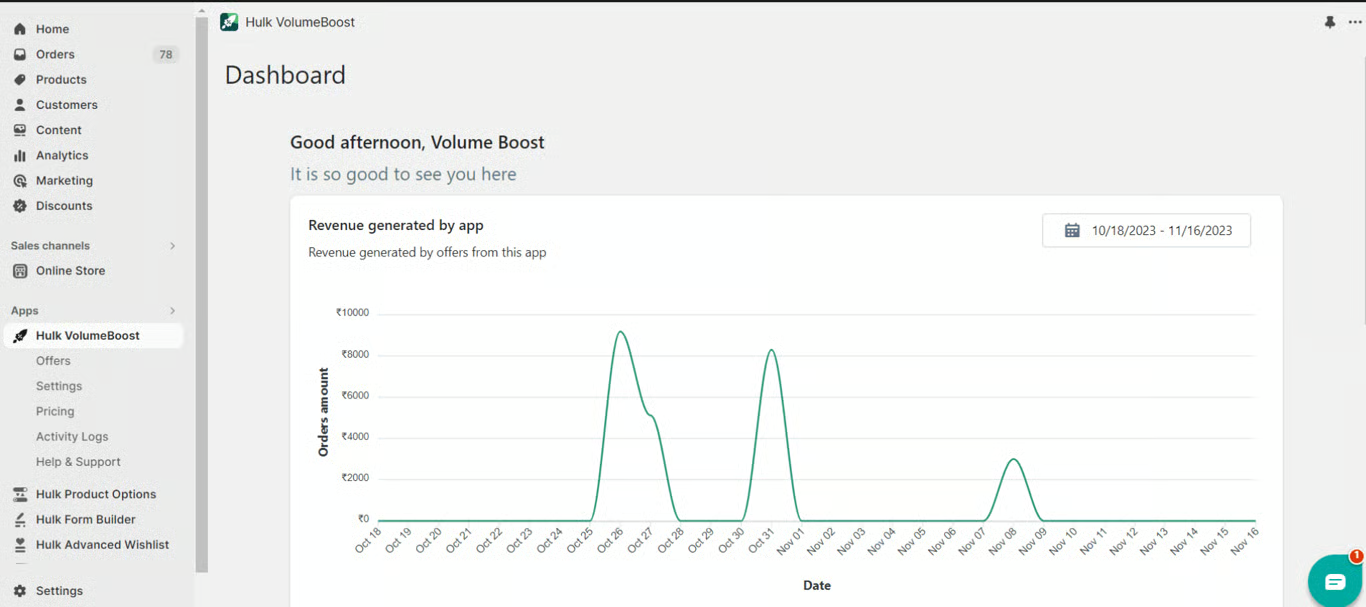
Our elegant App dashboard showcases the revenue generated by the App over time which can be further filtered in required days or months with the help of a calendar available on the dashboard.
Top 5 performing offers:
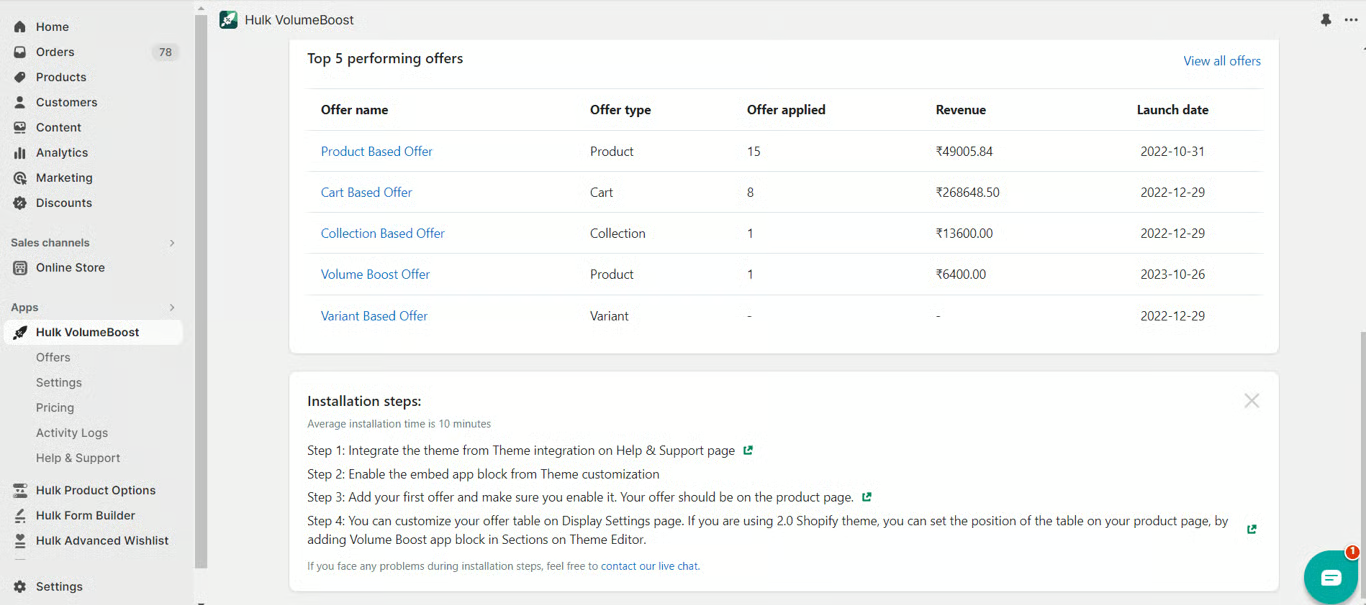
The app dashboard provides a concise, professional summary of your top 5 performing offers since their launch, detailing the revenue they've generated in your Shopify store. This feature offers a quick yet insightful overview of your most successful promotions, aiding in strategic decision-making for optimized marketing performance.
Installation steps:
The typical installation duration is around 10 minutes.
1. Begin by integrating the theme through the Theme Integration section on the Help & Support page.
2. Enable the embed app block by navigating to Theme Customization settings.
3. Create your initial offer and ensure its activation. Display the offer on the product page for optimal visibility.
4. Customize your offer table on the Display Settings page. For users employing the 2.0 Shopify theme, specify the table's position on the product page by adding the Volume Boost app block in the Sections on the Theme Editor.
If you face any problems during the installation steps, feel free to contact our live chat or submit a ticket.