- Import size charts from images, webpage, or CSV. Or, simply build your own
- Size recommenders for clothes or for products where you can't predict body size
- Add multiple tables, images, videos, tabs, and more to your size charts
- Create a product or collection-based size guides that auto-apply to new products
- Input sizing in any unit and the app will automatically do unit conversions
Instructions to enable Kiwi Size Chart & Recommender with Hulk Mobile App Builder
Hulk Mobile App Builder must be on the PRO, PRO+, or Enterprise plan.
Make sure that the Kiwi Size Chart & Recommender app is installed in the Shopify store.
Steps:
Navigate to the Hulk Mobile App Builder App > Settings > Integrations > Kiwi Size Chart & Recommender, Enable the Integration.
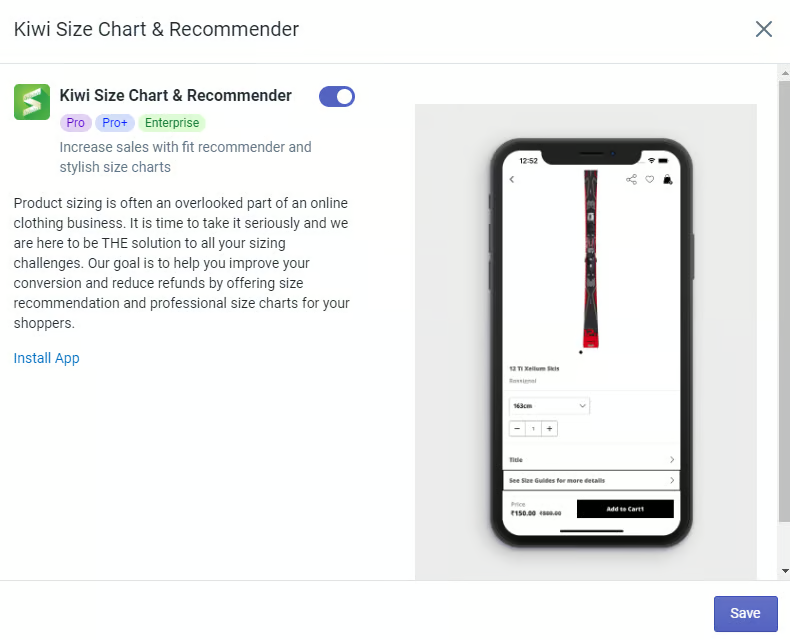
Congratulations! You have successfully integrated Kiwi Size Chart & Recommender in our Hulk Mobile App Builder application.
Was this article helpful?
That’s Great!
Thank you for your feedback
Sorry! We couldn't be helpful
Thank you for your feedback
Feedback sent
We appreciate your effort and will try to fix the article